




Businesses are adopting AI assistants faster than ever, but choosing the right approach is becoming a far bigger challenge today. Some organizations prefer ready-made SaaS platforms, while partnering with IR Solutions for custom AI development designed around specific business needs. One decision today can quietly shape your costs, flexibility, and competitive advantage for years ahead. Looking beyond upfront pricing reveals hidden trade-offs affecting scalability, security, integration, and long-term operational efficiency across growing organizations.
Buying offers faster deployment with lower initial investment, while building provides greater customization, ownership, and control over business processes. Neither option is universally better because every company has different budgets, technical capabilities, compliance requirements, and future growth plans. Understanding these differences before making a decision helps avoid expensive mistakes, unexpected limitations, and unnecessary costs as your business continues growing.
What Buying a SaaS AI Assistant Includes
Buying means subscribing to an AI platform that already works out of the box. You configure it, plug in a few data sources, and you're live within days or weeks. Popular SaaS assistants handle chat support, internal knowledge search, and basic workflow automation, and honestly, for a lot of teams, that's more than enough.
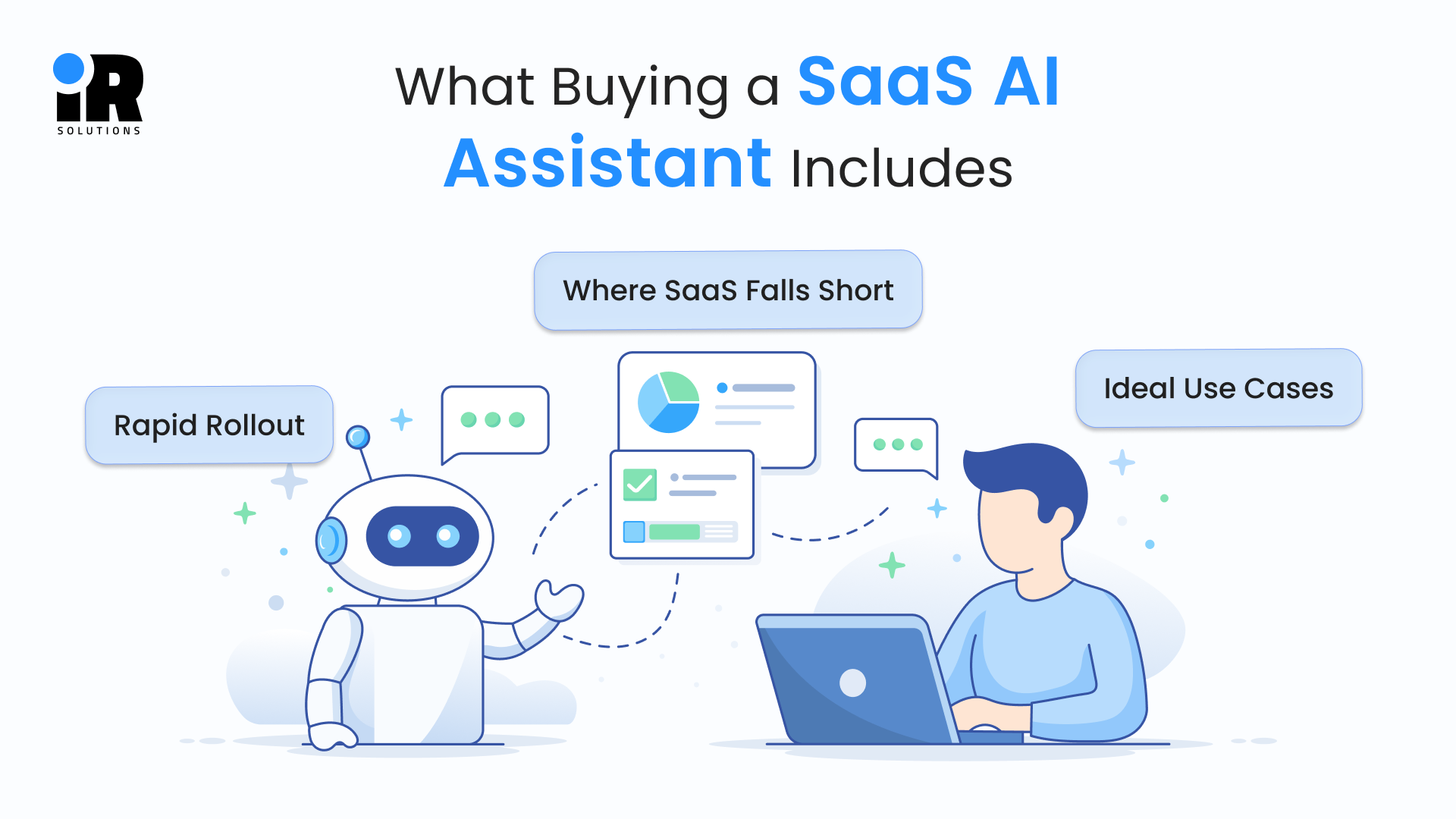
Rapid Rollout
There's a real appeal to speed here. Most SaaS tools go live within one to four weeks, and you skip recruiting engineers or data scientists entirely. The platform provider also handles patches, security updates, and new features on their own schedule, not yours.
Ideal Use Cases
SaaS tends to fit best when the need is common and the timeline is tight. Early-stage startups testing demand, teams covering seasonal support spikes, and companies automating simple, repetitive workflows all get real value here without overengineering anything.
Where SaaS Falls Short
The catch shows up later, and you end up adapting your workflow to fit the tool instead of the other way around, and your data often sits on servers shared with other clients. Push hard enough on an advanced use case, and you'll hit a wall the service provider never planned on removing.
Businesses planning unique AI experiences should also explore Custom AI Chatbot Development: Complete Guide to Building Business-Specific AI Assistants before starting development.
How Custom AI Assistants Support Business Growth
Building means designing an AI assistant from scratch, shaped entirely around your own processes. Before development begins, many businesses rely on professional AI/ML services to establish the right architecture, integration framework, and deployment plan. Your team, or a development partner, defines the logic, integrations, and data handling from day one. It takes longer, sure, but you end up with a tool built around how your business actually works, not a generic template someone else designed for a different company.
Full Process Control
Every workflow reflects how your business really runs, not a third party's assumptions. The assistant connects directly to your CRM, ERP, or whatever internal tools you already rely on. Custom development enables business-specific features instead of relying on the same standard capabilities available to every SaaS customer.
The Real Trade-offs
Nothing here is free, obviously, custom builds typically take two to six months at a minimum, and you're paying for design, development, and testing before anything goes live. Your team or partner also has to keep the system updated and secure long after launch. Companies without an internal AI team often choose to hire AI/ML developers who can build, maintain, and continuously improve custom assistants.
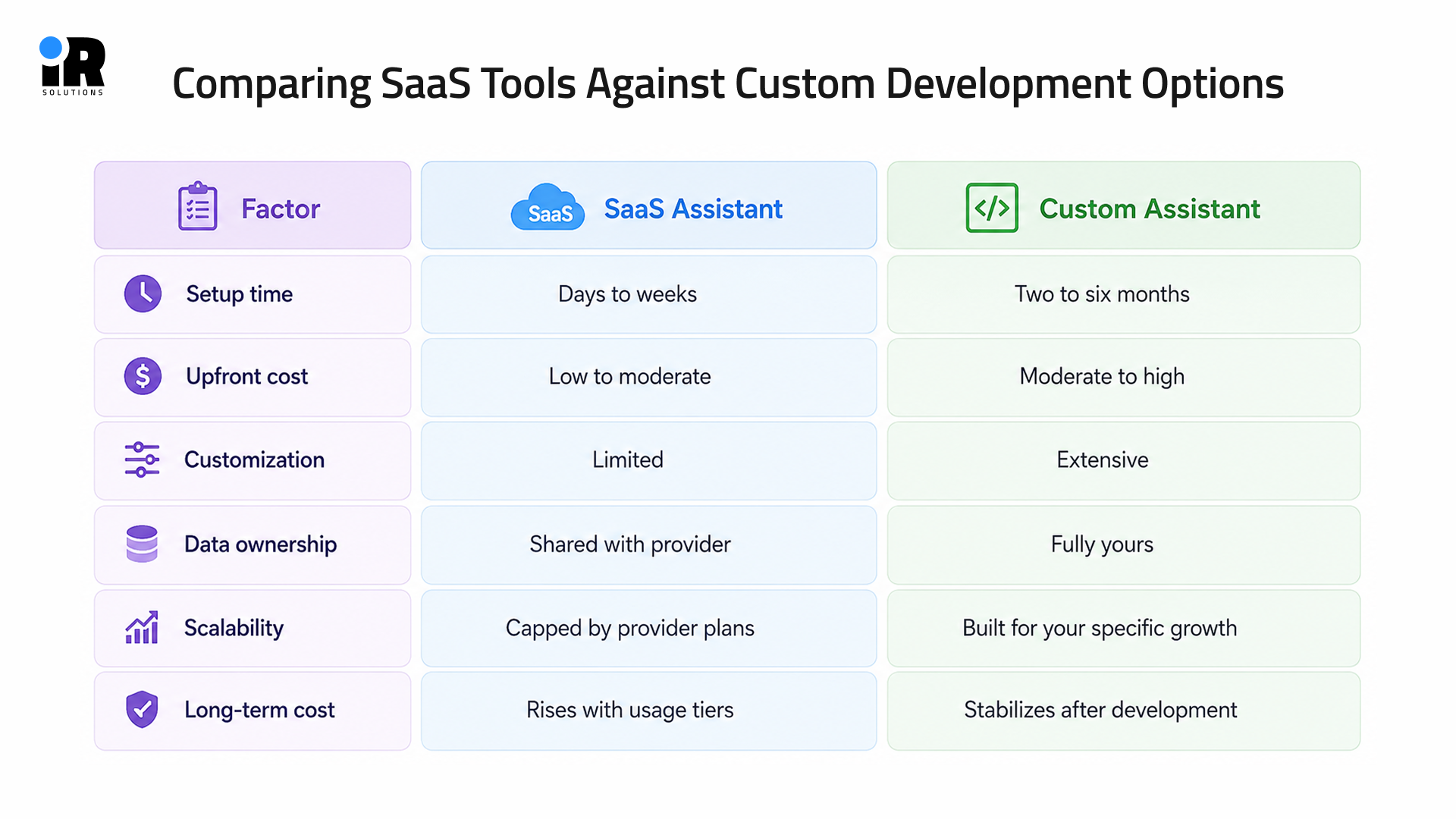
Comparing SaaS Tools Against Custom Development Options
Putting these two paths side by side makes the trade-offs a lot easier to see. Neither option wins outright, since the right pick really depends on your company's size, budget, and goals.
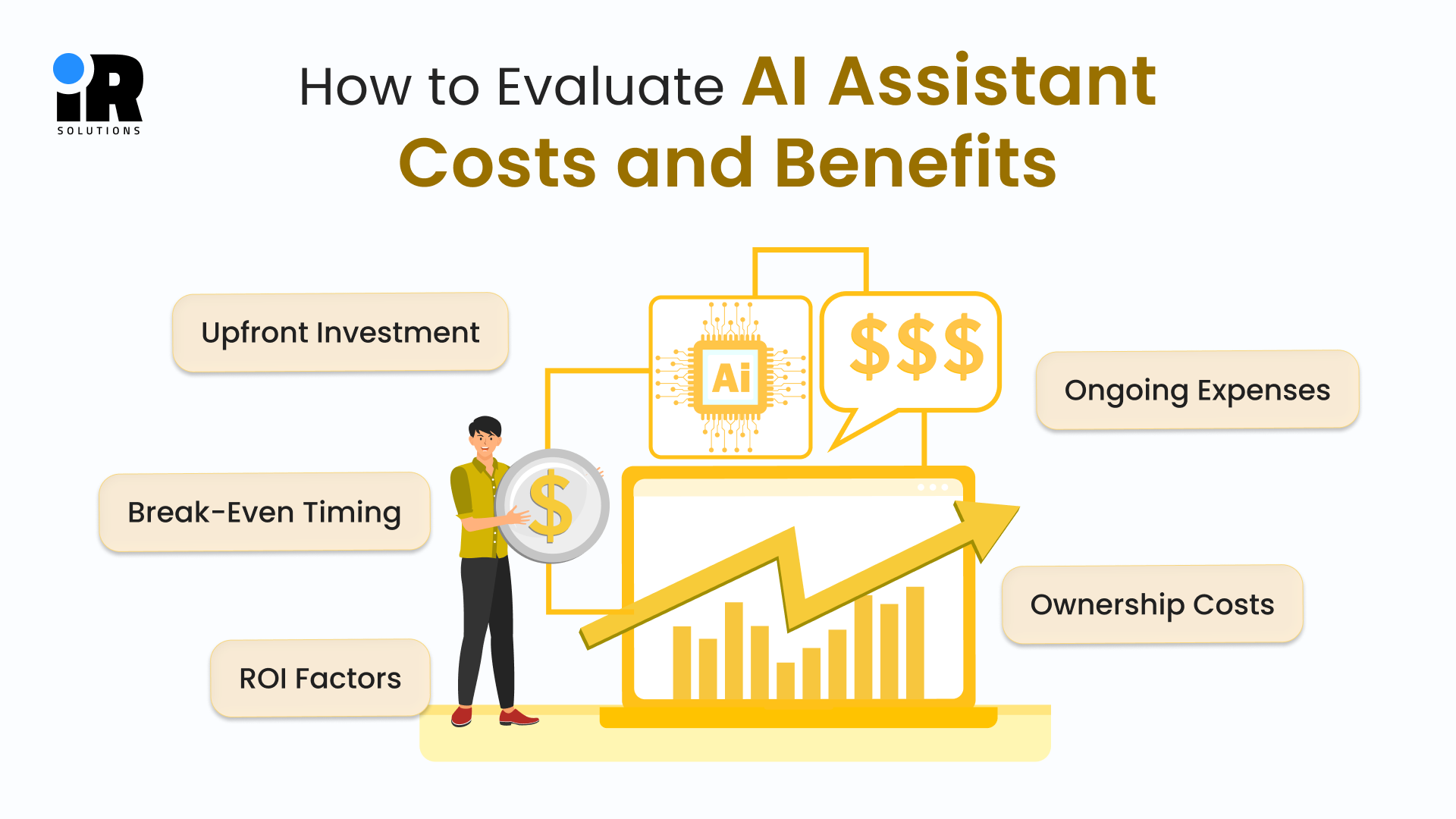
How to Evaluate AI Assistant Costs and Benefits
Numbers tell the real story here, far better than any marketing page from either side. Before deciding on anything, map out costs across a three-year window, not just the first quarter after launch.
Upfront Investment
- SaaS pricing usually runs from a few hundred to several thousand dollars a month, depending on the plan you pick.
- Custom pricing works differently, with project-based fees covering discovery, design, development, and testing before anything goes live.
- Both paths, worth noting, need data cleanup and integration work that most teams badly underestimate going in.
Ongoing Expenses
- SaaS costs tend to creep up quietly as your usage and seat count grow month over month.
- Custom builds still need periodic updates, though the rate usually stays a fair bit lower once things settle.
- SaaS providers include support in the subscription, while custom builds require a dedicated team on call.
Break-Even Timing
- Most companies see a custom assistant pay for itself somewhere between years two and three.
- Heavy AI users often hit that break-even point sooner, sometimes within the first twelve months.
- The math shifts fast once usage climbs, so it's worth rerunning these numbers every few quarters.
Ownership Costs
- Sticker price alone gives you an incomplete picture of what either option really costs over time.
- Total cost of ownership has to include setup, training, support, and eventual migration expenses, not just the invoice.
- Skipping this step is how teams end up blindsided by a bill nobody budgeted for.
ROI Factors
- Efficiency gains matter most, so calculate the hours saved across support, sales, or internal operations teams.
- Fewer mistakes from automation translate directly into measurable savings, even if nobody tracks it that way at first.
- A smoother assistant experience also tends to improve repeat purchases and loyalty, something that rarely shows up in a spreadsheet until months later.
Even the most advanced AI assistant can only respond as accurately as the data it receives. Learn more in What Data Does an AI Assistant Need to Deliver Accurate Responses?
How AI Assistant Ownership Affects Long-Term Business Success
Ownership rarely gets enough airtime in these early build-or-buy conversations, which is a mistake. It directly shapes your data security, your brand experience, and how much negotiating power you keep down the road.
Data Control
Custom builds keep sensitive customer data entirely inside your own systems, full stop. SaaS tools, by contrast, store data on their infrastructure under their privacy terms, which regulated industries often can't accept. If compliance is non-negotiable for your business, this alone can decide the entire conversation.
Brand Consistency
Custom assistants can match your brand tone exactly, without leaning on generic templates. SaaS tools often restrict how much personality you can actually dial in. And a consistent experience across every channel tends to build stronger loyalty over time, something easy to underestimate early on.
Platform Lock In
Leaving a SaaS platform later means rebuilding workflows from scratch, which nobody enjoys doing twice. The service can also raise prices anytime, and you're left with limited room to push back on renewal. Worse, the platform provider decides the roadmap, not your product or operations team, so features you actually need might just never arrive.
Long-Term Scalability Considerations For AI Assistants
SaaS platforms limit usage, which means costly upgrades the moment your traffic actually grows. As your business scales, these limitations become more than just an inconvenience they shape how fast you can move and how much you end up paying for growth you've already earned.
- SaaS plans cap usage, which forces costly upgrades the moment your traffic actually grows.
- Custom infrastructure scales precisely with your growth curve, letting you optimize speed for your traffic.
- Once built, custom infrastructure costs stay far more predictable as usage keeps climbing steadily.
- Custom assistants connect to new tools without any software restrictions getting in the way.
- SaaS platforms often cap how many integrations a given subscription plan actually allows.
- Custom builds let you add features the moment your business genuinely needs them, while SaaS roadmaps serve the whole customer base instead.
Achieving that level of flexibility often requires businesses to hire AI chatbot experts with experience in building scalable, business-specific AI solutions. That control over infrastructure, integrations, and features is easy to overlook early on, but it tends to matter most once you've actually scaled.
If you want a clear, unbiased breakdown for your specific business, discuss it with our expert.
Security And Compliance Factors To Weigh
Security isn't optional here, no matter which path your company ends up choosing. Knowing where responsibility actually sits ahead of time helps you avoid costly gaps down the line.
Data Handling Responsibility
The software provider manages encryption, backups, and server-level security in a SaaS setup. With a custom build, your team or your development partner owns every security layer directly, which is either reassuring or intimidating, depending on how ready you are for it. Even SaaS tools still require you to manage user permissions carefully on your end.
Compliance Certifications
Check whether SaaS providers hold certifications relevant to your specific industry before signing anything. Custom systems let you design compliance requirements directly into the architecture from the start. Either way, you'll need clear audit trails for regulatory reporting and internal reviews.
Incident Response Planning
Response times in a SaaS setup depend entirely on the platform provider's support policies, for better or worse. With a custom build, the internal team controls response times and communication during any security incident. Always confirm liability terms before signing a SaaS service agreement, because those clauses matter more than most organizations realize until something goes wrong.
Conclsuion
There's no universal answer to the build-or-buy question, only the right answer for your company right now. Weigh your budget against your growth timeline, and weigh convenience against long-term ownership honestly. Businesses chasing fast validation usually get more out of SaaS tools in the short term. Businesses protecting sensitive data or planning aggressive scale usually get more out of custom builds instead. Before making a decision, evaluate your integration needs, future operating costs, and the level of control your business requires. A solution that fits today's priorities should also support tomorrow's growth without forcing unnecessary compromises. Either path can work well when it matches your actual business stage, and most companies only figure that out after trying one first.
Frequently Asked Questions
Is buying an AI assistant always cheaper upfront?
In most cases, yes, since SaaS tools skip the design and development phase entirely. That lower starting price can climb fast, though, once you add seats, usage, and premium features.
When does custom development become more cost-effective?
Usually somewhere between years two and three, once subscription costs start piling up. Companies with heavy daily usage often hit that break-even point even sooner than that.
Can we switch from SaaS to custom later?
Yes, plenty of companies start with SaaS and move to custom once they outgrow it. Just expect some rework, since you'll need to rebuild integrations and migrate existing data.
Does custom development guarantee better performance results?
Not automatically, no matter how much money you throw at the build. Performance really comes down to the development team's skill and how well they planned the project.
Who owns the data in a SaaS assistant?
The SaaS provider typically hosts everything, so your data lives on their servers under their terms. That's fine for a lot of teams, but it's worth reading their privacy policy closely first.
Is a hybrid approach ever realistic for companies?
Absolutely, and it's actually a pretty common path for growing businesses. Many start with a SaaS tool to test demand, then shift to custom once things scale.
How long does a custom AI assistant take?
Most projects take somewhere between two and six months from start to finish. The exact timeline depends on how complex your workflows and integrations turn out to be.
What industries benefit most from custom AI assistants?
Healthcare, finance, and legal industries tend to gain the most from custom builds. Their strict compliance rules usually make off-the-shelf SaaS tools a much riskier fit.
Should startups avoid custom AI development entirely?
Not entirely, but it's rarely the smart first move for an early-stage startup. Most founders get more value from validating demand with SaaS before investing in custom work.