


Key Takeaways
- Use new arrivals, restocks, and early access to give shoppers a reason to buy.
- Share reviews and product details that answer questions about fit, quality or everyday use.
- Recommend products that go with a recent purchase or remind customers when supplies run low.
- Give each email one clear button that takes shoppers straight to the featured product or collection.
- Replace one regular sale email first and save discounts for jobs like clearing old stock.
- Track orders, unsubscribes, and what’s left after costs to see which emails are worth repeating.
Your store gets a good number of orders after a promotional email, but sales slow down again a few days later. Sending another coupon may bring some customers back, but it can also make them wait for the next offer instead of buying at full price.
Before sending another discount, consider what your customers need to buy. Someone waiting for a product to come back in stock may need a restock alert. Another shopper may need help choosing the right product or size. A useful email can give both a reason to return without offering a discount.
Start by looking at your stock records, customer questions, and recent orders. These can help you understand what your customers are looking for. You can also use these details to create targeted campaigns for different customer groups.
These ecommerce promotional email examples will help you plan emails that encourage purchases without relying on constant discounts. Each example includes a target audience, send time, subject line, and button text that you can use for your own store.
What Are Promotional Emails in Ecommerce?
Ecommerce promotional emails encourage shoppers to buy by featuring products, collections, or relevant shopping opportunities. A discount can be part of the message, and the reason to shop can also be a restock or launch.
For example, a pet store could promote its bestsellers, while a clothing store could introduce a seasonal collection. Good email promotions for online stores connect that next step to something the recipient already wants or needs.
Why Constant Discounts Can Hurt Your Ecommerce Business
A sale can improve this week's revenue while leaving less money in the business to pay for the next order. Look at what the sale changed for your customers and what each order contributed after the costs you covered.
- Lower Margins: A $10 discount leaves $10 less after product, packaging and shipping costs.
- Delayed Purchases: Shoppers who expect a weekend sale may wait to place their orders.
- Discount Dependency: Frequent coupons make it harder to sell the same products at full price.
- Weak Retention: Shoppers who buy for the price may leave when another store charges less.
- Email Fatigue: Subscribers may stop opening your emails when every subject line announces another sale.
If a $50 order costs $30 to fulfil, a $10 discount cuts what you keep from $20 to $10. That can make sense when you need to clear slow-selling stock and make room for products customers buy more often.
The best promotional email examples answer a question buyers already have or tell them something they can use today. Use these examples to match each send with a reason to buy that your store can actually deliver.
1. New Product Launch Emails
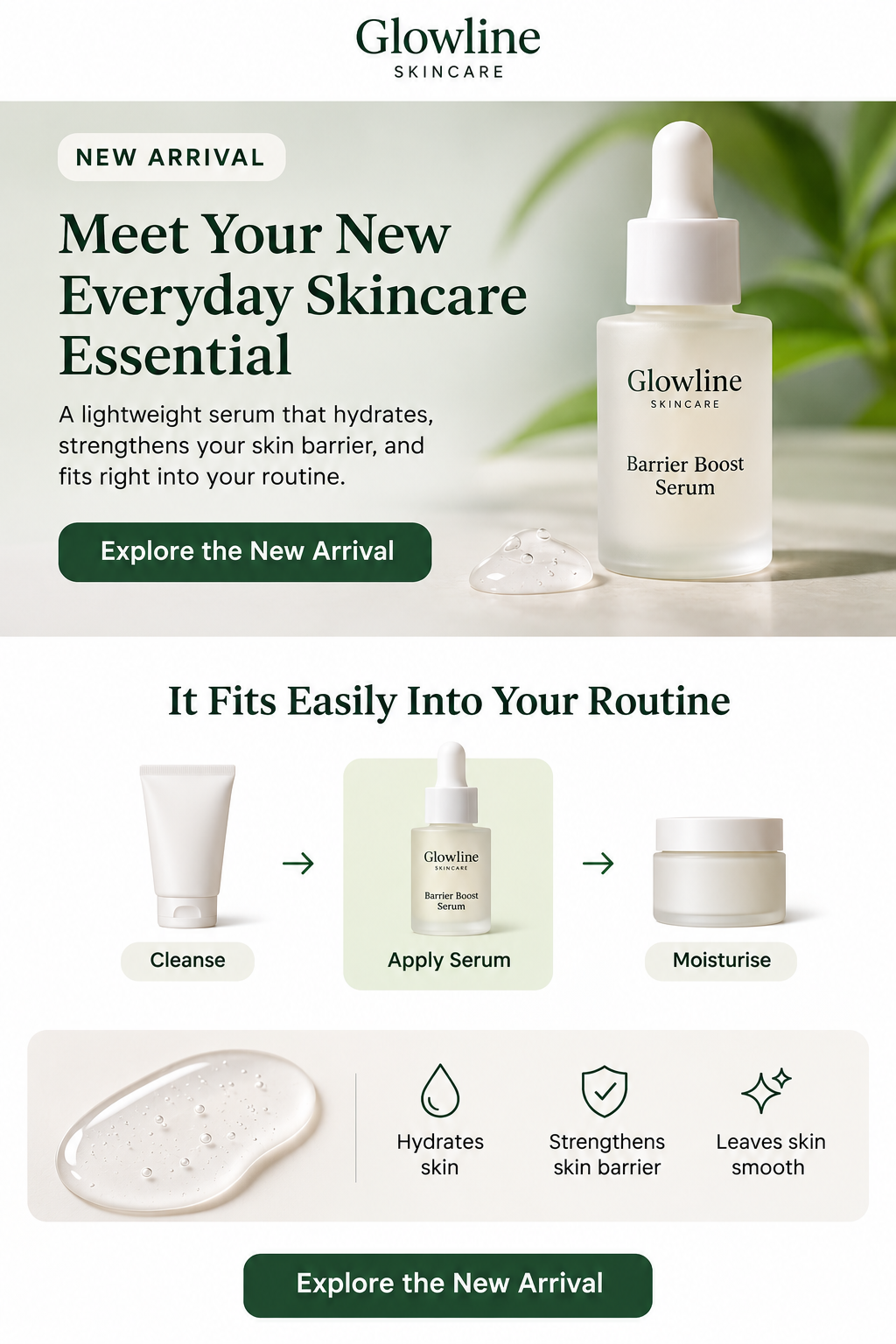
Show customers where the new product fits into a routine they already follow and what it helps them do. A skincare store could show when to apply its new serum and how it feels under moisturiser.
Send the email once the product is available and customers can order it directly from the product page. Start with your waitlist, then reach engaged subscribers who have bought or browsed products used in the same routine.
If you’ve updated an existing product, explain what changed and why someone who owns it might care. For help planning emails around the release, see Mailchimp’s product launch guide.
2. Bestseller and Trending Product Emails
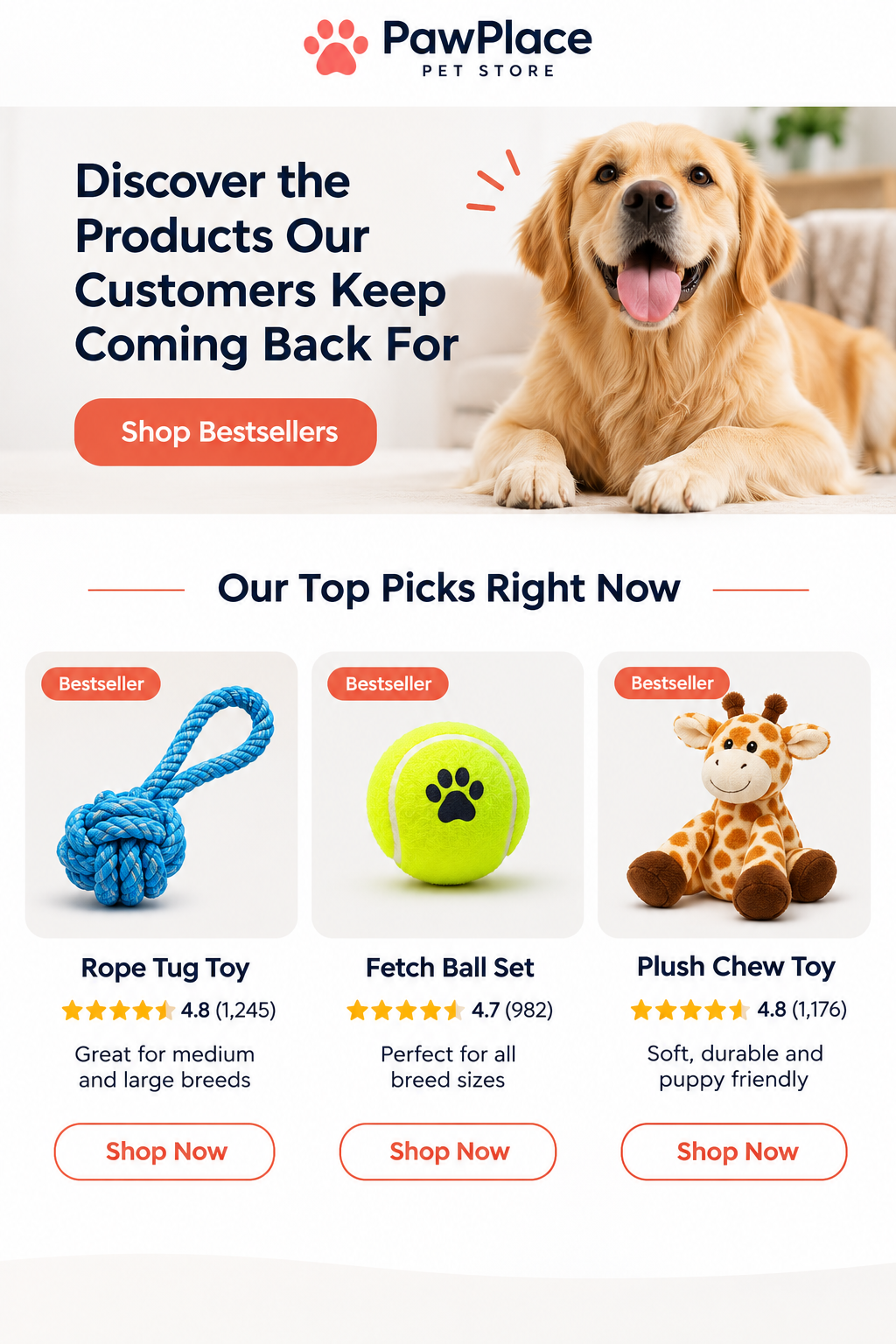
A short bestseller list gives shoppers somewhere to start when they’re looking through a large catalogue. A pet store could use recent orders to pick three popular dog toys and show which breeds or sizes they suit.
Send the shortlist during a regular campaign week to new subscribers or people who recently browsed the featured category. Check stock before sending so customers can buy the sizes or versions you show in the email.
Include the review count alongside each rating so shoppers can see how many customers weighed in. If buyers often return a toy because it’s smaller than expected, put its measurements next to the photo.
3. Back-in-Stock Emails
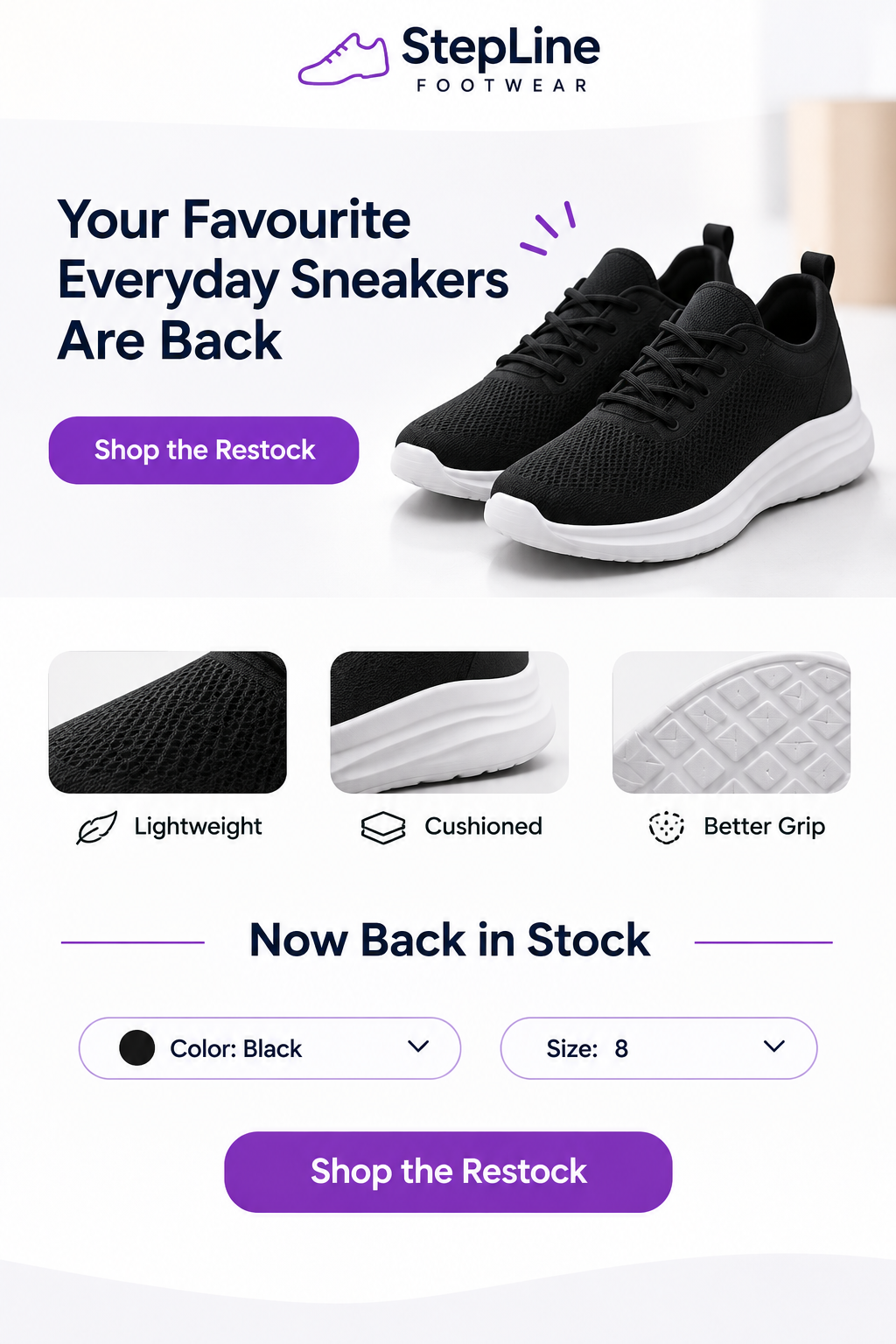
Tell customers exactly what came back so they can see whether the item they wanted is available. If someone asked for black sneakers in size eight, show that pair and link to the matching product option.
Set an alert to go out as soon as the requested size or colour becomes available again. For a small restock, notify the waitlist first and check stock before emailing other interested subscribers who’ve agreed to receive marketing.
Of these sales email examples for ecommerce, a restock is easy to test because customers have already told you what they want. If the item sells out again, let shoppers request another alert from the product page.
4. Product Benefits and Problem-Solving Emails
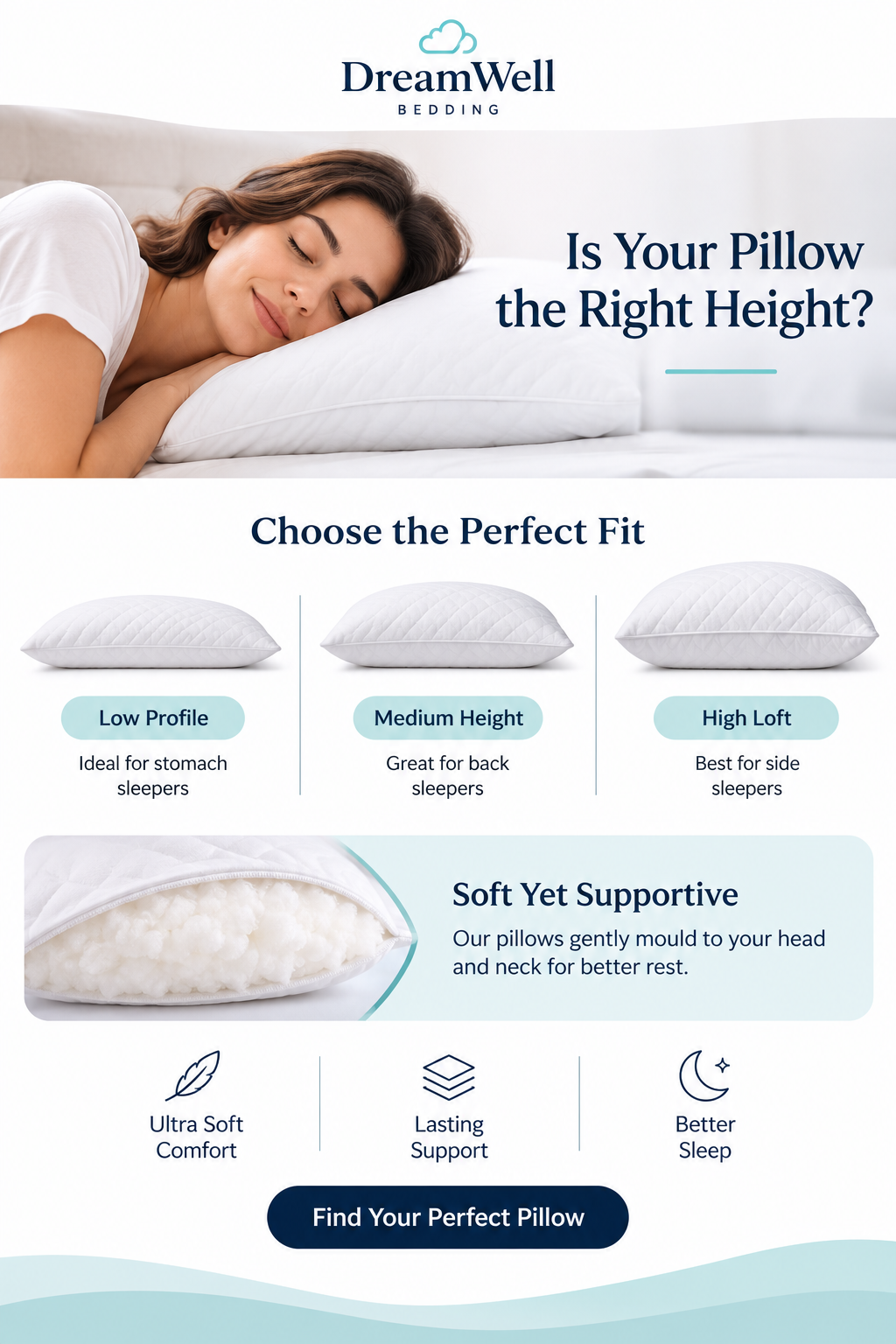
Pick a question customers ask before buying and show how the product fits the situation they describe. A bedding store could show its pillows from the side and explain which heights suit different sleeping positions.
Send the email to subscribers who have browsed the category or come back to the same product. If shoppers often ask about firmness, explain what’s inside the pillow and how much it compresses under pressure.
Leave space in your promotional email templates for details that help shoppers choose, such as a photo showing pillow height. Link directly to the fitting guide so they can compare the options with the pillow they already use.
5. Customer Review and Social Proof Emails
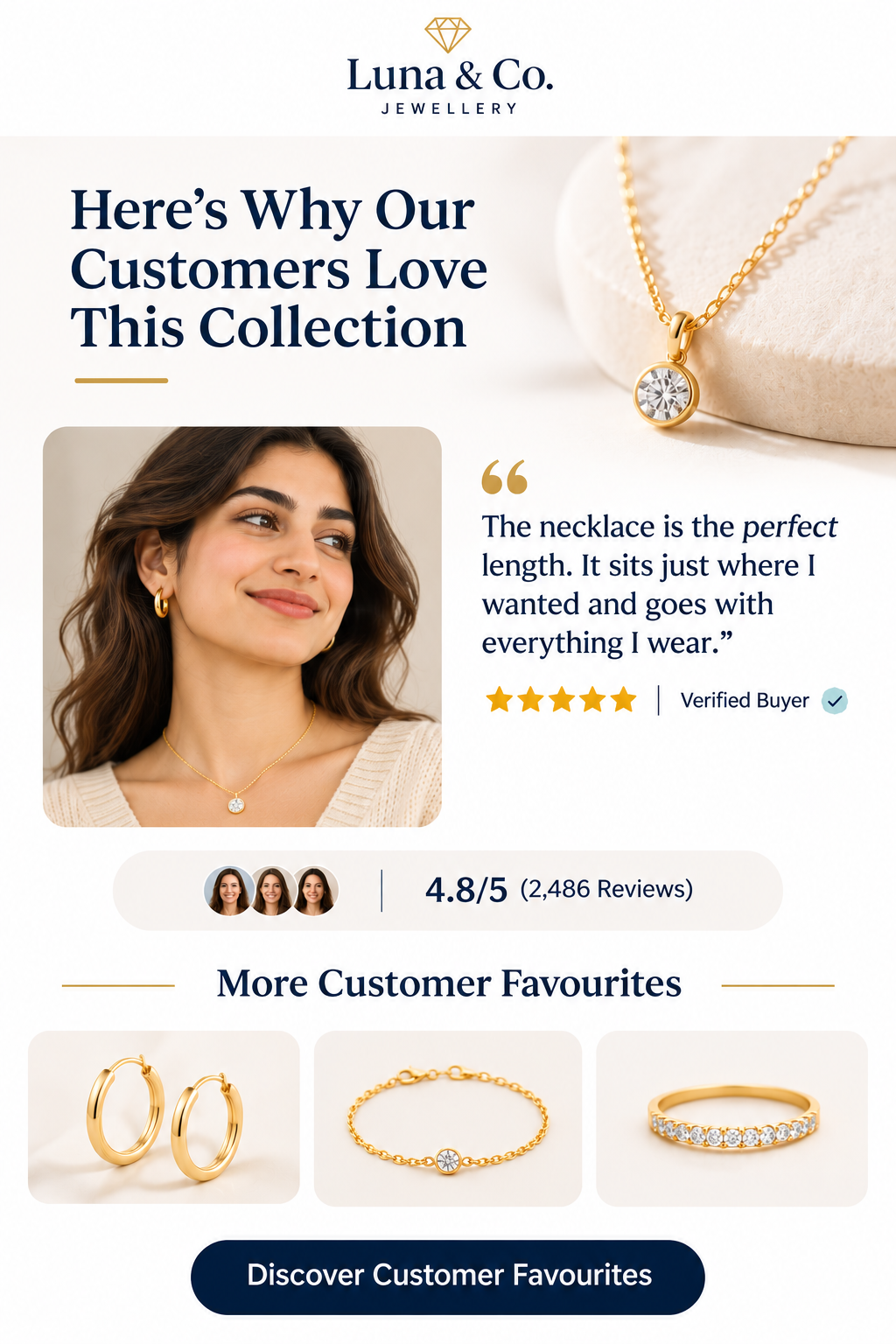
A good review gives shoppers a detail they can use to decide whether the product suits them. A jewellery store could pair a verified review about chain length with a customer photo showing where the necklace sits.
Send the email when you have genuine feedback that answers a question shoppers ask before they buy. Start with subscribers who clicked through to the collection but haven’t bought the featured item.
Useful ecommerce email marketing examples make it easy to look beyond the review featured in the message. Ask permission before sharing a customer’s photo, show the review count, and link to the full set of reviews.
6. Personalized Product Recommendation Emails
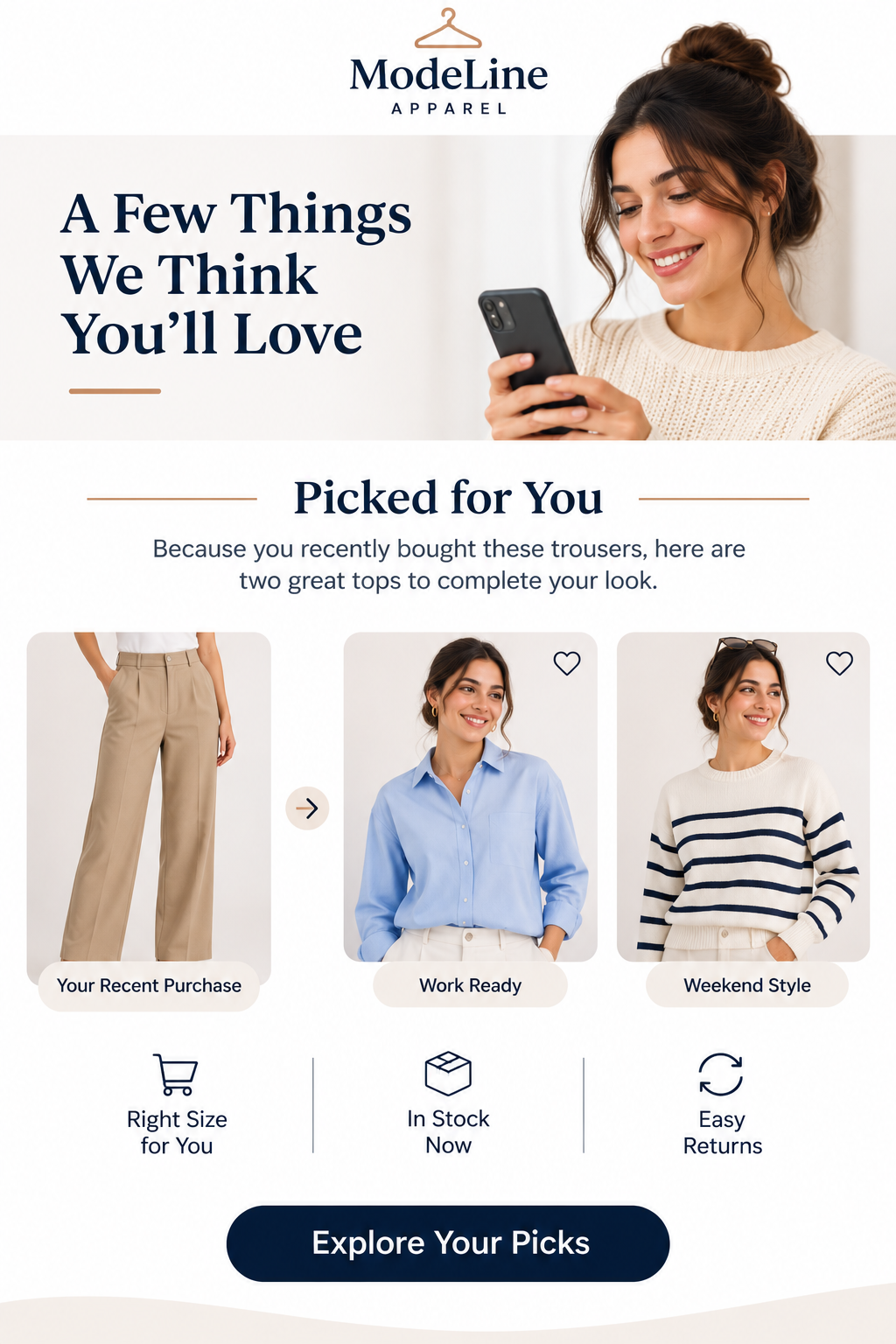
Recommend products that go with something the customer already owns or has shown clear interest in buying. A clothing store could show two tops that go with recently purchased trousers, one for work and one for weekends.
Send the picks after a relevant purchase or when browsing activity shows a clear interest in that category. Use shopping details the recipient would expect you to use, such as the size from a recent order.
Check that the recommended items are available in the right size and that the links go straight to them. Set up a fallback for items that sell out, even if that means showing just one good match.
7. Limited-Edition and Early Access Emails
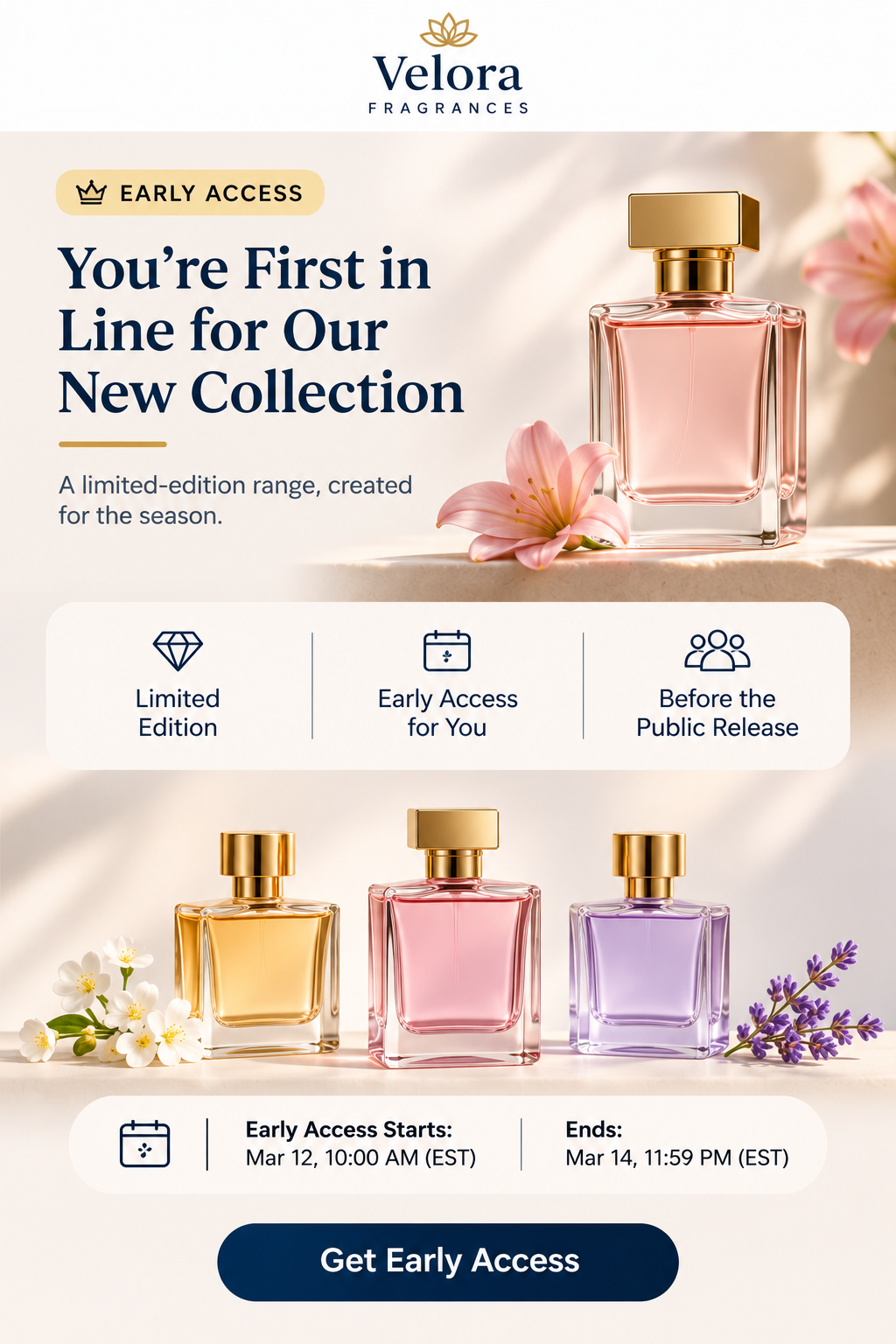
Early access gives customers time to shop before a new collection opens to everyone. A fragrance brand could invite repeat buyers to order from a small seasonal batch before the public release.
Send the invitation to loyal buyers, VIP subscribers or shoppers who signed up to hear about the launch. Tell them when access starts and ends, include the time zone, and check that the link works for eligible customers.
Use stock counts only when they reflect what customers can actually buy. Once the batch sells out, update the product page with any next steps, such as joining the waitlist for another run.
8. Product Bundle and Cross-Sell Emails
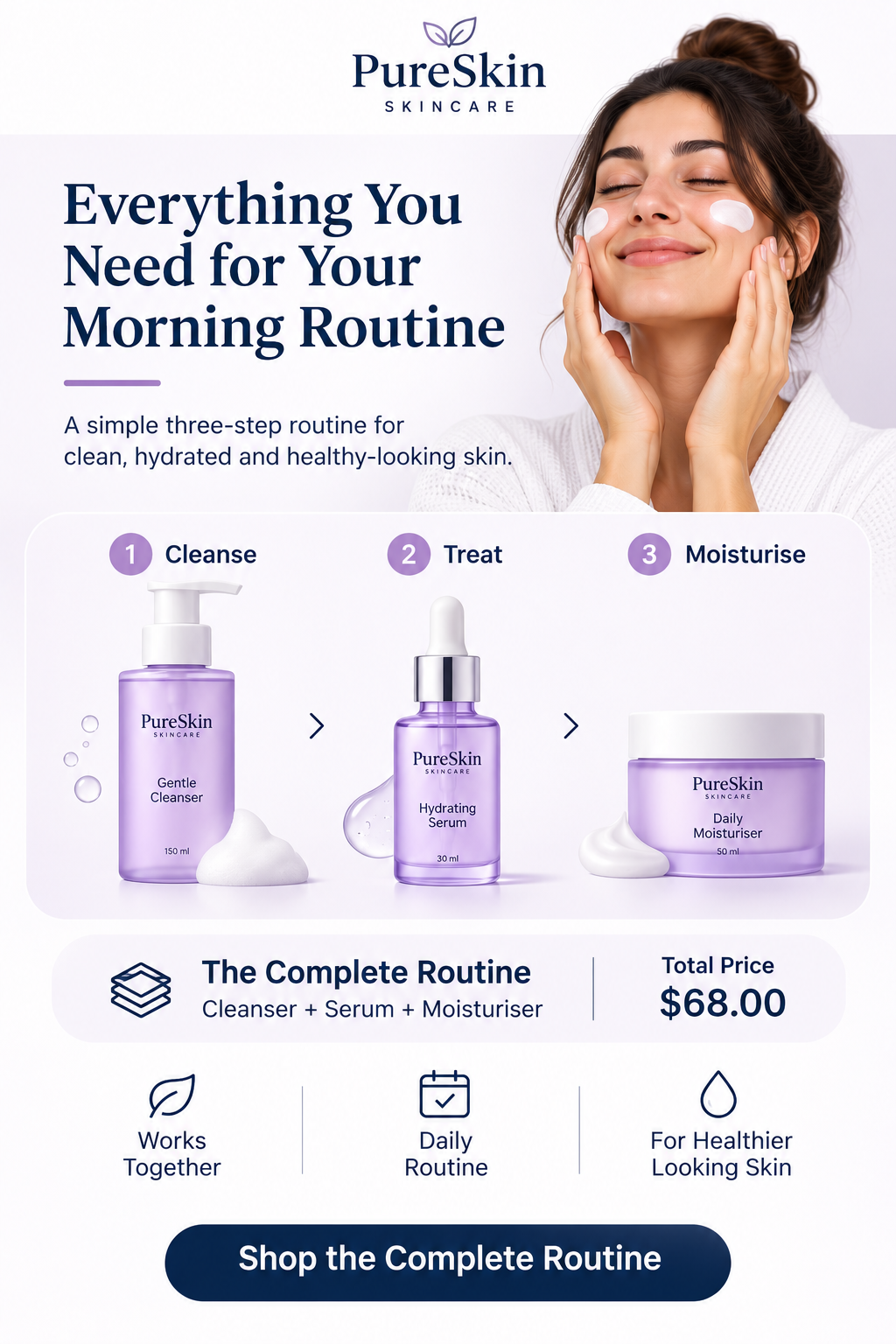
A bundle makes it easier to buy products that work together, even at their usual prices. A skincare store could group a cleanser, serum, and moisturiser, then show the order in which to use them.
Send the full bundle to shoppers who are putting together a routine. If someone recently bought the cleanser, show them the serum and moisturiser that go with it.
Show pack sizes, the total price, and any compatibility details before shoppers click. When testing non-discount email campaigns, compare what’s left after costs on bundle and single-item orders, and account for returns.
9. Seasonal Shopping and Gift Guide Emails
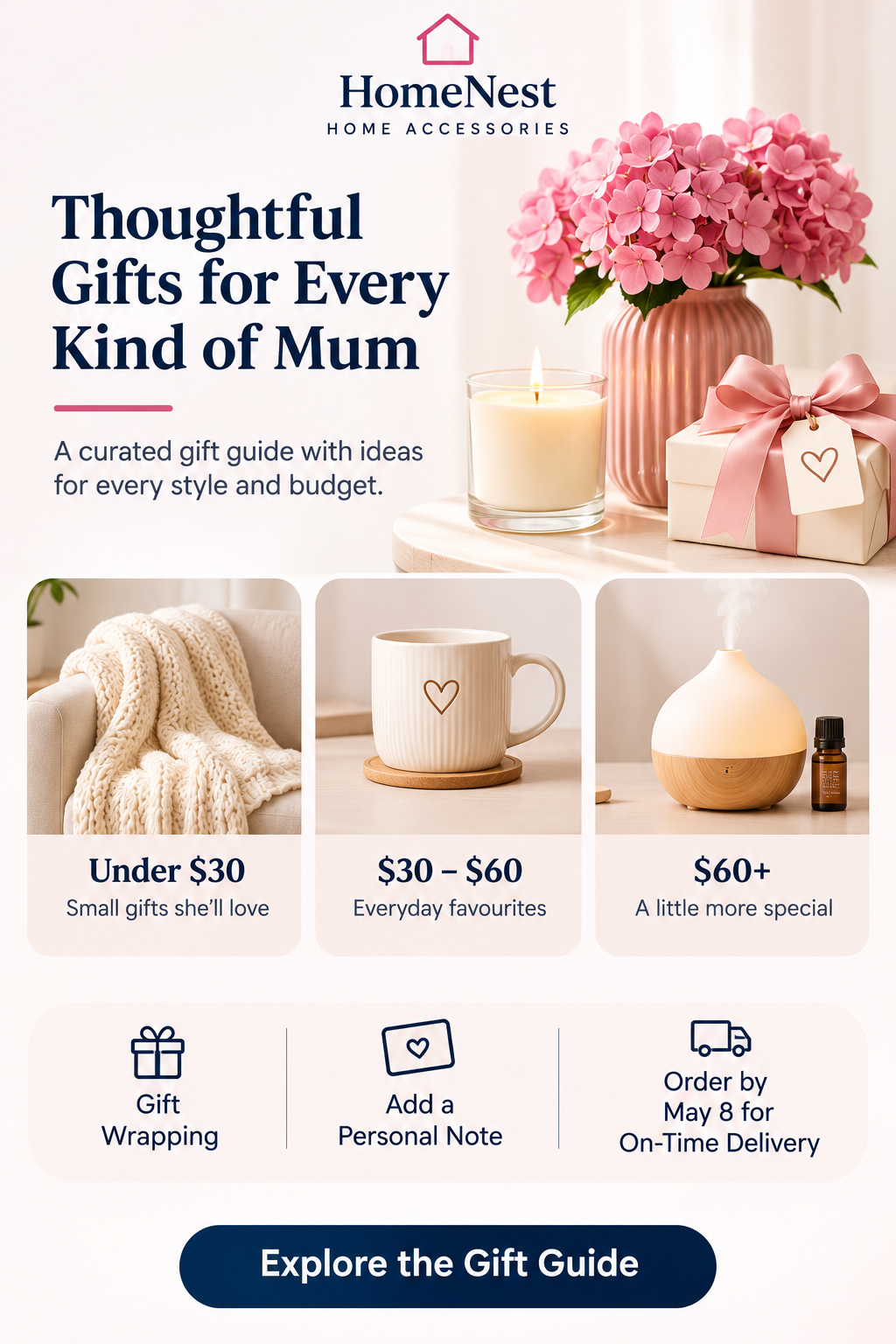
A home accessories store could organise a Mother’s Day gift guide by budget and explain who might enjoy each pick. Mention practical extras like gift wrapping or a handwritten note if customers can add them to their orders.
Send the guide to subscribers who shop the category while there’s still time for delivery. Check local dates before scheduling, since Mother’s Day can fall on different dates across the countries you serve.
The strongest promotional email campaign examples give shoppers the details they need to order on time. Confirm delivery cutoffs with your shipping team, and flag items that need extra time for personalisation.
10. Replenishment and Reorder Emails
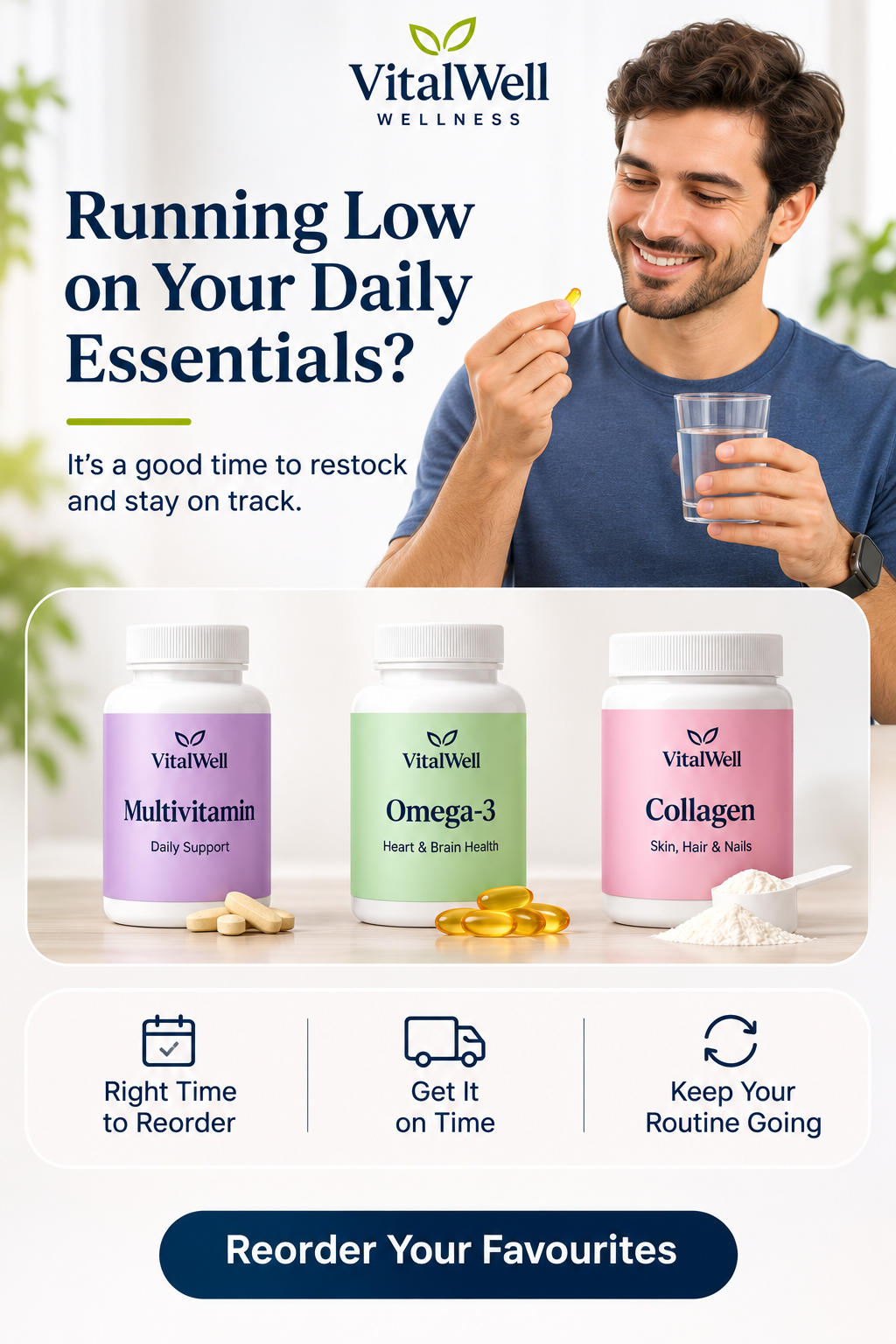
A reorder email reminds customers to replace something they’re likely to run out of soon. It works well for items people buy regularly, such as supplements, skincare, pet food and personal care products.
Use past orders to estimate when buyers need more, and allow enough time for delivery. If someone bought two packs, schedule their reminder later than you would for someone who only bought one. For more examples of reorder timing, see this guide to email marketing for supplement brands.
Skip customers who’ve already reordered or have a subscription delivery coming, and pause reminders if the item sells out. Link to the same size or flavour where possible, and review the timing after several rounds of orders.
How to Write Promotional Emails That Sell Without Discounts
If you’re wondering how to write a promotional email, think about what the shopper needs to know before buying. A clear answer about fit, delivery, or how the product works can give them a reason to order.
- Relevant Products: Choose items that match what recipients bought, browsed or asked about, then remove suggestions that don't fit.
- Clear Benefits: Describe a specific job the product makes easier, and show shoppers how it works in a familiar situation.
- Compelling Subjects: Write promotional email subject lines that tell readers what they'll find inside without hiding the point behind vague wording.
- Customer Proof: Choose a genuine review that answers a buying question about fit, build quality, ease of use, or care.
- Genuine Urgency: Use actual stock limits, release dates, or delivery cutoffs, and check that those details still apply before sending.
- Simple CTAs: Give shoppers one main action and link directly to the product, collection, or guide the button promises.
Before sending, preview the email on your phone and open the main link to check that the page matches. Our guide to ecommerce email design covers product photos, layout, and buttons. To see what’s working in your promotional email marketing, check how many shoppers click through and how many buy.
How to Plan Promotional Emails Without Running Weekly Sales
If you need ecommerce email campaign ideas for a quiet month, look at what’s in stock and what customers keep asking about. Use those details to plan a different reason to shop each week.
Week | Campaign | Audience | Main action |
1 | Bestsellers with sizing notes | New subscribers and recent category browsers | Shop the shortlist |
2 | Buying guide that answers a common question | Shoppers comparing products in that category | Compare the options |
3 | Restock alert for a popular size or colour | Waitlist first, then other interested shoppers if stock allows | Shop the restock |
4 | Products that go with a recent purchase | Past buyers who haven’t bought the add-on | Shop compatible add-ons |
Start by replacing one sale email. Choose who should get the new email and check what else they’re due to receive that week.
- Gradual Changes: Replace one regular sale email and review the results before changing another.
- Purposeful Discounts: Save discounts for specific needs, such as clearing stock before a new season.
- Audience Selection: Send each email to shoppers who have a reason to buy the featured product.
- Flow Timing: Check your welcome, cart, and reorder emails so shoppers don’t receive several messages together.
When testing email marketing without discounts, compare similar groups over the same number of days. This ecommerce email A/B testing guide shows how to test one change at a time and choose what to measure. Track orders, unsubscribes, and how much each order leaves after costs. If your list is small, review several sends before deciding what to keep. When shoppers click but rarely buy, check stock, delivery costs, and how quickly the product page loads.
Turn Your Promotional Emails Into Profitable Sales
If most of your email orders come during sales, start by looking at what customers already buy and when. That can help you plan emails around products they need, such as a restock or a timely reorder reminder.
- Campaign Planning: We plan emails around stock arrivals, product launches and common customer questions.
- Customer Segments: We group shoppers by what they’ve browsed or bought to send more relevant offers.
- Email Design: We write and design emails that explain the product and make it easy to shop.
- Repeat Purchases: We set up automatic reminders for customers who are likely to need another order.
- Campaign Testing: We test wording, layout, and timing to see what helps more shoppers buy.
Compare a recent sale email with a regular campaign to see which products sold at full price. If you need help planning your next few sends, explore our email marketing services.
Conclusion
If you're deciding how to increase sales without discounts, start with products your customers already want. A restock alert can bring back shoppers who missed their preferred size, while a customer review can answer questions about fit or quality. You can also send product recommendations based on previous purchases to give customers more reasons to shop.
You don't need to stop offering discounts altogether. Instead, use them when they serve a clear purpose, such as clearing old stock or promoting seasonal products. Between sales, focus on emails that help customers choose products, find useful information or reorder their favourites. Track orders, costs and customer responses to understand which campaigns bring sales at full price.
Frequently Asked Questions
What are promotional emails in ecommerce?
They are marketing messages that encourage shoppers to buy by showing them products, collections or timely reasons to order. A new arrival, a guide to choosing sizes or a reminder about a restock can all serve that purpose.
Can promotional emails increase sales without offering discounts?
Yes, a campaign can bring in sales at the regular price when it meets demand or answers a buying question. Try a restock for customers who requested it or a product guide for shoppers who need help comparing their options.
What can I offer customers instead of a discount?
You can offer early access, useful advice, gift wrapping or a convenient set of items that work well together. Choose an option your store can deliver and explain any limits that could affect a customer's decision to buy.
How often should ecommerce stores send promotional emails?
Start with a schedule your audience can use, such as one campaign each week while you test different topics. Count automated marketing emails as well, and adjust frequency using orders, unsubscribes and the response from each customer group.
How do I create urgency in promotional emails without discounts?
Use a real deadline, such as the final order date for holiday delivery or the end of early access. Tell shoppers when it applies and update the product page when the deadline passes or the stock sells out.
How can I stop customers from waiting for the next sale?
Break the predictable sale pattern over time and feature products at their usual price between planned markdowns and clearance events. Give customers reasons to buy throughout the year, such as useful product releases, timely restocks and offers that reward loyalty.