

Key Takeaways
- Deliver what the signup form promised while the shopper still remembers why they joined your list.
- Give readers a short product selection and explain who each item suits before asking them to choose.
- Use customer reviews and plain policy details to help shoppers make decisions with fewer open questions.
- Remove new buyers from first-order promotions as soon as their purchase reaches your email platform.
- Compare first purchases from signup groups using the same reporting window before changing your schedule or offer.
Getting someone to sign up for your email list is only the first step. The real goal is to turn that interest into a first purchase. A welcome email series helps new subscribers understand your products, find answers to common questions, and feel more confident about placing an order.
Before sending your first email, make sure your signup form attracts the right shoppers. A clear offer gives people a reason to subscribe, while the right form helps bring in visitors who are genuinely interested in your products. Our guide to building an ecommerce email list explains how signup offers and forms can help you get more interested subscribers.
In this guide, we cover a simple five-email plan, examples you can use, and ways to track first purchases.
What Is an Ecommerce Welcome Email Series?
An ecommerce welcome email series is a collection of emails your web store sends out after the first time a user registers. The first email introduces your store and communicates any promised offer, and the subsequent emails assist consumers with the decision of what to purchase.
For example, a cookware store might offer free shipping in the first email and compare pans in the next. If shoppers often ask which pans work on induction cooktops, include that detail beside each pan you recommend.
Why New Email Subscribers Don't Always Become Customers
Someone might share an email address to keep browsing without deciding whether the store or product meets their needs. Look for the specific question that remains open after signup, because a second promotion may leave it unanswered.
- Low Trust: Shoppers may hesitate when they cannot find customer photos or a way to ask questions.
- Product Confusion: Shoppers struggle to choose when similar products have nearly identical names, prices, and descriptions online.
- Price Concerns: Shoppers comparing stores may want to know the full cost before deciding where to order.
- Missing Information: Unclear shipping costs, delivery dates, return terms, or sizing can make shoppers delay their purchase.
- Weak Follow-Up: A single welcome email may leave shoppers with questions while they continue comparing their options.
Start by delivering what shoppers signed up for, then use your next email to answer a common buying question. If shoppers click through and still ask about sizing or delivery, add the answer to the product page too.
The 5-Email Welcome Series That Turns Subscribers Into Buyers
Send the first email at signup, then use the schedule below to guide your follow-ups. Give shoppers more time between emails if they usually take longer to decide. Once they buy, stop first-order offers and send emails that help them with their order.
Email 1: Welcome New Subscribers and Deliver Your Offer
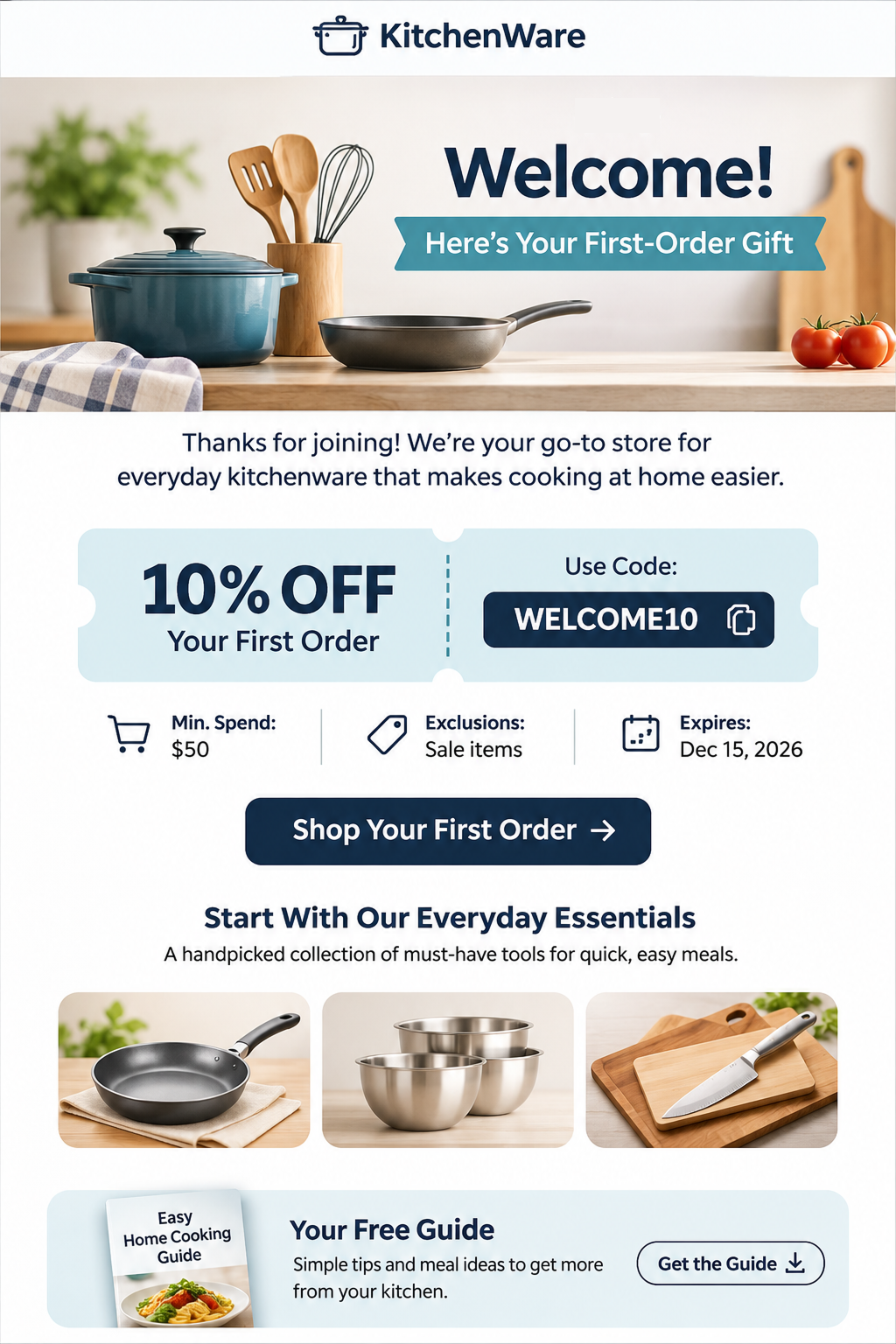
Send your first email right after signup. Put the promised offer near the top, then introduce your store in one sentence. If you sell kitchenware, point new shoppers to a starter collection with tools they can use for everyday meals.
Make the discount code easy to copy on a phone. List any minimum spend, exclusions, and expiry date beside it, then link to products the offer covers. If you promised a guide, link directly to it. If shoppers signed up while browsing a product, give them a clear way back to that product page.
Timing · Immediately after signup
Example subject · Welcome! Here's Your First-Order Gift
Suggested CTA · Shop Your First Order
Email 2: Introduce Your Bestselling Products
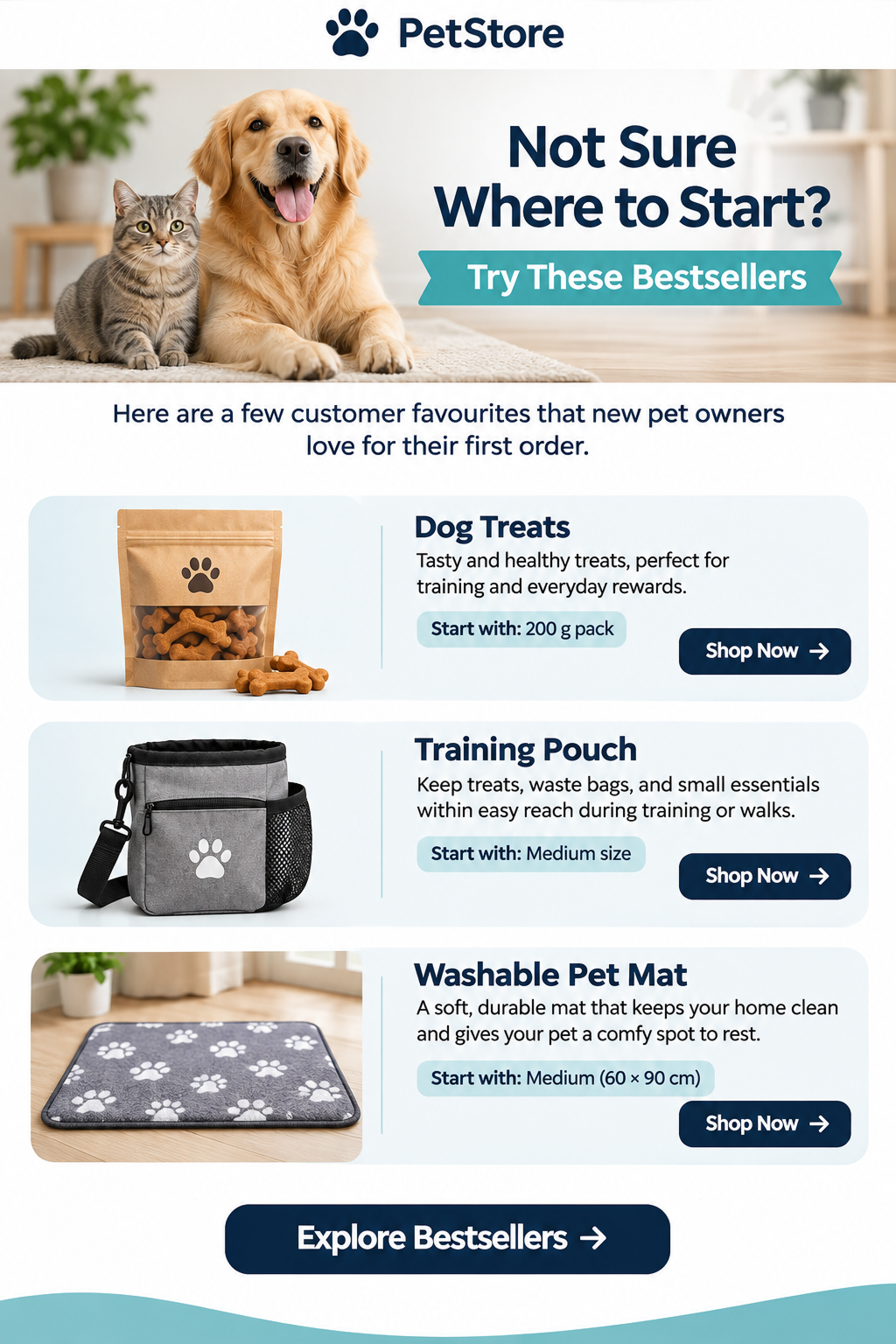
Show two or three bestsellers that new customers often buy on their first order. A pet store could feature a small pack of treats, a training pouch, and a washable mat for new dog owners.
Choose products that are in stock and explain what each one is useful for. If a product comes in several sizes, suggest one to start with and link directly to the product page.
Timing · Day 2
Example subject · Not Sure Where to Start? Try These
Suggested CTA · Explore Bestsellers
Email 3: Build Trust With Customer Reviews
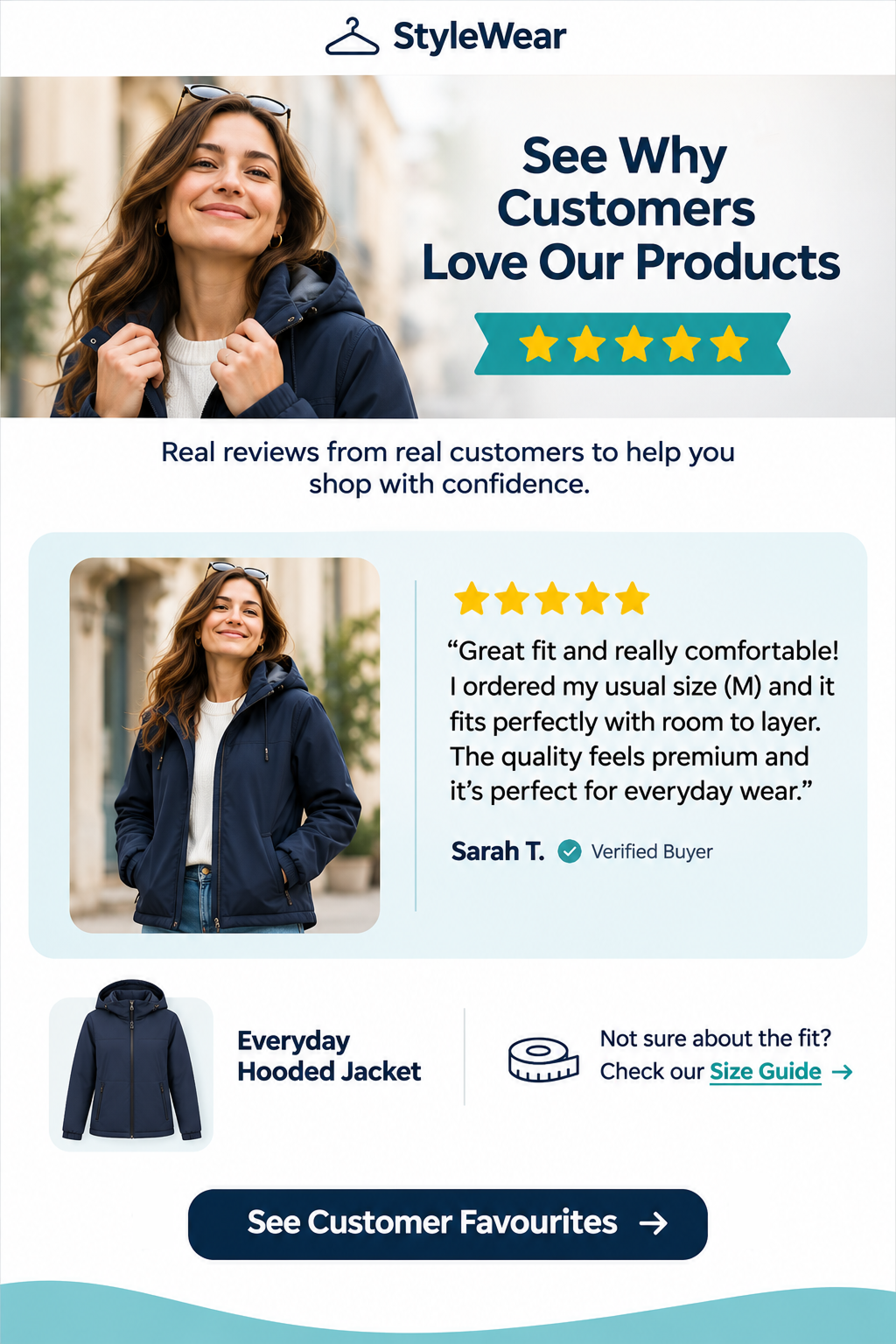
Share a real customer review that answers a question shoppers often ask. For example, a review about how a jacket fits can help someone decide whether to order their usual size.
If you have permission to use a customer photo, place it next to their review. Link to the exact product they bought, and add the size guide if the review mentions fit.
Timing · Day 4
Example subject · See Why Customers Love These Products
Suggested CTA · See Customer Favourites
Email 4: Answer Questions That Stop Customers From Buying
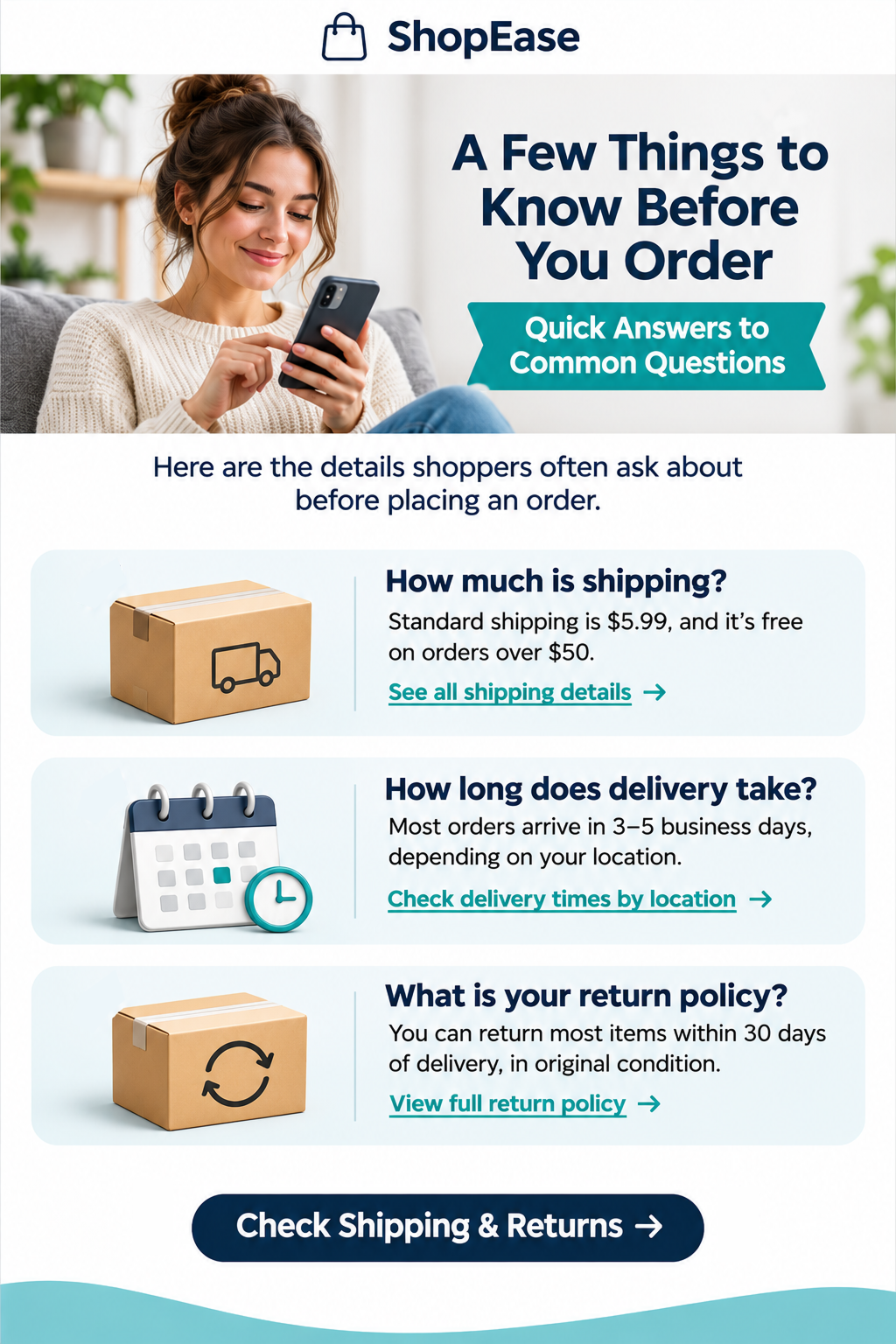
Pick two or three questions shoppers often ask before ordering. You might explain what shipping costs, how long delivery takes, or how many days customers have to return an item.
Give the short answer in the email and link to the page with the full details. If delivery varies by location or an item has special return terms, tell shoppers where to check before buying.
Timing · Day 6
Example subject · A Few Things to Know Before You Order
Suggested CTA · Check Shipping & Returns
Email 5: Give Subscribers One More Reason to Purchase
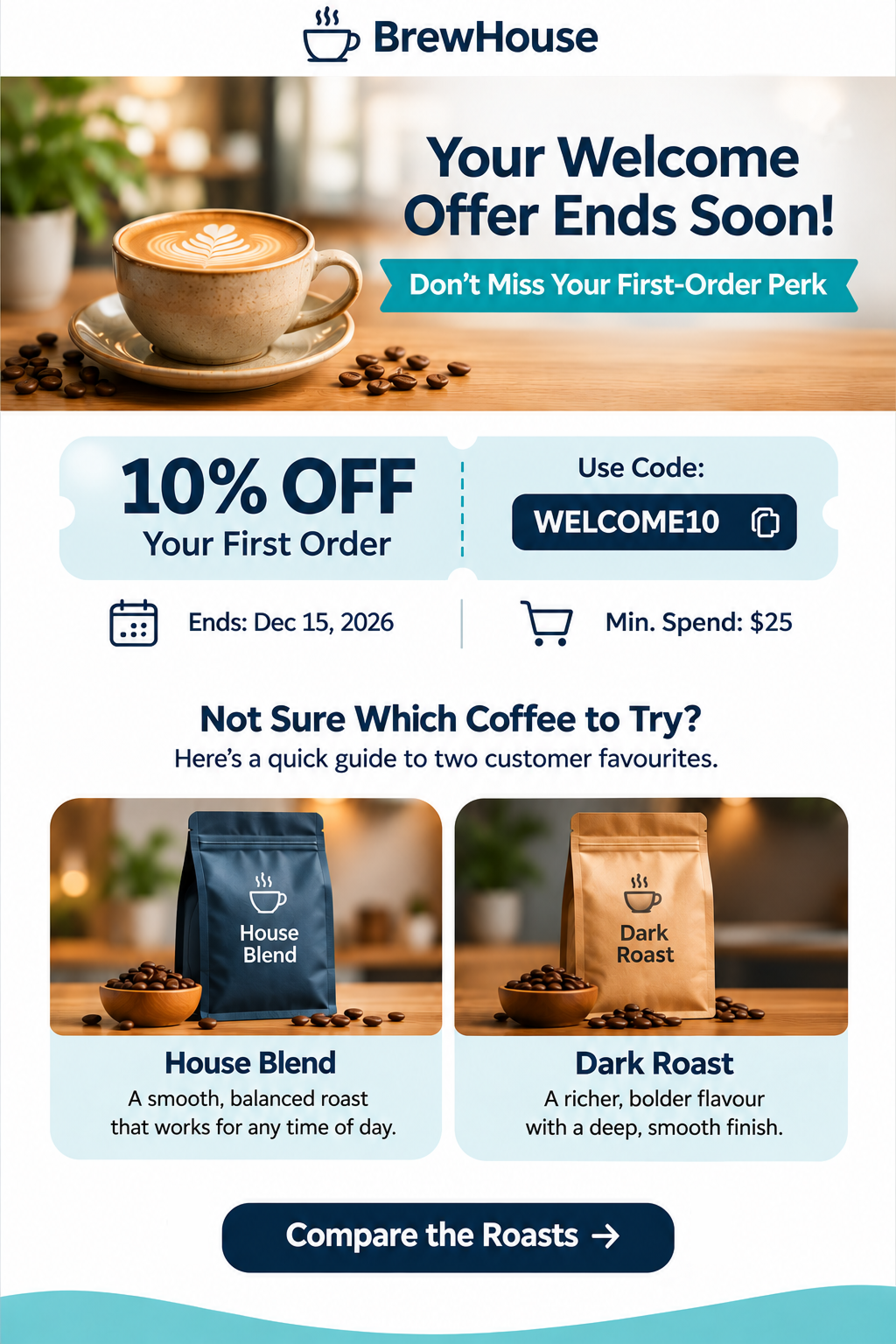
Send this email to subscribers who still haven’t bought. If their offer is about to expire, give them the exact deadline and check that it matches what they’ll see at checkout.
If there’s no expiring offer, help readers choose a product based on what brought them to your list. A coffee shop could follow up on a brewing guide with a short comparison of two roasts that suit different tastes.
Timing · Day 8
Example subject · Your Welcome Offer Ends Soon
Suggested CTA · Use Your Welcome Offer
No-discount subject · Which Roast Should You Try First?
No-discount CTA · Compare the Roasts
Should You Offer a Discount in Your Welcome Emails?
A discount can help when price is the reason a shopper hesitates.
If shoppers are unsure what to buy or how much delivery costs, address that concern first.
When a First-Order Discount Makes Sense
A small discount can help shoppers try something unfamiliar. A tea shop, for example, could offer a discount on a tasting set so new customers can try several flavours.
Before you send the offer, check what’s left after product costs, packing, shipping, and payment fees. Say which products qualify and test whether shoppers can combine the discount with other offers at checkout.
Ways to Encourage First Purchases Without Discounts
Look at what shoppers ask your support team or where they stop at checkout.
Choose an offer or recommendation that makes their first order easier.
- Free Shipping: Set a minimum order value that covers the cost of delivery.
- Useful Gift: Include something shoppers can use, such as a cleaning cloth with a pair of glasses.
- Product Bundles: Group items people need together, such as tools for a first baking project.
- Helpful Picks: Suggest a few products based on what shoppers need, their size, or what they can spend.
If you offer a bundle, show what comes in the box and how the items work together.
For a gift, say which orders qualify and whether shoppers need to add it to their cart.
How to Set Up Your Ecommerce Welcome Email Automation
Decide what starts your welcome sequence, who should receive it, and how far apart the emails should go. Check that shoppers stop receiving first-order offers once they buy and that welcome emails don’t clash with cart reminders.
- Choose Trigger: Start the sequence when a subscriber joins the right list and confirms, if required.
- Check Customers: Use order history to send returning customers a welcome that suits them.
- Set Delays: Check whether each delay starts at signup or after the previous email.
- Add Conditions: Stop first-order offers after purchase and decide when cart reminders take priority.
- Test Everything: Sign up on your phone, open each email, and try the code at checkout.
If you use Klaviyo, check that each signup form feeds into the list connected to your welcome series. Then check how your account counts delays. If Email 2 goes out on Day 2 and delays start after the previous send, set a two-day gap for Email 3 to arrive on Day 4. See Klaviyo’s welcome series setup guide for help connecting the right list.
Before launch, test the sequence as a new subscriber and as an existing customer. Place a test order after the first email and make sure the next first-order offer is skipped. Use a separate signup to check what happens when someone subscribes twice or unsubscribes mid-series. Save the results, so your team knows what to test again when a form, offer, or email changes.
How to Improve Welcome Email Conversion Rates
Check where shoppers stop. If they open your emails but rarely click, look at what you’re asking them to do. If they click but rarely buy, check the product page and checkout.
Personalize Emails Based on Customer Interests
One of the simplest welcome email series best practices is to match your first recommendation to what someone signed up for. A running store could recommend road shoes to shoppers who downloaded a road-running guide and trail shoes to those who picked a trail guide.
If someone signs up through a general form, show a few products for different needs. If you want to learn more about shoppers at signup, try offering guides for different product categories. See our guide to building an ecommerce email list for more signup ideas.
Test Subject Lines, Offers, and Email Timing
Change one thing at a time. To compare two welcome email subject lines, keep the offer, products, and send time the same. If shoppers click but rarely buy, check whether the link takes them straight to the product and whether it’s in stock.
When testing offers, compare first orders and the profit left after costs. For timing tests, give similar groups the same number of days to buy. Our guide to ecommerce email A/B testing explains how to plan a test and read the results.
Track First Purchases, Not Just Email Opens
To calculate your welcome email conversion rate, divide the number of eligible subscribers who buy within a set period by the number who entered the series. If 25 of 1,000 subscribers buy within 14 days of signing up, the rate is 2.5%. Count each first-time buyer once, including those who return without clicking an email.
Watch revenue per recipient, clicks, and unsubscribes alongside first orders. If clicks rise but sales stay flat, check the product page and checkout. If orders rise but revenue per recipient falls, look at discounts, the products people bought, and how you counted refunds.
Turn More Email Subscribers Into Paying Customers
If signups are growing but first orders are slow, go through your welcome emails as a new shopper. Check how quickly you get the promised offer, where each product link takes you, and whether you can find shipping costs before checkout. These details can show you where a shopper might hesitate.
- Flow Review: Test each signup form, email link, and offer before the sequence goes live.
- Sequence Planning: Give each email one job, from delivering the offer to answering a buying question.
- Audience Groups: Match product recommendations to signup interests and stop first-order offers once someone buys.
- Offer Testing: Compare which offer brings in more first orders and leaves more profit after costs.
- Results Tracking: Track first orders and revenue per recipient over the same period after signup.
Start with the first issue you find. If a discount link sends shoppers to your homepage, send them straight to the products the offer covers. Then compare how many subscribers place a first order within 14 days of signing up, before and after the change. If you’d like help reviewing your sequence or testing a new offer, explore our email marketing services.
Conclusion
Your welcome emails should help new subscribers place their first order. Send the promised offer at signup, then recommend a few products and explain who they suit. Use customer reviews to answer questions about fit or quality, and make delivery costs and return terms easy to find.
Give shoppers time to decide, especially if they’re comparing higher-priced products. If an offer is about to expire, share the exact deadline. Stop sending first-order offers once someone buys.
Measure how many subscribers place their first order within the same number of days after signup. If people click but rarely buy, check the product page and checkout before changing your emails.
Frequently Asked Questions
How many emails should an ecommerce welcome series have?
Start with three to five emails and give each message a separate job that helps a shopper move forward. Five can work when you have useful product guidance, customer feedback, common buying questions, and a reason to follow up.
When should you send the first welcome email?
Send it as soon as the signup becomes eligible, especially when a shopper is waiting for an offer or guide. If you use a confirmation step, send the promised content once the subscriber confirms and can receive marketing emails.
What is a good conversion rate for a welcome email series?
A good rate improves on your store’s baseline for a similar audience, offer, product price, and measurement window. Klaviyo reported a 2.32% placed order rate overall for welcome series in one published analysis, which provides a reference point. Compare definitions first, since a platform’s attributed order rate can differ from first purchases across all eligible signup contacts.
Should every welcome email include a discount?
Deliver any signup incentive in the first email, then use later messages to help shoppers decide what to buy. Repeat the offer where it helps, such as in a reminder that gives buyers enough time before a genuine deadline.
Can you automate welcome emails in Shopify or Klaviyo?
You can set up a Shopify welcome email series through Shopify Messaging or use Klaviyo with a connected store. Check which signup event starts the sequence and how your chosen setup identifies orders before sending the later messages.