


Key Takeaways
- Welcome emails help turn new subscribers into customers through timely and relevant messages.
- Cart abandonment flows recover potential sales by reminding shoppers about products they left behind.
- Post-purchase emails build relationships through useful updates, product guidance, reviews, and recommendations.
- Replenishment and win-back flows encourage customers to return and make repeat purchases.
- Personalization makes automated emails more relevant by using customer behavior, purchases, and preferences.
- Regular testing and performance reviews help improve email flows and increase revenue over time.
A customer spends ten minutes on your online store, checks several products, and leaves without buying anything. This happens to ecommerce brands thousands of times every day. Many brands see it as a normal part of online shopping, but it does not have to be.
Many brands send the same promotional email to everyone on their list and hope someone makes a purchase. The problem is that these emails often have nothing to do with what each customer was looking at before they left.
Email automation solves this by sending the right message to the right person at the right time. When someone leaves items in their cart, a reminder email can be sent within an hour. When a customer makes their third purchase, a loyalty reward can be sent automatically without any manual work.
You set up these email flows once, and they keep working in the background. Your team can then focus on other important tasks. Automated emails can also bring strong results because they respond to what customers actually do instead of relying on a fixed marketing schedule.
This guide covers ten email automations that can support every stage of the customer journey, from the first signup to repeat purchases and long-term loyalty.
What Is Ecommerce Email Automation?
Ecommerce email automation is a system that sends emails to customers automatically based on something they did, like signing up, browsing a product, or placing an order. Unlike a regular campaign that goes out to everyone on your list at once, an automated email is triggered by a specific customer action and arrives at exactly the right moment for that person.
What makes it powerful is that it runs on its own once you set it up, without any manual sending from your team. A new subscriber gets a welcome email. A shopper who left items behind gets a cart recovery email. A repeat buyer gets a loyalty reward. Each email goes out because something specific happened, which makes it feel relevant rather than random to whoever receives it.
10 Essential Email Automations for Ecommerce Brands
Most ecommerce brands lose customers at different stages of the journey because they do not send the right email at the right time. The ten automations below cover the customer journey from the first signup to repeat purchases and long-term loyalty.
Some help new subscribers move toward their first order. Others bring back customers who have stopped engaging with your brand. Each automation has a clear purpose, and together they create a complete email strategy rather than a collection of unrelated emails.
1. New Subscriber Welcome Emails
The welcome sequence starts when a visitor submits their email through a signup form, pop-up, or checkout opt-in. Send the first email immediately to introduce your brand, explain what makes your products valuable, and deliver any promised discount or free resource.
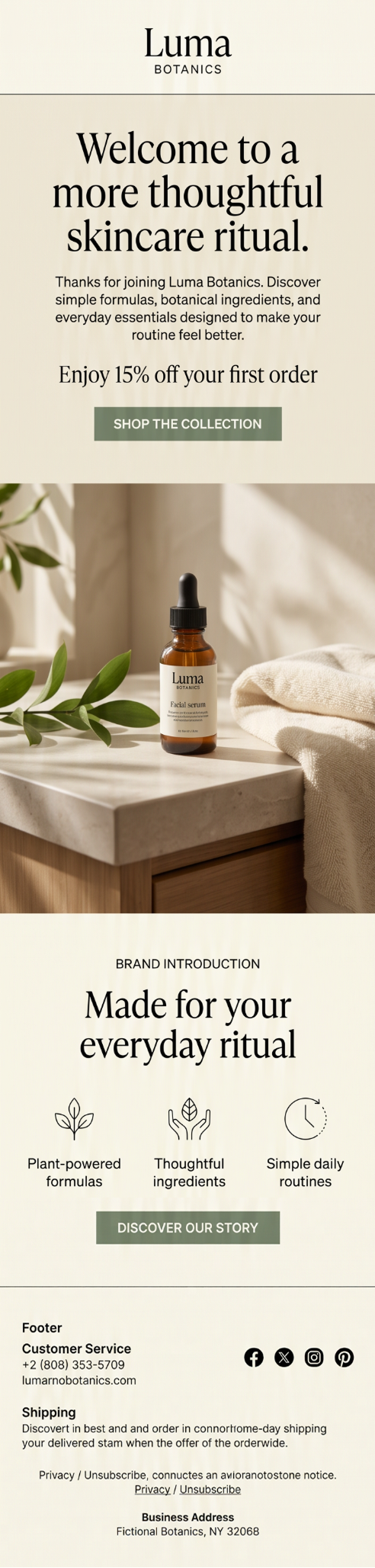
A welcome sequence typically includes three to five emails over one to two weeks. Use each email to highlight bestselling products, customer reviews, shipping details, returns, and other information that helps subscribers feel confident about buying.
According to Klaviyo’s latest benchmark data, welcome flows generate an average of $2.65 per recipient, while the top 10% generate $21.18 per recipient.
2. Cart Abandonment Recovery Emails
Cart abandonment emails are sent automatically when a customer adds items to their cart but leaves without buying. The first email should go out within an hour, followed by a second at 24 hours and a third at 48 to 72 hours if needed.
Each email should show the exact products they left behind, include real customer reviews to reduce hesitation, and mention limited stock only if it is genuinely running low. Avoid manufactured urgency, as it damages trust and makes customers less likely to buy from you in the future.
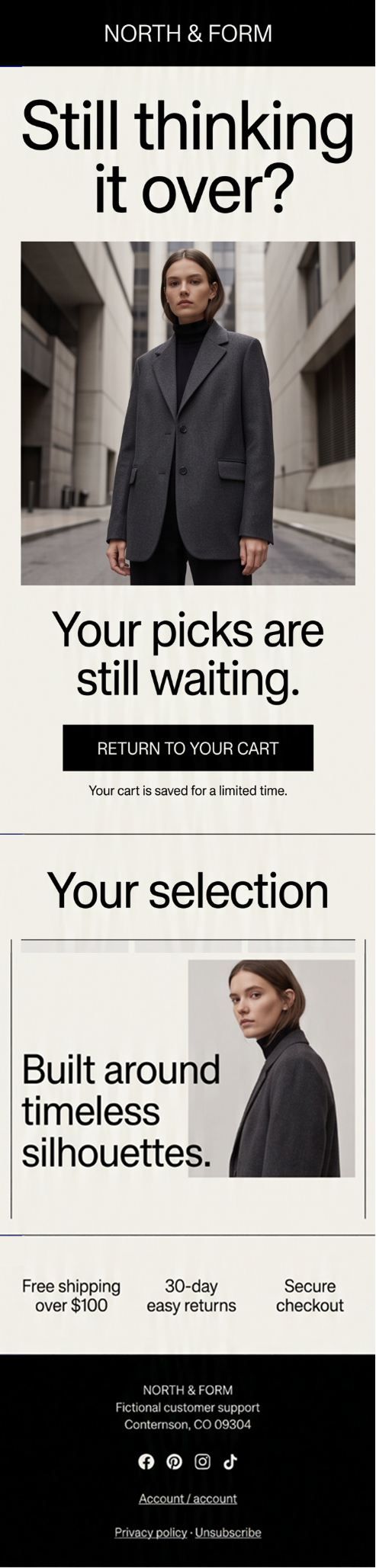
Only offer a discount when the cart value makes it worthwhile, not as a default for every abandonment. Sportswear brand Montirex follows this approach, and its cart abandonment flow generates 30% of all Klaviyo-attributed revenue. Klaviyo reports that these flows generate an average of $3.65 per recipient.
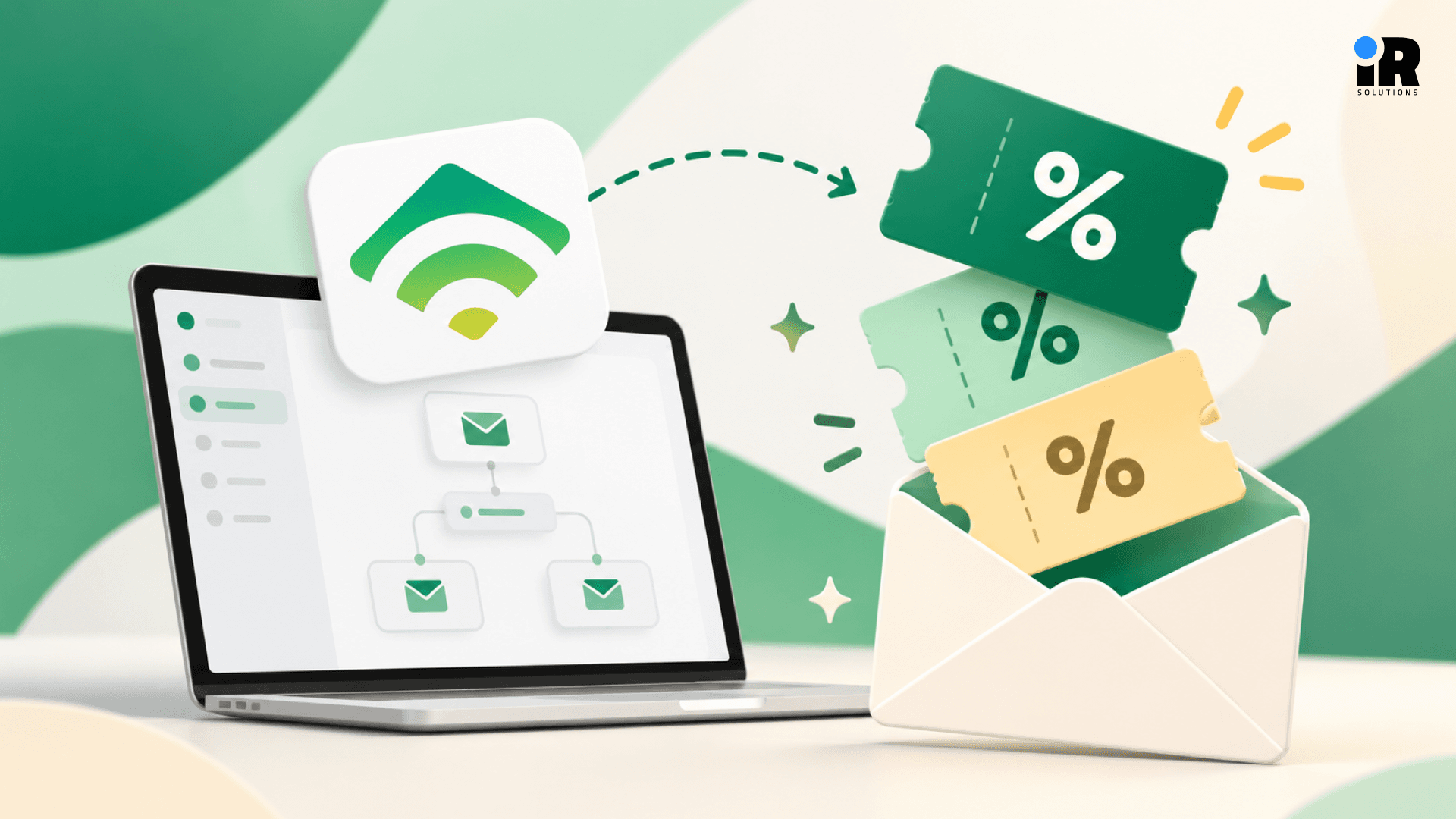
Explore how Klaviyo flows reconnect with customers after they leave a cart behind and guide them back toward completing the purchase.
3. Product Browsing Follow-Up Emails
Browse abandonment emails are sent when someone views a product but leaves without adding it to their cart. They have already shown interest, so a simple follow-up can bring them back before they buy somewhere else.
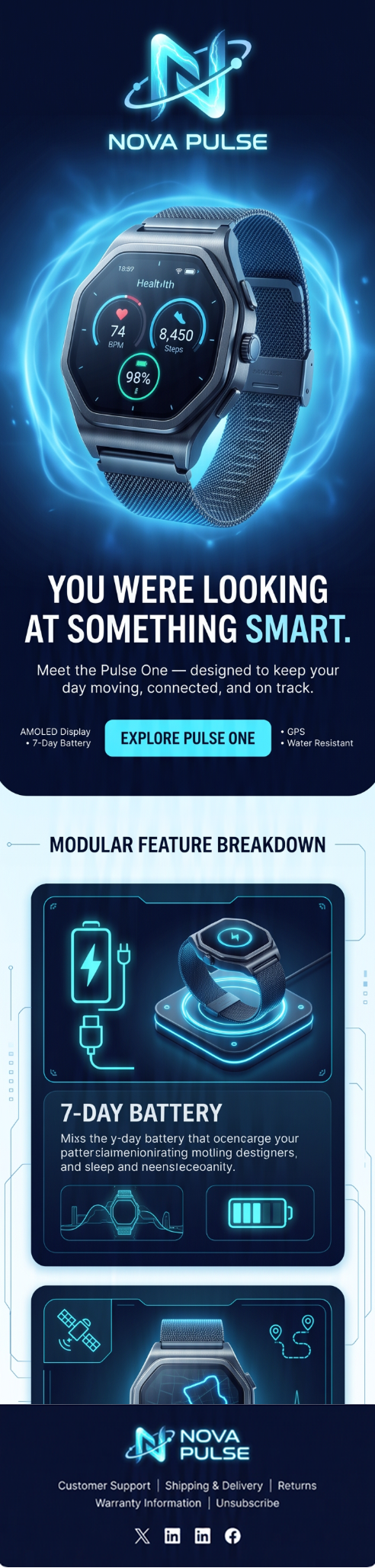
Show the exact product they viewed, along with its image, name, price, and a direct link to the product page. You can also include a few related products to give them more options without taking attention away from the item they first viewed.
Keep the email relevant to what each visitor actually viewed, rather than sending a generic product list. Klaviyo data shows that browse abandonment emails get an average 5.48% click rate, making them one of the stronger performing automated flows.
4. Post-Purchase Customer Journey
Post-purchase emails start as soon as someone places an order. Send an order confirmation right away with the order number, purchased items, total cost, and expected delivery date. Once the order ships, follow up with a shipping update and tracking link.
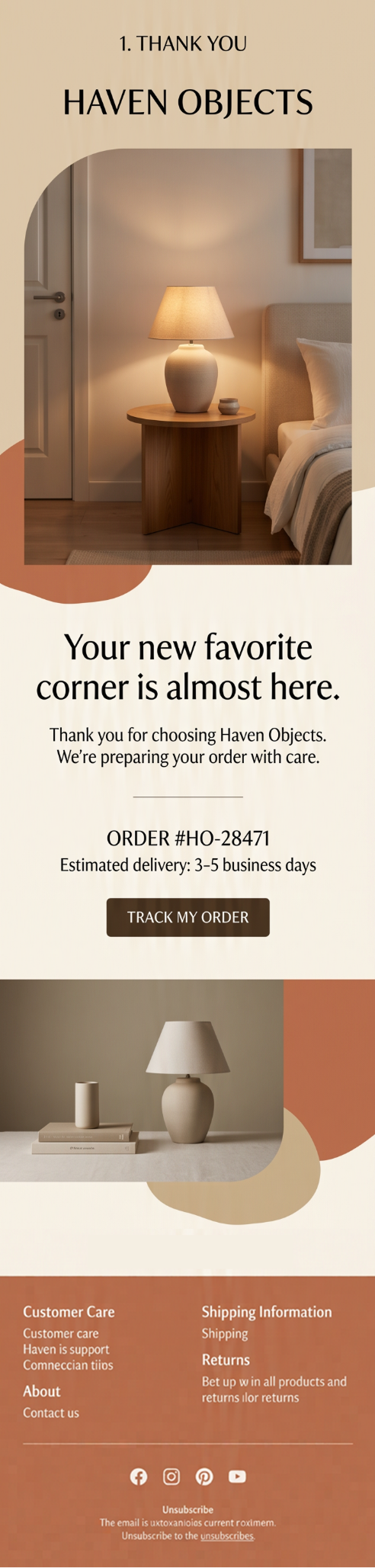
After delivery, send an email that helps the customer get more from their purchase. You could share care instructions, setup tips, or explain how the product is made. For example, olive oil brand Brightland sends a personal message from the founder, making the follow-up feel more genuine than a standard order update.
A week or two later, check in with the customer and suggest products that go well with their recent purchase. This is also a good time to introduce your loyalty program while the customer is still engaged with your brand
5. Product Review Requests
Review request emails are sent after a customer has received and used the product. The right timing depends on what they bought. Skincare may need a couple of weeks, while a kitchen tool might only need a few days before the customer can give useful feedback.
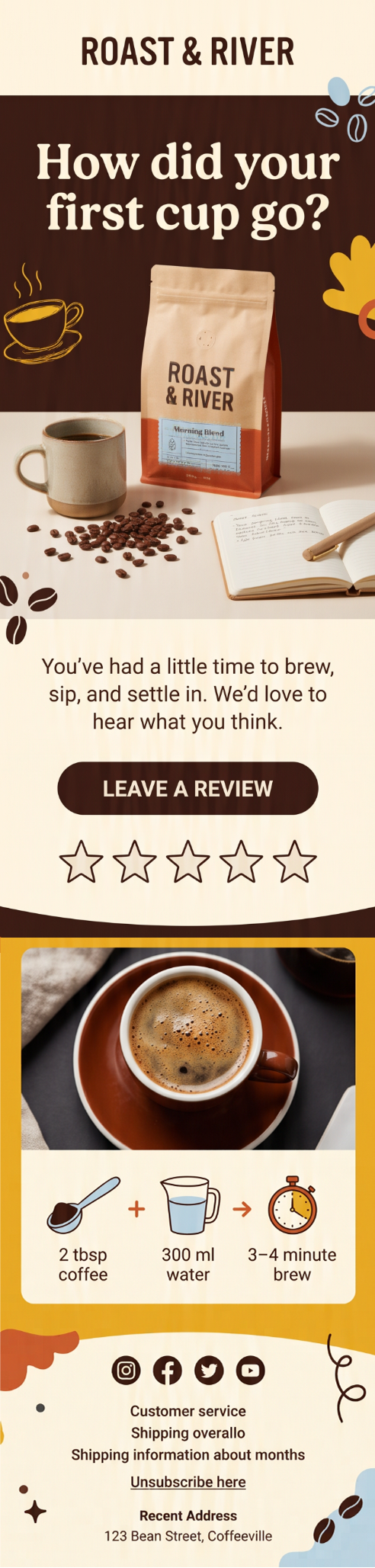
If the customer does not respond to the first request, send one simple follow-up and then leave it there. Keep the message friendly and make it easy for them to share their experience without making them feel pressured.
Compass Coffee increased review submissions by 3.7 times in one quarter by offering customers a 15% discount when they included a photo with their review. The brand then used those reviews on product pages and in email flows, giving the content value beyond the original review request.
6. Repeat Purchase and Replenishment Emails
Replenishment emails remind customers to reorder before they run out of a product. The timing should match how long that product usually lasts, using the customer’s previous purchase as a starting point.
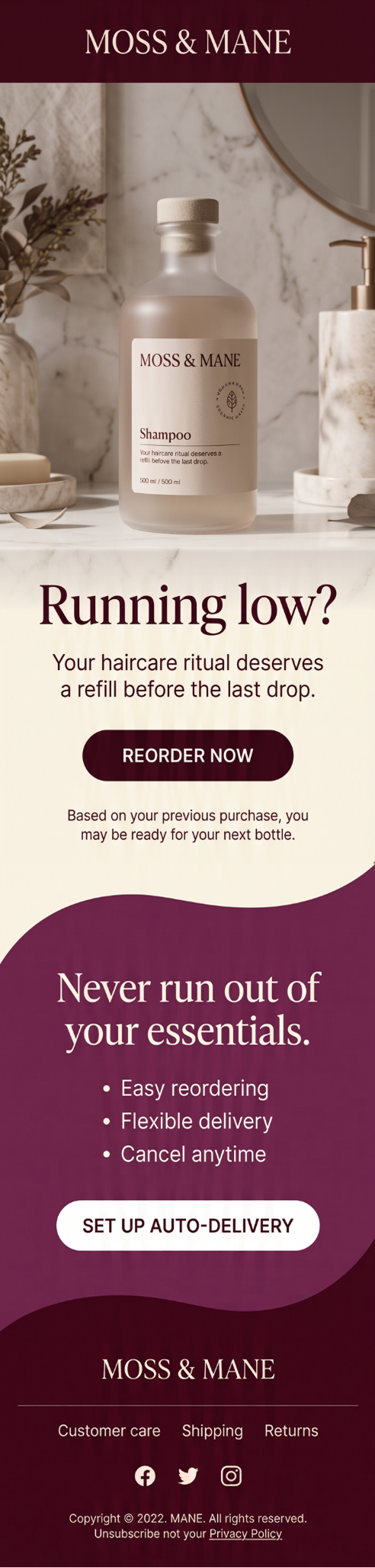
Since every product has a different usage cycle, avoid using the same timing for every item. Cleaning brand Force of Nature uses product-specific replenishment timelines across 49 live automations, which helped drive 140% year-over-year growth in Klaviyo flow revenue.
You can also use these emails to promote a subscribe and save option, recommend a larger bundle, or make reordering easy with a direct link. Some platforms can also use a customer’s purchase history to predict when they are most likely to need the product again.
7. Back-in-Stock and Product Interest Alerts
Back-in-stock emails let customers know when a product they wanted is available again. The flow starts when someone signs up for an alert on a sold-out item and sends an email as soon as it is restocked.
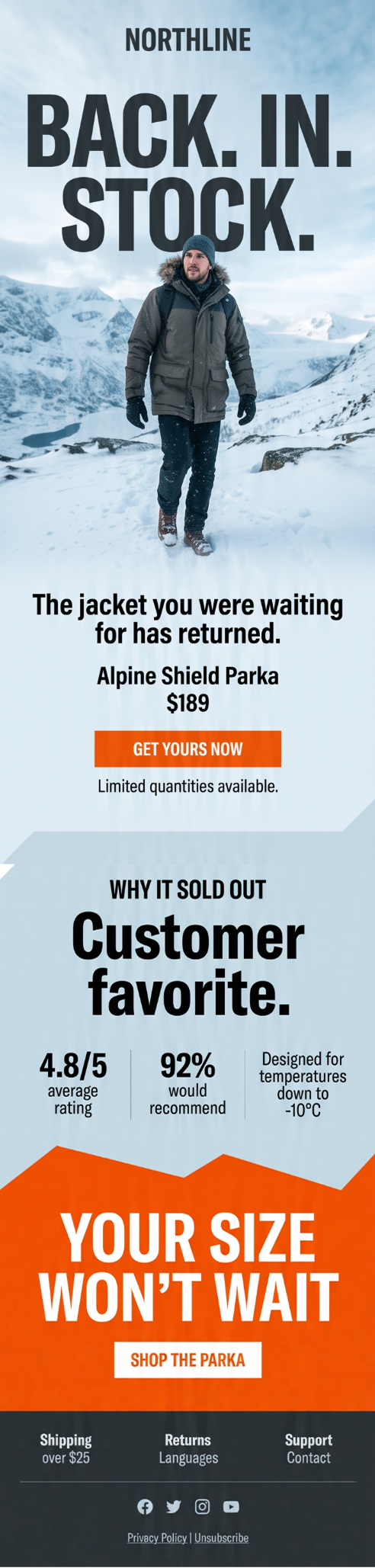
These customers have already shown strong interest in the product, so they are more likely to buy when it becomes available. Water filter brand LifeStraw uses back-in-stock flows to track demand and plan inventory. After its first quarter with Klaviyo flows, the brand beat its 2022 email revenue goals by more than 2x.
Keep the message simple and only mention limited stock when it is actually limited. You can also give VIP customers early access before notifying everyone else. Over time, back-in-stock sign-ups can show which products are frequently out of stock and help your team plan inventory more effectively.
8. Customer Win-Back Emails
Win back emails target customers who have bought from you before but have not returned for a while. The flow usually starts when someone has not opened your emails or placed an order for around 60 to 180 days.
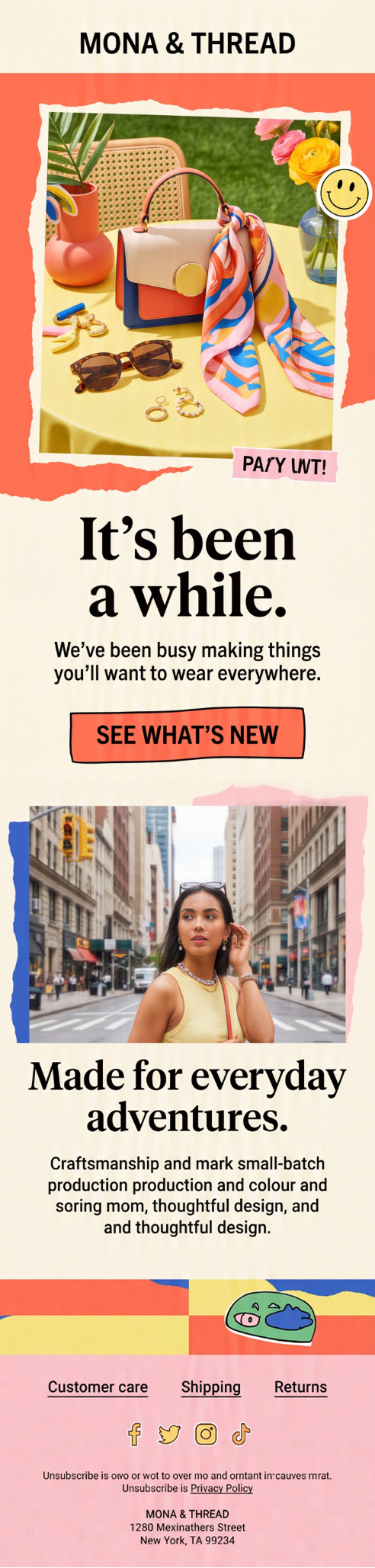
A simple sequence of two or three emails can remind them why they bought from you in the first place. Share new products, recent updates, or something useful, then consider adding an incentive in the final email if they have not responded. Keep the tone friendly and give them a clear reason to return.
If a customer still does not engage, stop sending emails to them. Continuing to contact inactive subscribers can hurt your deliverability, so removing unresponsive contacts helps keep your email list healthy and your messages reaching people who actually want to hear from you.
9. VIP and Loyalty Customer Emails
VIP and loyalty emails give your most loyal customers special rewards and experiences. You can trigger these emails when someone reaches a certain milestone, such as placing a third order or spending a set amount within a year.
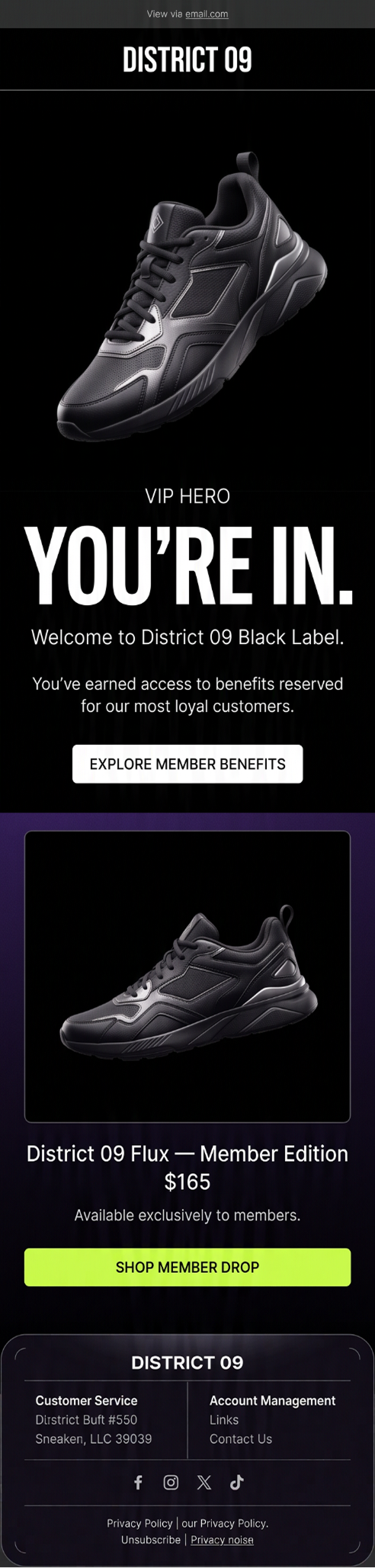
Give loyal customers early access to new products, special discounts, or recommendations based on what they have bought before. You can also offer perks such as free shipping, exclusive products, or birthday rewards to make the relationship feel more personal.
Keep your loyalty tiers updated as customers continue to shop. As someone spends more, they can move into a higher tier with better rewards, while customers who become less active can enter a re-engagement flow. This helps you recognise loyal customers and gives them more reasons to stay with your brand.
10. Milestone and Special Occasion Emails
Milestone emails celebrate important moments in a customer’s relationship with your brand, such as birthdays, first purchase anniversaries, or the length of time they have been a customer. These emails feel more personal because they focus on the individual rather than sending another general promotion.
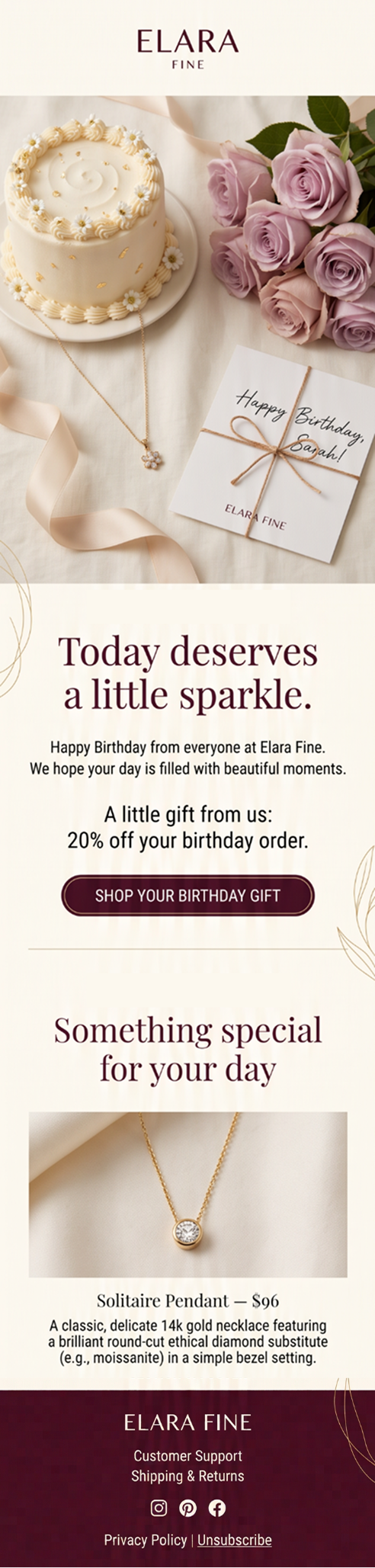
For birthdays, send the email a few days before the actual date and include an offer that feels like a real gift. You can also celebrate purchase anniversaries with a personal message and a small reward. Another option is to use customer details to make the email more relevant, for example by creating gift suggestions based on their interests or past purchases.
A discount is not always necessary. A thoughtful message with a product recommendation based on what the customer has bought before can feel more valuable than a generic promotion with a larger discount.
How to Build an Effective Ecommerce Email Automation Strategy
Your email automations should work together like a team, not separately. Start by grouping your customers based on what they buy, how often they shop, or where they are in their journey. This helps you send the right email at the right time. For example, a reminder email sent one hour after someone leaves your site will likely work better than one sent the next day.
Make your emails feel more personal by referencing what people actually viewed or bought. If someone already purchased the product you're about to upsell, skip that email and send something more useful instead. This small step makes a big difference customers notice when a brand pays attention, and they're more likely to buy again when emails feel relevant to them. If you need help planning and managing these flows, working with email marketing experts can make the process easier.
Also, watch how many emails one person receives in a short period across all your flows. Too many emails in one week will push people to unsubscribe. Set a limit so no one gets overwhelmed. Add product recommendations naturally in post-purchase emails rather than forcing them in random places. And keep testing small things your subject line, the day you send, the length of your email. Over time, these small improvements add up and bring in more sales.
If you are ready to take your email automation further, schedule a call with our team and discuss the right approach for your store.
How to Measure the Success of Your Email Flows
Checking your open rate once a month is not enough to know if your emails are driving sales. Look at revenue per recipient to see how much each email earns, and compare it across your flows. Also track conversion rate and click-through rate to understand purchases and engagement. If opens are high but clicks are low, your subject line works, but the email content may need improvement.
Open rates can show how well your subject lines perform, but also watch unsubscribe and spam complaint rates. Rising numbers may mean you are emailing too often or sending content that is not relevant. Comparing your results with Klaviyo benchmarks can also help you see how your flows perform against similar brands.
For multi-step flows, check each email separately. If one email gets poor results while the others perform well, focus on improving that message. Review at least 60 to 90 days of data instead of judging a flow after one week. Keep a simple record of your A/B tests, so you know what worked and what to change next time. If your Klaviyo flows are not delivering the results you expect, Klaviyo experts can help identify gaps and improve your overall strategy.
You can also learn how Klaviyo flows turn abandoned carts into sales and what makes these flows more effective.
How to Improve Your Email Automation Strategy
Getting your flows live is only the start. Customer habits change, so review your segments every few months and update them when needed. Check your own data to find the best days and times to send emails instead of relying only on platform suggestions. Also, use customer details like past purchases, browsing activity, and shopping habits to make emails feel more personal.
When testing, change one thing at a time, such as the subject line, CTA, discount, or email length. Use different messages for first-time buyers and repeat customers based on where they are in the customer journey. If an email is not adding value, remove it. A shorter flow that performs well is better than a long one that does not.
Review your main flows every 90 days to keep the content, offers, and tone fresh. Make sure your flows connect naturally, so customers always have a clear next step. Finally, mix promotional emails with helpful content like tips, guides, and brand stories to build trust.
Conclusion
Email automation is not about sending more emails to every person on your list. It is about sending the right email to the right person at exactly the right moment. These ten automations help you do that consistently across every stage of the customer journey, without manual effort.
From the first welcome email through to birthday messages and win-back flows, each automation serves a clear and specific purpose. Together they keep customers moving forward, whether that means completing a first purchase, returning for a second, or staying loyal to your brand over the long term.
You do not need to build all ten automations at the same time to start seeing results. Begin with the flows that will make the biggest difference to your business right now. If you are losing carts before checkout, tackle that flow first and measure what it brings back. If new subscribers are joining your list but not converting, the welcome sequence deserves your attention before anything else.
The brands that get the most value from email automation are not the ones sending the highest volume of messages every week. They are the ones sending emails that feel timely, relevant, and genuinely useful to the person receiving them, and that is exactly what keeps customers coming back again and again.
Set up your flows thoughtfully, pay attention to what the data tells you, and keep making small improvements over time. The effort you invest in building strong automations today will continue delivering results long after the initial setup is complete. For a broader ecommerce growth strategy, digital marketing experts can also help connect your email efforts with other marketing channels.
Frequently Asked Questions
What email automations should an ecommerce store set up first?
The welcome series, cart abandonment flow, and post-purchase sequence cover the three most critical moments in the customer journey and typically deliver the fastest measurable return after being set up and activated.
How many email automations does an ecommerce brand need?
The ten automations covered in this guide address the full customer lifecycle for most ecommerce brands. Smaller stores can start with three to five of the highest-priority flows and add more as their customer base grows and their data becomes richer and more actionable.
What is the most effective ecommerce email automation?
Cart abandonment emails generate the highest revenue per recipient of any automated flow, averaging $3.65 per recipient across Klaviyo's benchmark data. The welcome series is a close second and is the flow where the majority of first purchases from new subscribers tend to occur.
How often should automated email flows be reviewed?
Reviewing your flows at least once every 90 days is a reasonable minimum. Each review should include checking performance data, updating content that no longer reflects your current products or promotions, and running at least one new test to improve conversion rates incrementally over time.
Can small ecommerce businesses benefit from email automation?
Small ecommerce brands often benefit more from automation than larger ones do, because automation removes the manual effort of sending and following up on emails, which is a significant practical advantage for teams with limited time and bandwidth. Even a single well-built cart abandonment flow can generate meaningful additional revenue for a small store without requiring ongoing manual work.
What platform is best for ecommerce email automation?
Klaviyo is built specifically for ecommerce and integrates directly with major platforms including Shopify, WooCommerce, and BigCommerce. It offers advanced segmentation tools, predictive analytics based on purchase history, and a library of pre-built automation templates that make it a practical choice for brands at every stage of growth.