

Key Takeaways
- Most costly ecommerce email mistakes come from how the program is built, not from how the emails look.
- Sending more email does not automatically bring more sales, and it can push shoppers toward the unsubscribe button.
- Poor segmentation and weak deliverability shrink the audience that sees every future campaign you decide to send.
- Skipped or neglected lifecycle flows leave your most high-intent shoppers without any follow-up at the moment they care.
- Constant discounting lifts short-term orders but can hurt profit margin and attract customers who rarely buy again.
- Judge email by conversions, repeat purchases, retention, and revenue instead of trusting open rate as your only score.
You send an email campaign, people open it, but hardly anyone places an order. It is frustrating, especially when you have spent time writing the copy, choosing images, and getting everything ready to send.
The first thought is often to change the subject line or try a different send time. But sometimes, the problem has less to do with the email itself and more to do with how your email marketing is set up.
Poor targeting, missing automated emails, and messages landing in spam can all cost your store sales. You might not even notice these problems until your results start slipping.
In this article, we cover ten common ecommerce email marketing mistakes and explain how to fix them. If you need help reviewing your campaigns, our email marketing services can help you find areas that need attention.
Where Ecommerce Email Revenue Usually Leaks
Email revenue can suffer at different stages, from collecting subscribers to bringing customers back for another purchase.
Revenue Leak | What Usually Goes Wrong | Business Impact |
Acquisition | Low-quality subscribers | Weak first-purchase conversion |
Engagement | Irrelevant campaigns | Lower clicks and unsubscribes |
Conversion | Weak offers or lifecycle follow-up | Lost purchases |
Retention | Little post-purchase communication | Fewer repeat orders |
Deliverability | Poor list and sending practices | Fewer emails reach inboxes |
Measurement | Wrong KPIs | Teams optimize the wrong things |
A good-looking email won't help much if you're sending it to the wrong people. Some stores struggle with poor-quality subscribers, while others lose repeat purchases because they rarely contact customers after the first order. Finding these problems early gives you more time to correct them.
Mistake 1: Optimizing for Open Rates Instead of Revenue
Most teams check open rate first, so this mistake affects how you judge everything else on this list. A campaign can look great on the dashboard and still bring in almost no money. The fix starts with changing what you count as a win.
Why It Costs Revenue
Open rates show how many recipients appear to have opened your email, but they do not tell you whether anyone clicked, placed an order, or returned to your store. A campaign can get plenty of opens and still bring in few sales while gaining more unsubscribes. Apple Mail Privacy Protection can also load email content in the background, which may count as an open even when someone has not read the message. Klaviyo confirms that this can make open rates look higher than they really are.
What to Measure Instead
Pick the numbers that match the goal of each email, and track a few of them together.
- Click Rate: Shows whether the message and the offer gave people a real reason to leave the inbox.
- Conversion Rate: Shows the percentage of visitors or recipients who complete a desired action, depending on how your platform calculates it.
- Placed-Order Rate: Shows the percentage of recipients who place an order attributed to an email.
- Revenue per Recipient: Shows how much attributed revenue an email earns, on average, for each recipient.
- Repeat Purchases: Reveals how many first-time buyers come back for a second order, which matters more than one sale.
Open rate still matters because it can help you spot inbox-related problems early. It shouldn't be the only metric you use to judge every campaign.
Mistake 2: Sending Every Campaign to the Full List
Few habits hurt more than sending the same message to everyone, and it is easy to fall into. Most stores start this way because one big send feels quick, simple, and safe at the beginning. The cost shows up later, in lower engagement and a list that slowly stops listening to you.
Why Batch-and-Blast Email Hurts Performance
One campaign reaches buyers, new subscribers, VIPs, cart abandoners, and inactive contacts, and each group needs a different message. A single blast lowers engagement, raises unsubscribes, and can push more of your emails into spam over time. Omnisend and Magebit both point to weak segmentation as a major cause of lost ecommerce email revenue.
Segment Around Customer Behavior
A better approach is to group subscribers by their shopping behavior and send messages that match their interests.
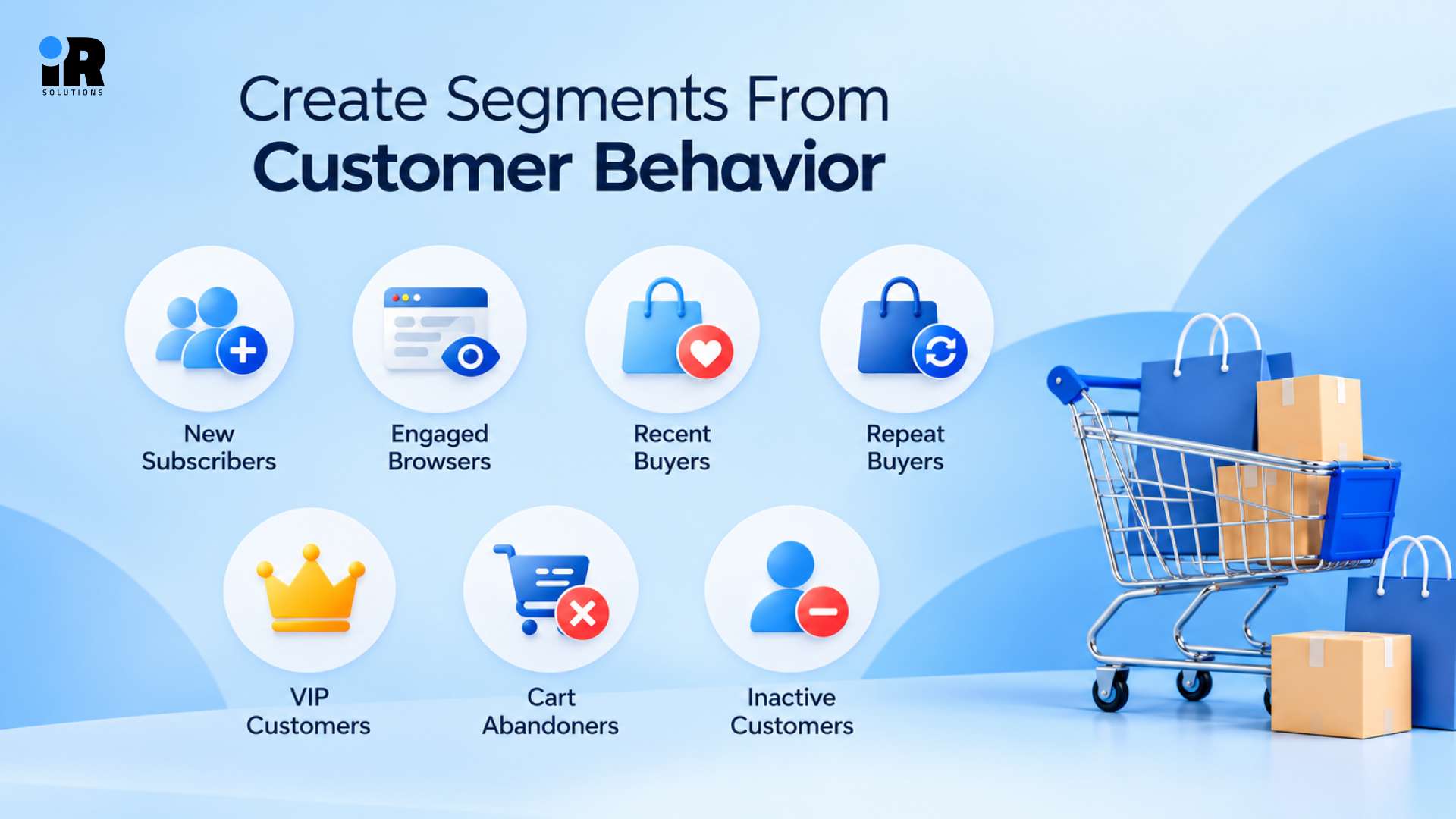
- New Subscribers: People who just joined and need a warm welcome before they see any hard sales pitch.
- Engaged Browsers: Subscribers who click often but have not bought yet, and may need proof or a small nudge.
- Recent Buyers: Customers who ordered lately and should hear about their purchase, not another push to buy.
- Repeat Buyers: Shoppers who return on their own and respond well to related products and loyalty perks.
- VIP Customers: Your most valuable customers, who may appreciate early product access, exclusive offers, or loyalty rewards.
- Cart Abandoners: Visitors who added items but left, and who need a timely reminder instead of a newsletter.
- Inactive Customers: People who stopped buying a while ago and need a careful win-back plan or a polite goodbye.
Mistake 3: Relying Too Heavily on Campaigns and Underbuilding Automated Flows
Campaigns get most of the attention, yet automated flows often bring in the steadiest sales for an online store. Many stores lean on campaigns alone, and that leaves money on the table every single week.
Why Campaigns Alone Leave Revenue Behind
Campaigns suit promotions, launches, and newsletters, but they cannot react when a shopper joins, browses, or leaves a cart. Those moments pass without a follow-up, and the sale often goes to a competitor instead. Magebit names this gap, where campaigns get priority and lifecycle automation stays underbuilt, as a major revenue leak.
Build the Core Ecommerce Flows First
Email automation mistakes often start with simply not having the basic flows switched on at all.
- Welcome Flow: Greets new subscribers, introduces your brand, and gently guides them toward their first order with you.
- Browse Abandonment: Follows up with visitors who looked at products but never added anything to the cart.
- Cart Recovery: Reminds shoppers about products they left behind, whether they stopped at the cart or during checkout.
- Post-Purchase: Thanks the customer, explains how to use the product, and sets up the next order.
- Win-Back: Reaches out to customers who stopped buying and tries to bring them back to your store.
- VIP Loyalty: Rewards your best customers with early access, special perks, and a reason to stay close.
Start with welcome and cart recovery if you are short on time, since both reach shoppers who already showed interest. To see each one in detail, read our guide to the 6 key email marketing flows for ecommerce growth.
Mistake 4: Building Email Flows Once and Never Updating Them
A flow that worked last year can slowly turn into a weak spot without anyone noticing. Because nothing breaks, old flows keep sending, and the slide in results is easy to miss.
Why Flows Lose Performance Over Time
Your store keeps changing, but a flow keeps sending exactly what it was told to send. Products, prices, offers, and customer habits shift over time, so a year-old flow often feels out of date. Ecommerce email automation mistakes like these are easy to miss, as Hustler Marketing and RetentionSide both warn.
What to Review
When reviewing your automated emails, pay attention to these areas.
- Triggers: Confirm that the right action still starts the flow and that nothing fires by mistake.
- Audience Rules: Check your exclusions so buyers, unsubscribed contacts, and recent customers do not receive the wrong message.
- Timing: Review the delays between emails and make sure they still match how your customers shop.
- Copy Check: Read each message again for outdated claims, old product names, and wording that no longer fits.
- Links: Click every product link and image to confirm nothing leads to a sold-out or deleted page.
- Offers: Test discount codes and offer terms so customers never hit an expired code at checkout.
- Button Text: Look at your calls to action and ask whether they still point to the best next step.
- Results: Compare conversion performance with earlier months to see which emails in the flow have slipped most.
Review your flows at least every few months, and check them sooner when you launch new products, change prices, or update your offers. Even small changes can leave automated emails with outdated information.
Mistake 5: Letting Campaigns and Flows Overlap
Sending too much email is often a planning problem rather than a simple volume problem. Each message may look fine alone, but together they can bury one shopper's inbox in a single week.
How Frequency Problems Happen
Picture a shopper who gets a promotion, a browse email, a cart reminder, and a welcome email this week. Then a second promotion lands in the same inbox, and the unsubscribe button starts to look tempting. Email campaign mistakes like this happen when campaign calendars ignore automated flows, as Magebit points out.
Control Total Customer Frequency
A few simple rules can keep your messages from piling up on the same person.
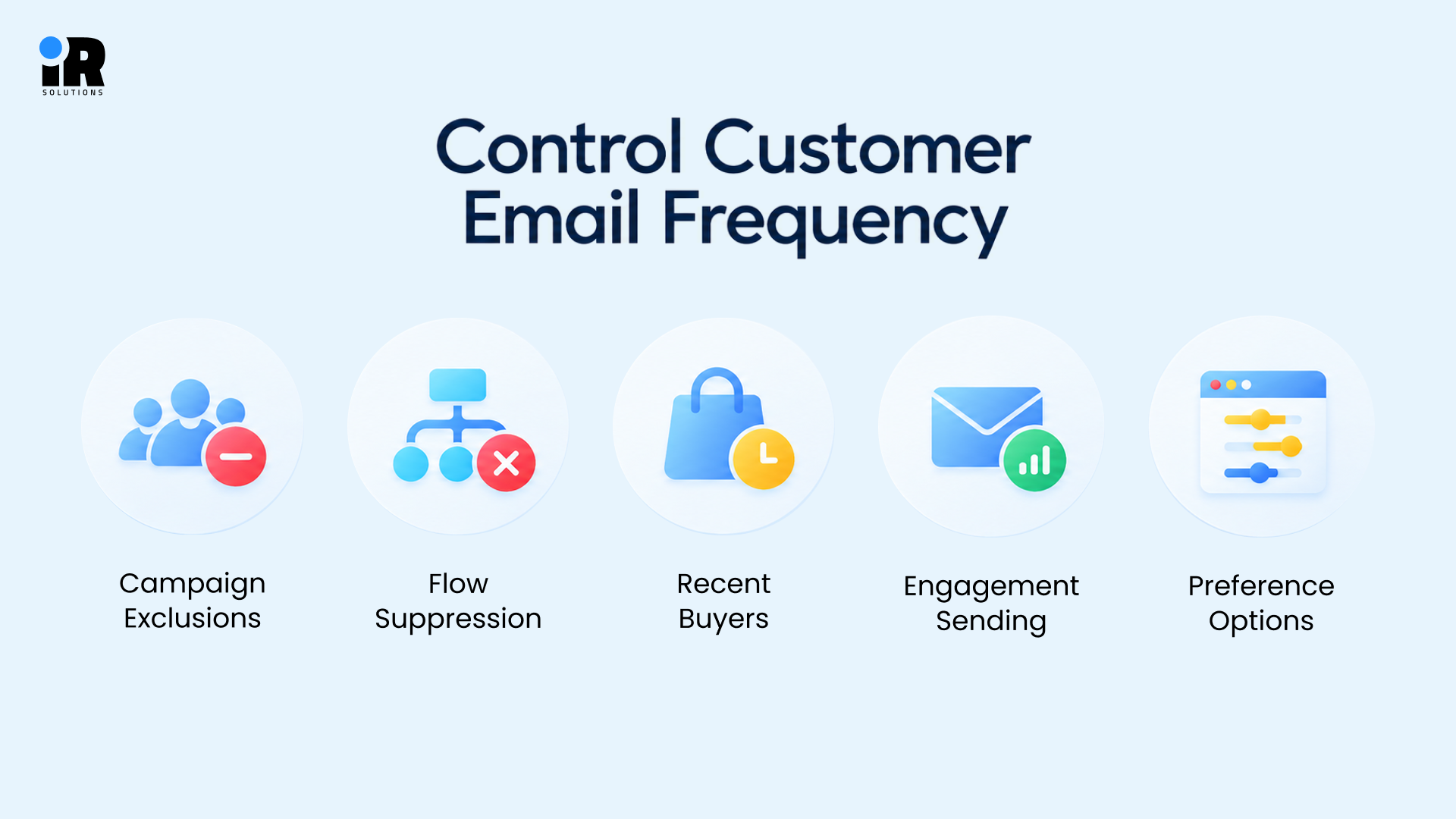
- Campaign Exclusions: Leave out people who are already inside a cart or welcome flow when a promotion goes out.
- Flow Suppression: Pause lower-priority flows when a customer enters a more important one, such as cart recovery.
- Recent Buyers: Keep new customers away from sales pitches for a short time after they place an order.
- Engagement Sending: Send more often to people who click and less often to those who have gone quiet.
- Preference Options: Let subscribers choose how often they hear from you, where that fits your brand and audience.
There is no fixed rule for how many emails to send each week; it depends on engagement, customer stage, product type, and buying habits. Salesforce also recommends testing different sending frequencies to find what works best for your audience.
Mistake 6: Using Discounts as the Default Conversion Strategy
Discounts work fast, which is exactly why so many stores lean on them too often. The quick win is tempting, but it can cost you more than the coupon itself.
Why Constant Discounting Can Hurt Revenue
A coupon can lift today's orders while quietly weakening the business you are trying to build.
- Thinner Margins: Discounts reduce the selling price, which can leave you with less profit per order unless the extra sales make up for it.
- Waiting Habit: Customers learn that an offer always arrives soon, so they hold off until it does.
- Price Pressure: Full-price products become harder to sell once shoppers expect a markdown on everything you offer.
- Repetitive Campaigns: Emails start to look alike when every message says the same thing about percentages off.
- Deal Hunters: You may attract subscribers who only respond to promotions and rarely buy at normal prices.
Hustler Marketing flags discount-led welcome sequences as a structural risk and urges brands to examine them closely. It suggests checking the lifetime value of discount-won customers instead of judging only the first order.
Give Customers Other Reasons to Buy
People often need a good reason, and that reason does not always have to be a lower price. Try product benefits, honest reviews, real use cases, and a clear explanation of what makes your brand different. Customer proof, easy shipping and returns, product education, and a sense of exclusivity can also move people. Convenience matters too, since a smooth path to checkout often beats a small price cut.
Test the Incentive Instead of Assuming You Need It
A basic split test will tell you whether the discount is helping or just costing money. Abandoned cart email mistakes often begin with an automatic coupon that the shopper never really needed. Try version A with a plain cart reminder and version B with the same reminder plus a discount.
For welcome emails, compare an immediate discount against a message that shares brand value first and offers an incentive later. Then measure conversion, revenue, profit margin where you can, and how often those buyers come back.
Mistake 7: Growing the Email List Without Checking Subscriber Quality
Seeing your subscriber count grow is encouraging, but those numbers mean little if the people signing up never become customers. A smaller list of interested shoppers can be worth more than thousands of subscribers who rarely engage.
A Bigger List Is Not Automatically a Better List
A signup form might bring in plenty of subscribers without generating many orders. To see which sources are actually valuable, compare signups, first purchases, and revenue from each one. This helps you identify where your best customers are coming from.
Be Careful With Incentive-Only Signup Strategies
A big welcome offer can grow your list fast, but it may attract people who only want the deal. That does not make discount forms bad, so compare how each signup source affects first orders and repeat orders. A smaller list of loyal buyers can easily beat a much larger list of cold subscribers.
Never Use Purchased Lists
People on purchased lists usually haven't given your business permission to email them. Contacting them can lead to more spam complaints, poor engagement, and problems with your email service provider. Expect more spam complaints, weak engagement, and damage to your sender reputation, so build your list with people who asked.
Mistake 8: Ignoring Deliverability Until Revenue Drops
Great emails earn nothing when they land in spam, so inbox placement deserves attention before sales fall. Many stores only look at it after revenue drops, and by then the damage has built up.
Delivery Rate Is Not the Same as Deliverability
An email is considered delivered when the receiving server accepts it, but that doesn't mean it reached the inbox. It may still end up in spam. That's why a high delivery rate doesn't always mean your subscribers are seeing your messages.
Email deliverability mistakes are easy to miss because your platform may still report a very high delivery rate. RetentionSide rightly points out that many ecommerce teams confuse these two ideas until sales start dropping.
Common Deliverability Problems
Most inbox trouble traces back to a handful of habits that you can control with some effort.
- Inactive Contacts: Sending to too many people who never open or click tells inbox providers your content is unwanted.
- Bounces: A high bounce rate suggests old or mistyped addresses, which damages trust with mailbox providers.
- Spam Complaints: Each time someone clicks the spam button, your sender reputation takes a hit that lingers.
- List Hygiene: Skipping regular cleanups leaves invalid, risky, and unengaged addresses sitting on your list for months.
- Missing Authentication: Without proper sender checks, mailbox providers have less reason to trust that your emails are real.
- Volume Spikes: Sudden jumps in sending volume look suspicious, especially from a sender with a quiet history.
- Low Engagement: Weak clicks and replies over time signal that people no longer care about your messages.
Check Email Authentication
Email authentication helps mailbox providers check whether your messages are legitimate. SPF identifies authorized sending servers, DKIM uses a digital signature to verify messages, and DMARC checks how those authentication methods align with your sending domain.
Google requires senders to Gmail accounts to use SPF or DKIM. Bulk senders must use SPF, DKIM, and DMARC. They also need to follow additional rules, including keeping spam complaints low and supporting one-click unsubscribe for marketing emails.
You can review the full requirements in Google's email sender guidelines.
Suppress Contacts Who No Longer Engage
Don't remove subscribers just because they haven't opened a few emails. Look at their recent clicks, purchases, and other activity first. If someone hasn't engaged for a long time, consider a re-engagement email before suppressing them from future marketing campaigns. For a deeper walkthrough, see our email deliverability guide on stopping spam and reaching the inbox.
Mistake 9: Treating the Sale as the End of the Email Journey
Winning the first order is only half the job, and many stores stop trying right there. The second order is usually where a one-time buyer starts to become a loyal customer.
Why Post-Purchase Email Matters
Most programs pour all their effort into getting the first order and then go quiet afterward. A good ecommerce retention email program fills that gap with product tips, review requests, useful cross-sells, and loyalty offers. Magebit and Chronos both name weak post-purchase messaging as a common gap in retention and revenue.
First-Time and Repeat Customers Need Different Follow-Up
Treating every buyer the same way misses what each person actually needs right after checkout ends.
A first-time customer often needs reassurance, helpful product education, and a short introduction to your brand. A repeat buyer may respond better to related products, loyalty rewards, VIP messages, and early access.
Avoid sending the same post-purchase sequence to every customer forever, because it grows stale quickly.
Mistake 10: Fixing Creative Before Diagnosing the Real Problem
When sales drop, most teams rush to change the design, but the cause often sits elsewhere. A quick check saves time and keeps you from fixing the wrong thing first.
A Weak Campaign Is Not Always a Copy Problem
Changing the subject line, design, CTA, or send time may not fix the real problem. Many email marketing mistakes that cost sales happen behind the scenes, where teams rarely think to look.
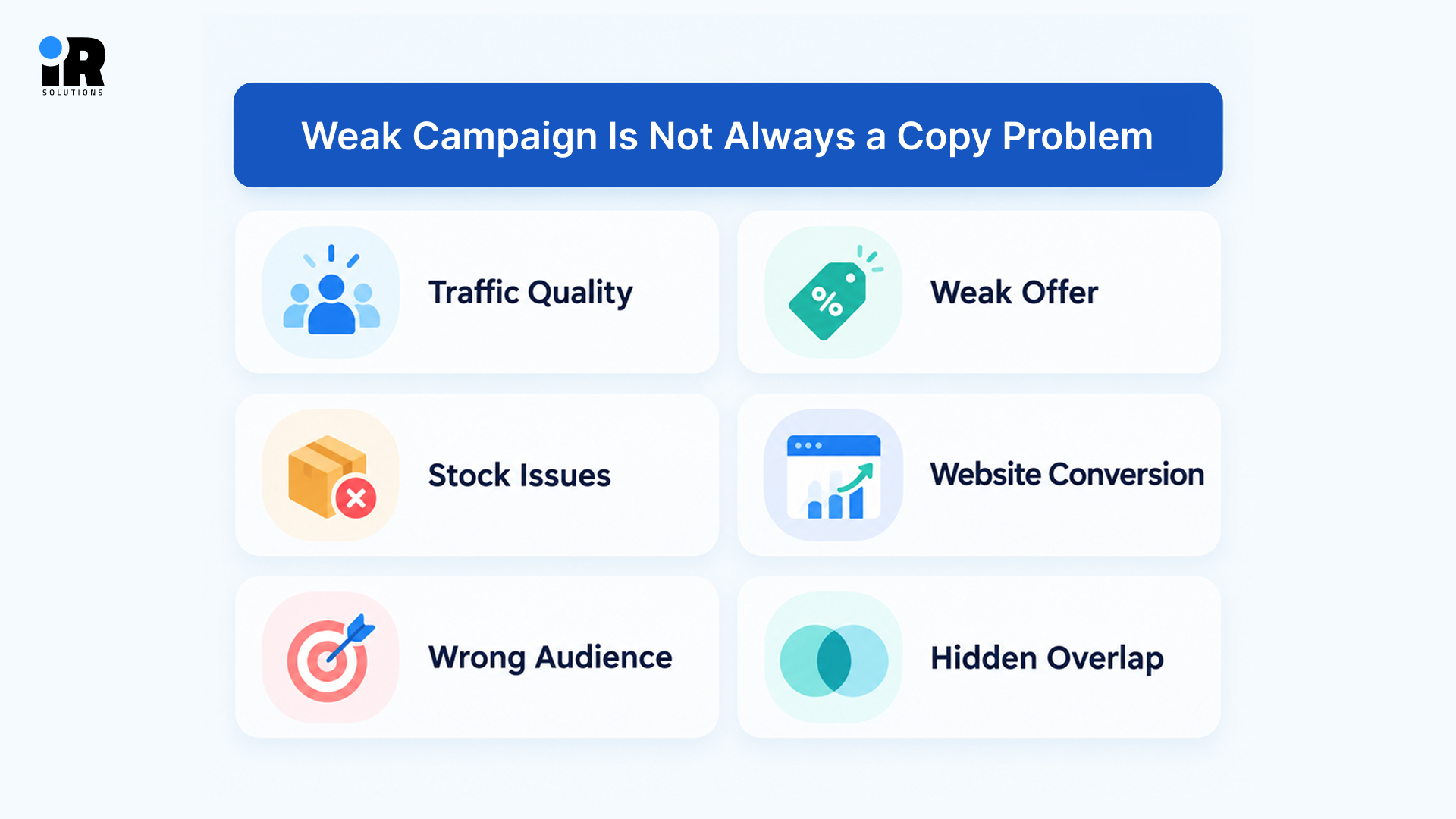
- Traffic Quality: Visitors from the wrong ads or sources rarely buy, no matter how good the email looks.
- Weak Offer: A product or deal that does not excite people will not be rescued by clever wording.
- Stock Issues: Popular items that sell out or arrive late send shoppers away, whatever the email promised.
- Website Conversion: A slow page or confusing checkout can lose buyers after they have already clicked through.
- Wrong Audience: Sending to people who never wanted the product wastes both their time and your sender reputation.
- Hidden Overlap: Deliverability trouble and flow overlap can also cut results while the creative stays the same.
RetentionSide notes that email results can shift because of acquisition quality or website conversion outside your platform.
Diagnose the Funnel Before Changing Everything
Follow the funnel from the inbox to the second order, and the weak spot usually shows itself.
- Low Reach: When few emails reach the inbox, check deliverability before you touch any design or copy.
- Weak Clicks: When reach is good, but clicks are low, review relevance, the offer, the copy, and the button.
- Weak Purchases: When clicks are healthy but orders are not, check the product, landing page, price, shipping, and checkout.
- Weak Repeats: When first orders look good, but repeat orders do not, look at post-purchase and retention emails.
- Flat Revenue: When the list keeps growing but revenue stays flat, check subscriber quality and lead-to-customer conversion.
Test One Meaningful Change at a Time
If you change the subject line, offer, design, and timing together, you won't know which change made the difference. Test one main element at a time and compare the results. For example, if customers are clicking but not buying, testing a different offer may tell you more than redesigning the email.
How to Find the Biggest Revenue Leak in Your Email Program
Fixing everything at once rarely works, so start with the one problem that costs you the most. Match what you see in your reports with the table below to find the best place to begin.
What You're Seeing | Check First |
List growing, few new buyers | Welcome flow and subscriber quality |
Opens and clicks declining | Segmentation, deliverability, and frequency |
Good clicks, poor orders | Offer and product or landing page |
High cart abandonment, low recovery | Cart and checkout flows |
Strong first purchase, few repeats | Post-purchase and win-back |
Flow revenue declining | Flow content, timing, and triggers |
Good engagement, weak revenue | Product relevance and conversion path |
Unsubscribes increasing | Frequency and targeting |
Use the table to narrow down where things might be going wrong. Start with the problem most likely to be affecting sales, make a change, and check whether the results improve before moving on.
Which Ecommerce Email Metrics Should You Monitor?
You don't need to track every number your email platform provides. Focus on the metrics that help you understand whether people are engaging, buying, and returning.
Metric | Why it matters |
Click rate | Shows whether people engage with your emails |
Placed-order rate | Measures purchases attributed to emails |
Revenue per recipient | Helps compare the revenue earned from different sends |
Flow revenue | Shows the contribution of automated emails |
Repeat purchase rate | Tracks how often customers buy again |
Unsubscribe rate | Helps identify problems with relevance or frequency |
Spam complaint rate | Helps identify sender reputation risks |
Opens can still give useful context, but Apple Mail Privacy Protection means they are not a perfect measure. Treat open rate as a hint about inbox behavior, never as proof that real people read your message.
A Simple Ecommerce Email Revenue Audit
If you're unsure where to start, review these five areas of your email marketing. You don't need to change everything right away. Just look for anything that's missing, outdated, or performing worse than expected.
1. Acquisition
Find out which signup sources bring in real customers, and whether your incentives attract useful people or only deal hunters. Any source that adds names but never adds buyers deserves a much closer look this month.
2. Campaigns
Review whether your sends are segmented and relevant, and keep an eye on how often each person hears from you. These regular sends are what customers see most often, so small problems here show up fast.
3. Automation
Make sure your core flows are live, their triggers and exclusions are right, and someone has updated them lately. Flows work in the background, so they are the easiest part of the program to forget.
4. Deliverability
Confirm that authentication is set up, complaints and bounces look healthy, and inactive contacts are being managed. Inbox placement decides whether any of your other hard work ever gets seen by real customers.
5. Revenue and Retention
Track whether email produces purchases, whether first-time customers return, and which flows create the most useful revenue. Money and loyalty are the final test of whether the whole program is doing its job.
When Should an Ecommerce Brand Get Help With Email Marketing?
Managing email marketing in-house can work well when your team has the time and experience to handle it. But as your store grows, keeping up with campaigns, automation, testing, and reporting can become difficult. You may be sending emails regularly without seeing much improvement in sales.
Outside help makes sense when core flows are missing or outdated, so interested shoppers get nothing useful from your store. It also helps when repeat purchases stay low, deliverability starts to slip, or segmentation stays basic on a large list. Reports that focus on opens instead of orders, repeat buyers, and revenue are another clear warning sign.
If your team doesn't have the time to review and improve campaigns regularly, outside support may help. At IR Solutions, we review email performance, identify areas that need attention, and help improve campaigns and automated flows. You can hire our email marketing experts to get support with your store's email marketing.
Conclusion
Email marketing problems aren't always obvious. Your campaigns might look fine, but poor targeting, outdated automation, or emails landing in spam can still affect sales.Start by reviewing what's happening in your store. Look at which emails bring in orders, where customers stop engaging, and whether your automated messages are doing their job. Fix the problems you find, then check the results before making more changes.You don't need to send more emails to improve sales. Sometimes, making better use of the emails you're already sending is enough to see a difference.
Frequently Asked Questions
What are the most common mistakes in ecommerce email marketing?
The most common mistakes are chasing open rates, emailing the whole list, and skipping automated flows. Others include constant discounting, ignoring deliverability, forgetting post-purchase emails, and changing creative before finding the real cause.
What is the biggest mistake in ecommerce email marketing?
There's no single biggest mistake for every store. Some struggle with poor targeting, while others lose sales through missing automation or deliverability problems. Judging performance by open rates alone is another common issue, because opens don't tell you how much revenue your emails generate.
Can sending too many emails reduce ecommerce revenue?
Yes, too many emails can reduce revenue by causing unsubscribes, spam complaints, and weaker inbox placement. The problem is often total volume from campaigns and flows together, not any single message.
Should ecommerce brands send campaigns to their entire list?
Usually no, because different customers need different messages based on what they have bought or browsed. Even a few simple segments, such as buyers, non-buyers, and inactive contacts, can improve results.
Are email open rates still useful?
Open rates still help you diagnose inbox-level performance, but they should not be your main success metric. Apple Mail Privacy Protection can create automated opens, so clicks, orders, and revenue give a truer picture.
How often should ecommerce email flows be updated?
There is no set schedule, so check your flows frequently and do not wait for a specific date. Also check them anytime products, offers, traffic sources or customer behaviour change in any noticeable way.
Should ecommerce emails always include discounts?
No, because frequent discounts have the potential to reduce margins and teach customers to wait for the next deal. Before you decide, test discount versus no discount and measure conversion, revenue, margin and repeat purchases
How can ecommerce brands improve email deliverability?
Set up SPF, DKIM, and DMARC, and clean your list so you stop sending to unengaged contacts. Also watch bounces and complaints, avoid sudden volume jumps, and send content people actually want to read.