


Key Takeaways
- Email deliverability determines whether your emails land in the inbox or the spam folder.
- The global email marketing market was projected to grow significantly from 2022 through 2032.
- Poor sender reputation, weak authentication, and low engagement are the top causes of spam placement.
- Proper email authentication, such as SPF, DKIM, and DMARC, protects your sender reputation and improves inbox placement.
- A clean, well-segmented email list is the most controllable factor in your deliverability health.
- Monitoring your metrics monthly helps you catch problems before they become serious and costly.
- Gmail and Yahoo require email authentication, low spam rates, and easy unsubscribe options.
You spend hours writing the perfect email campaign. You pick the right subject line, craft a clear message, and hit send with confidence. Then nothing happens. No opens, no clicks, no replies from anyone on your list. The email never actually reached your subscribers. It quietly landed in their spam folders without anyone knowing. This happens far more often than most brands realise, and it costs real money every single time.
According to Statista, the global email marketing market was projected to grow significantly from 2022 through 2032. As brands continue investing heavily in email as a marketing channel, getting campaigns into the inbox instead of the spam folder has become increasingly important. A campaign can have great content and a strong strategy, yet still fail to generate results if subscribers never see it. What breaks down is often the technical and reputational foundation underneath it all.
Deliverability decides whether your message gets seen or disappears into a spam folder permanently. It involves your sender reputation, your email list quality, your authentication setup, and even the content of your emails.
Every one of those factors is fixable with the right approach. This guide covers everything you need to know about Klaviyo deliverability, from why emails go to spam in the first place to exactly how you can fix the problem and keep it fixed. Whether you are just getting started or already sending campaigns at scale, this is your complete playbook for better inbox placement.
What Is Klaviyo Email Deliverability?
Klaviyo email deliverability is the ability of your emails to successfully reach your subscribers’ inboxes instead of being sent to spam, blocked, or otherwise filtered. Email deliverability depends on factors such as your sender reputation, audience engagement, sending habits, email content, and sending infrastructure.
In simple terms, email deliverability helps make sure your emails actually reach the people you are sending them to. An email can be successfully delivered to a mail server but still end up in spam, so good deliverability focuses on getting your messages into the recipient’s inbox where they are more likely to be seen and opened. Sender reputation is one of the key factors affecting this.
Example: You send 10,000 emails through Klaviyo. Good deliverability means most of those emails reach inboxes rather than being blocked or filtered into spam.
Email Delivery vs. Email Deliverability
Email Delivery | Email Deliverability |
Confirms the recipient’s mail server accepted the email. | Indicates whether the email reaches the recipient’s inbox. |
Looks at whether the email was accepted or rejected. | Examines where the accepted email ultimately lands. |
An email may be marked as “delivered” by Klaviyo. | A delivered email can still end up in the spam folder. |
Does not confirm that the email reached the primary inbox. | Relies on factors such as sender reputation, engagement, and spam filtering. |
Why Are Your Klaviyo Emails Going to the Spam Folder?
If your open rates have dropped recently or your campaigns are consistently underperforming, spam folder placement is often the root cause. There are several reasons this happens, and most of them are well within your control once you know what to look for.
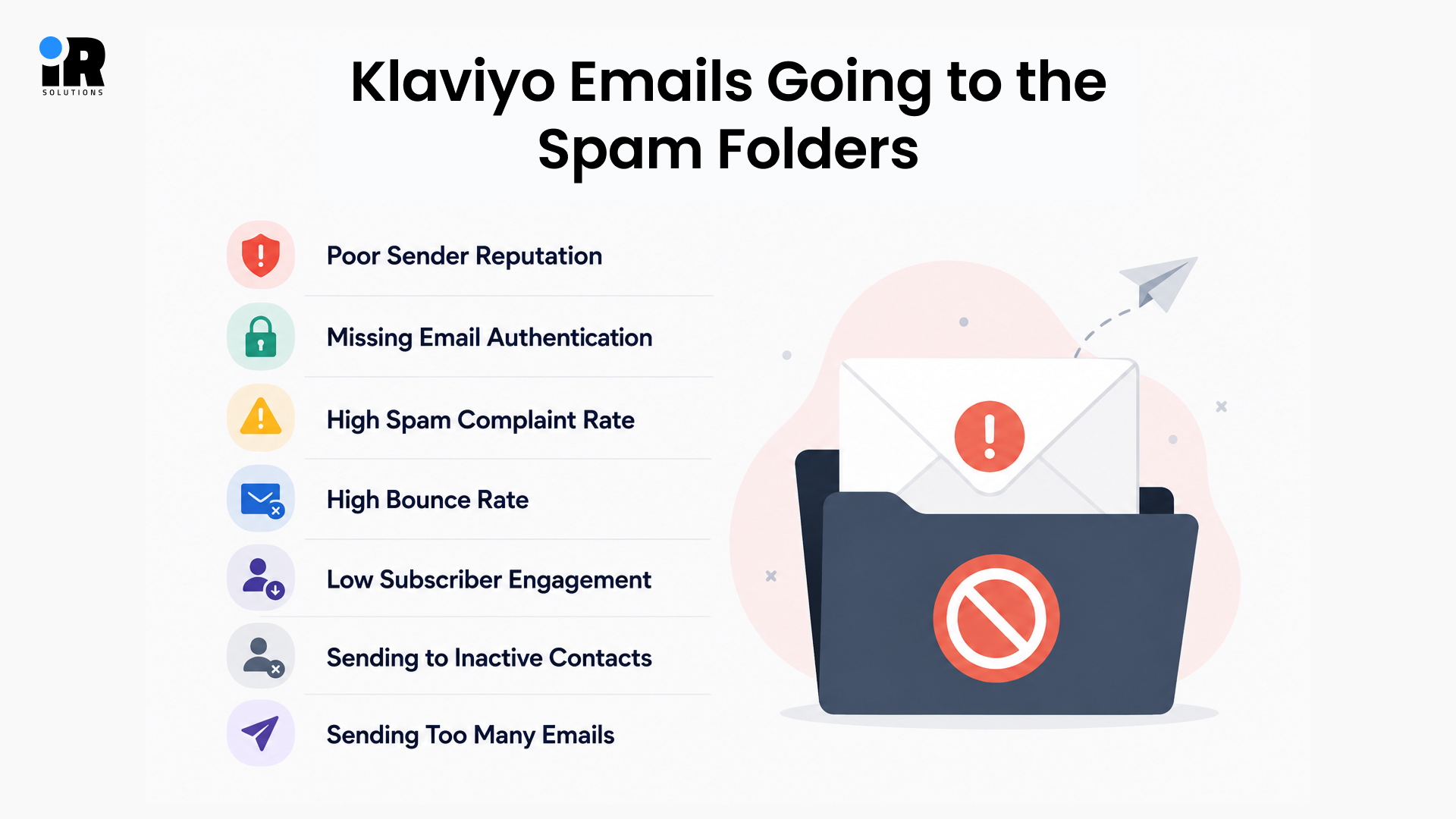
Poor Sender Reputation
Sender reputation is how inbox providers judge your domain and sending behavior over time. Each provider runs its own system, but they're all asking the same question should this email be delivered or filtered?
Things like spam complaints, bounce rates, low engagement, and poor list quality all pull your reputation down. The more you send to people who don't care, the worse it gets.
You can check your domain reputation for free using Google Postmaster Tools, which shows how Gmail perceives your sending domain on an ongoing basis.
Missing Email Authentication
Inbox providers use authentication protocols to confirm that your emails are genuinely coming from you. If SPF, DKIM, or DMARC are missing from your domain setup or are misconfigured in any way, providers simply cannot verify your identity as a sender.
Unverified senders look suspicious to inbox algorithms by default, and suspicious emails get filtered into spam automatically without any human review involved.
High Spam Complaint Rate
Every time someone marks your email as spam, it sends a negative signal to the inbox provider and can hurt your sender reputation. For Gmail, Google recommends keeping your spam rate below 0.1% and avoiding 0.3% or higher, as higher complaint rates can lead to increased spam filtering and reduced inbox delivery.
High Bounce Rate
Bounces happen when your emails cannot be delivered to the intended address. Hard bounces occur when the email address does not exist at all. Soft bounces happen when the recipient's inbox is full, or the mail server is temporarily unavailable.
Consistently high bounce rates tell inbox providers that you are not properly maintaining your email list, which damages your sender reputation quickly and significantly.
Low Subscriber Engagement
Inbox providers actively track how recipients interact with emails from your sending domain. If people consistently ignore your emails, scrolling past without opening, or opening and immediately closing it signals that your emails are unwanted content.
Over time, low engagement causes inbox providers to proactively filter your emails into spam before subscribers even have the chance to see them.
Sending to Inactive Contacts
Continuing to send emails to people who have not engaged with your content in six months or more is one of the fastest ways to damage your deliverability score. Inactive contacts drag down your engagement metrics on every single send, which weakens your sender reputation steadily over time.
Sending Too Many Emails
Sending too frequently to the same contacts creates email overload across your list. Overloaded subscribers stop opening, start marking emails as spam, or unsubscribe entirely. All three of these outcomes directly damage your sender reputation over time.
How to Improve Klaviyo Deliverability With Proper Email Authentication
Email authentication helps prove that your emails are real and safe. It builds trust with email providers, improves inbox placement, and reduces the chances of your emails going to spam. Setting it up correctly is one of the most important steps to improve Klaviyo deliverability. It also helps prevent fake emails from being sent using your domain and keeps your sender reputation strong.
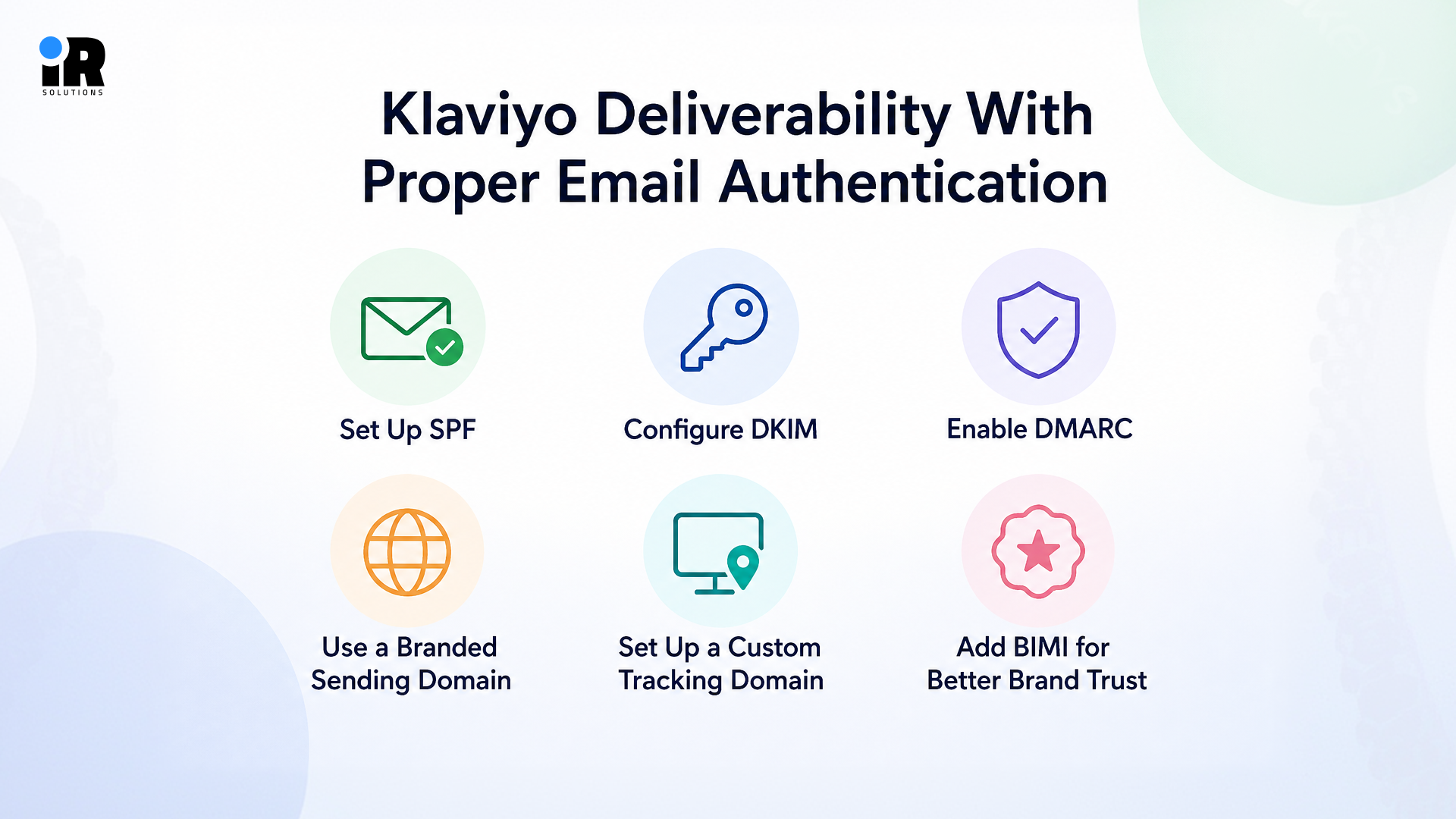
If you need help with authentication, deliverability, flow setup, or account optimization, a Klaviyo expert can help configure everything properly and get your account set up for better email performance from the start.
Set Up SPF
SPF (Sender Policy Framework) verifies that the email-sending infrastructure is authorized to send messages on behalf of your domain. When using Klaviyo, you typically do not need to create an SPF record manually. Klaviyo handles SPF for its shared sending domains.
If you use a branded sending domain, Klaviyo provides the DNS records you need during setup. Follow the records shown in your Klaviyo account and avoid creating a second SPF record for the same domain, as multiple SPF records can cause authentication problems.
Configure DKIM
DKIM, or DomainKeys Identified Mail, adds a unique digital signature to every email you send through Klaviyo. This signature allows the recipient's mail server to verify that the email has not been altered or tampered with in transit from your server to theirs.
A properly DKIM-signed email tells inbox providers that the message is legitimate and came from exactly who it claims to be from.
Enable DMARC
DMARC, or Domain-based Message Authentication Reporting and Conformance, builds directly on top of SPF and DKIM. It tells inbox providers what action to take if an email fails either authentication check whether to reject it, quarantine it, or allow it through for now.
DMARC also sends you detailed reporting data showing exactly who is sending emails on behalf of your domain. Without DMARC in place, your domain is exposed to fake emails and phishing attempts, which can hurt your reputation even when you are not the one sending the problematic emails.
Use a Branded Sending Domain
A branded sending domain lets you send emails from your own domain instead of a shared Klaviyo domain. This gives your business its own email reputation, so other companies cannot affect your deliverability. It also makes your emails look more trusted, helping them reach the inbox instead of the spam folder.
Set Up a Custom Tracking Domain
Klaviyo tracks clicks and opens using links that, by default, route through Klaviyo's own tracking domain. Setting up a custom tracking domain replaces those links with your own branded domain instead.
This keeps your brand experience consistent throughout the email and prevents your tracking links from being flagged by spam filters because of another sender's poor behaviour on the same shared tracking domain.
Add BIMI for Better Brand Trust
BIMI, or Brand Indicators for Message Identification, lets you display your company logo directly beside your emails in supported inboxes like Gmail and Apple Mail. It requires a verified DMARC record and, in most cases, a registered trademark version of your logo.
As Klaviyo explains in their complete email deliverability guide, BIMI helps increase brand recognition, build trust with recipients, and improve engagement rates, all of which directly support stronger long-term deliverability for your sending domain.
How to Build a High-Quality Email List for Better Klaviyo Deliverability
Building a high-quality email list helps more of your emails reach the inbox rather than spam. Focus on collecting subscribers who genuinely want your emails and regularly engage with your content. A smaller, active list usually delivers better results than a large list filled with inactive contacts.
Use Double Opt-In
- New subscribers confirm their email address before they actually join your sending list.
- This removes typos, fake sign-ups, and people who only wanted a one-time freebie.
- Your list ends up smaller in size but filled with people who genuinely want your emails.
Never Purchase Email Lists
- People on bought lists never signed up for your emails and do not know you.
- Sending to them causes instant spam complaints and hard bounces that wreck your reputation.
- Recovering from a purchased list mistake can take months of careful, low-volume sending to fix.
Remove Invalid Email Addresses
- Invalid addresses bounce hard every time, and too many bounces hurt your sender score badly.
- After every campaign, open Klaviyo's bounce report and remove any addresses that failed delivery.
- Staying on top of this monthly keeps your list clean and your reputation protected consistently.
Suppress Inactive Subscribers
- Review contacts regularly using clicks, purchases, and site activity, not just opens.
- Use 90 to 180-day windows to spot inactive subscribers based on your sending frequency.
- Run a re-engagement campaign first, then suppress anyone who still does not respond.
Avoid Spam Traps
- Spam traps are fake addresses set up specifically to catch senders with poor list hygiene.
- Hitting one tells inbox providers your sign-up process is not filtering contacts properly at all.
- Using double opt-in and cleaning your list regularly is the simplest way to stay safe.
How Audience Segmentation Improves Klaviyo Email Deliverability
Most brands blast every campaign to their full list and wonder why engagement keeps dropping the answer is almost always segmentation, or the lack of it. When you send the right email to the right group of people at the right time, inbox providers see higher open rates, more clicks, and fewer complaints, all of which strengthen your sender reputation over time. In the sections below, we cover how to build engaged segments, send behaviour-based campaigns, personalise your content, and protect your list from the fatigue that quietly kills deliverability.
Building effective segments and personalised campaigns takes planning. Working with email marketing experts can help you improve engagement while protecting your sender reputation.
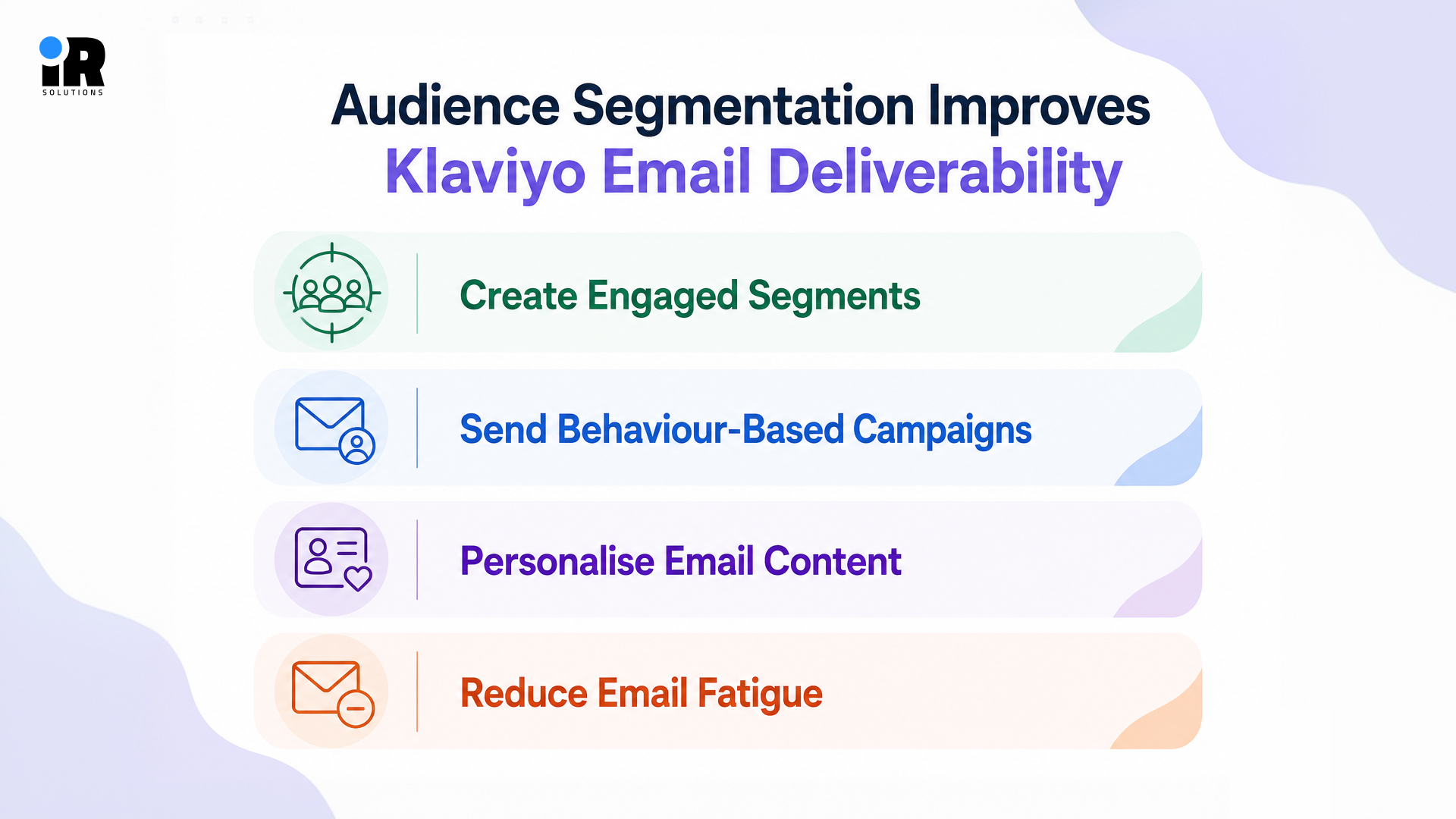
Create Engaged Segments
Group your contacts by how recently they opened or clicked one of your emails. Send your most frequent campaigns to people who engaged in the last 30 days, and pull back on everyone else until they show signs of interest again.
Send Behaviour-Based Campaigns
Stop planning emails purely around dates on a calendar. If someone browsed a product but did not buy, send them a follow-up based on that action, not a generic newsletter that has nothing to do with what they were looking at.
Personalise Email Content
Personalised emails make subscribers feel valued and more likely to engage with your messages. Use their name, past purchases, or browsing activity to send content that matches their interests. This can improve open rates, clicks, and overall email deliverability.
Reduce Email Fatigue
When subscribers get too many emails, they stop opening, start ignoring, and eventually hit the spam button. Set frequency caps inside Klaviyo, so nobody on your list gets bombarded, especially during busy seasons like Black Friday when sending volume spikes across the board.
With Klaviyo, ecommerce brands can recover abandoned carts by sending follow-up emails based on how customers interact with their store.
How to Warm Up a Sending Domain in Klaviyo
When you set up a new sending domain or move to a dedicated IP, inbox providers like Gmail and Yahoo have zero history with you. They do not know whether you are a trusted sender or a spammer, so they watch your first sends very closely before deciding where to place your emails. Warming up your domain is how you prove yourself slowly, consistently, and in the right order.
- Start with your most engaged subscribers, especially people who recently clicked or subscribed to emails.
- Create 30, 60, 90, 120, and 180-day engagement segments to gradually expand your audience.
- Avoid fixed daily limits, Klaviyo dynamically recommends recipient volumes based on your sending performance.
- For initial campaigns, Klaviyo recommends sending to fewer than 10,000 recipients before gradually expanding.
- Monitor engagement, bounces, spam complaints, and deliverability signals throughout your entire warming process.
- If engagement drops or complaints increase, continue sending only to your most engaged subscribers.
- Dedicated IP warming differs from domain warming and typically takes around 30–40 days.
Not sure how quickly to increase your sending volume? Book a session with our Klaviyo specialists to review your current setup and determine the right approach.
What Are the Best Klaviyo Email Practices to Stay Out of the Spam Folder?
Good email content is just as important as proper authentication and a clean email list. Simple writing, a clear layout, the right number of links, and a consistent sending schedule all help inbox providers trust your emails. By following a few proven email practices before every campaign, you can improve inbox placement and reduce the chances of your emails landing in the spam folder.
Write Better Subject Lines
- Your subject line creates the first impression and encourages people to open your email with confidence.
- Use clear and honest words that match your email content and avoid misleading or exaggerated phrases.
- Simple and relevant subject lines improve open rates while helping your emails avoid spam folders.
Optimise Image to Text Ratio
Many senders worry about getting the image-to-text ratio "right," but there is no magic number. What actually matters is whether your email is easy to read and useful. Keep your key information in real text, not locked inside images.
Add alt text so readers still get the message when images don't load. Make sure emails look good on mobile and load quickly by keeping image sizes small.
Use a Single Clear CTA
- Focus your email on one clear action so readers know exactly what to do next.
- Keep your button or link easy to find and use simple words that encourage quick action.
- A single clear call to action increases clicks and keeps your message easy to follow.
Avoid Spam Trigger Words
- Choose natural language instead of words that sound overly promotional or create unnecessary urgency.
- Describe your offer clearly using honest information that helps readers understand its real value.
- Careful wording lowers spam risks and builds trust with your audience over time.
Send Emails at the Right Frequency
- Send emails on a consistent schedule without filling your subscribers' inboxes too often.
- Giving readers enough time between emails keeps them interested and improves overall engagement.
- A balanced sending schedule reduces unsubscribes and helps maintain a strong sender reputation.
When using email and SMS together, spacing your messages properly keeps Klaviyo SMS marketing effective and your audience engaged.
How to Monitor Klaviyo Deliverability Metrics
If you are not watching your numbers, you will not know something is wrong until it is already a serious problem. Deliverability issues rarely appear overnight they build slowly through rising bounce rates, dropping open rates, and creeping complaint numbers that nobody noticed in time. The metrics below are the ones that matter most: open rate, click-through rate, bounce rate, spam complaint rate, unsubscribe rate, sender reputation, and the Klaviyo Deliverability Hub. Check them after every campaign, and you will always know exactly where you stand.
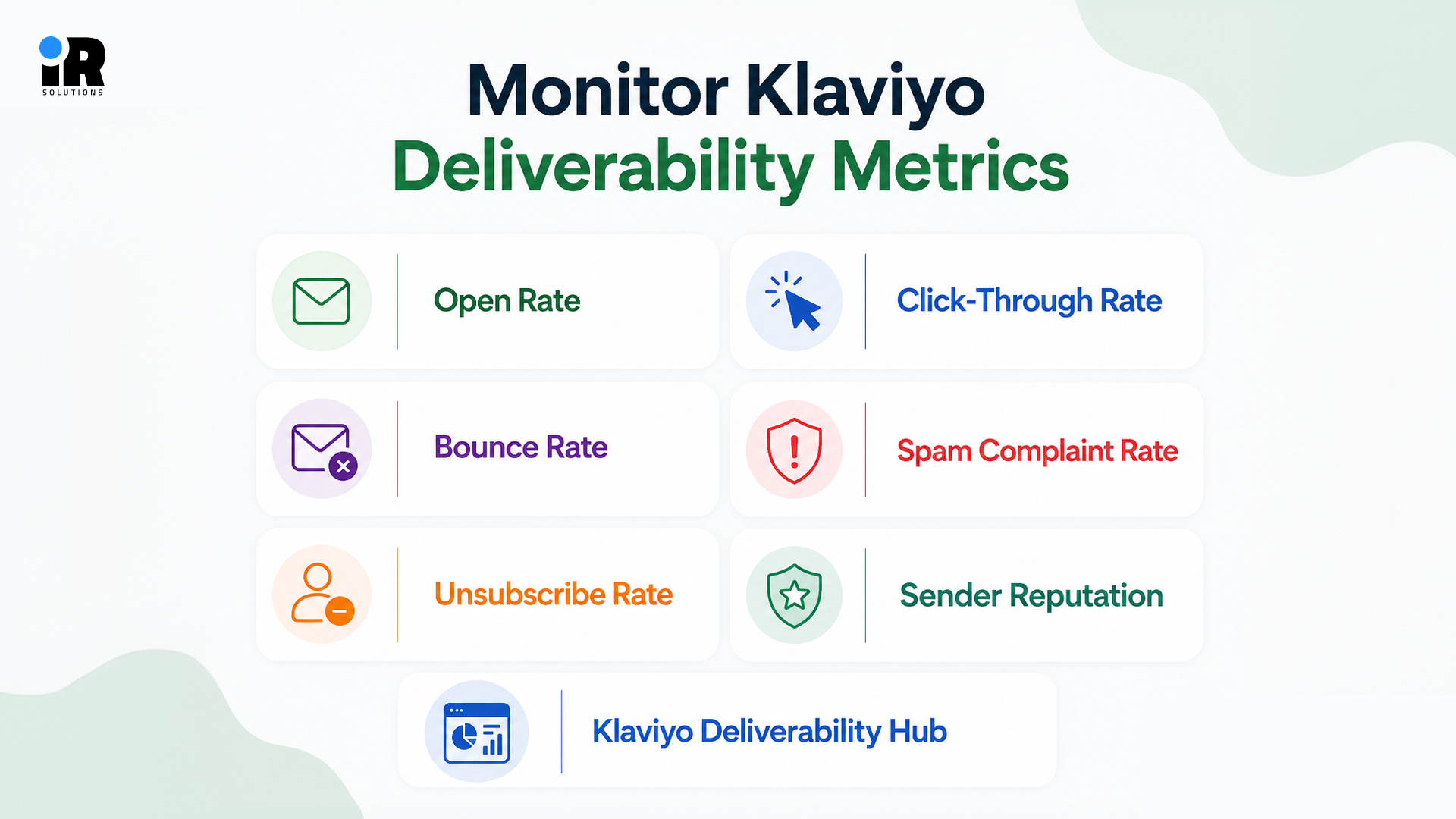
Open Rate
Open rate measures what percentage of delivered emails were actually opened by recipients. iOS privacy changes have made this metric less precise as an absolute number, but tracking its trend over time is still valuable. A sustained downward trend in open rates frequently signals an underlying deliverability problem worth investigating.
When Klaviyo open rates drop, understanding the underlying causes can help you make smarter changes and improve email engagement.
Click-Through Rate
Click-through rate measures how many recipients clicked at least one link inside your email. It is a more reliable engagement signal than open rate because it requires active intent from the subscriber. A falling click-through rate often indicates that your content is missing the mark with your current audience or segment.
Bounce Rate
Bounce rate is the percentage of emails that could not be successfully delivered to the intended address. Hard bounces from permanently invalid addresses need to be removed from your list immediately after they occur. Monitor bounce rates for sudden increases and investigate campaigns with unusually high hard bounces from invalid addresses.
Spam Complaint Rate
This is one of the most critical metrics to watch on an ongoing basis. It measures how many recipients actively marked your email as spam after receiving it. Keep this rate below 0.1% at all times. If it rises above 0.3%, you will experience serious inbox placement problems across every segment you send to.
Unsubscribe Rate
A spike in unsubscribe rate is a reliable signal that something in your recent campaigns has missed subscriber expectations. It could indicate that you are sending too frequently, your content relevance has dropped, or your list contains people who do not clearly remember opting in to hear from your brand.
Sender Reputation
Check your domain's sender reputation regularly using Google Postmaster Tools and MXToolbox. These tools give you a direct view of how major inbox providers currently perceive your sending domain. Review this data at least once a month and immediately after sending any large or unusual campaign.
Klaviyo Deliverability Hub
Klaviyo's built-in Deliverability Hub consolidates your most important deliverability metrics into a single dashboard view. It shows your overall deliverability health score, flags potential issues proactively, and tracks your performance trends over time. Make reviewing it a standard part of your post-campaign workflow after every major send.
Gmail and Yahoo Email Sender Requirements for Klaviyo Users
Gmail and Yahoo began enforcing new sender requirements in February 2024, while Microsoft introduced similar authentication requirements for high-volume senders to Outlook.com, Hotmail, and Live.com in May 2025. By 2026, these requirements are firmly part of the current email deliverability landscape, with non-compliant messages facing spam filtering, temporary failures, or outright rejection depending on the provider and the specific requirement. These are no longer upcoming changes to prepare for. Brands sending email through Klaviyo should make sure their sending domains, authentication, unsubscribe setup, and sending practices meet the requirements that apply to their volume and traffic.
Authentication Requirements
Both Gmail and Yahoo now require all senders to have SPF, DKIM, and DMARC properly configured on their sending domain. There is no workaround or grace period for this requirement. Without all three authentication records in place, your emails will be filtered or rejected at the server level before they ever have a chance to reach anyone's inbox.
You can review the full requirements directly on Google's email sender guidelines page to confirm your current setup meets everything they expect.
One-Click Unsubscribe
People need to be able to unsubscribe from your emails in a single click, right from inside their inbox no extra pages, no confirmation steps, no hoops to jump through. If someone has to work to get off your list, they will just mark your email as spam instead, which is far worse for your deliverability.
Klaviyo handles this automatically through its list-unsubscribe header. Just make sure the feature is switched on inside your account settings so it is active across all your lists and campaigns.
Bulk Sender Requirements
If you send more than 5,000 emails a day to Gmail, Google puts you in the bulk sender category, and that comes with stricter rules. You need proper authentication in place, a working one-click unsubscribe, and a complaint rate that stays well below the limit.
Before your next big campaign, go through your setup and make sure everything checks out against Gmail's bulk sender requirements.
How to Fix Klaviyo Emails That Keep Going to Spam
If your Klaviyo emails keep landing in the spam folder, the problem is usually caused by several small issues instead of one major mistake. Checking your sender setup, improving your email content, and following email best practices can help restore your sender reputation. The steps below will help you identify the most common causes and improve your chances of reaching your subscribers' inboxes.
Check Authentication Records
Start with your technical foundation before anything else. Use a free tool like MXToolbox to verify that your SPF, DKIM, and DMARC records are all set up correctly and pointing to the right servers in your DNS settings. Even a single small typo in a DNS record can break your authentication completely and cause consistent spam placement across every campaign you send.
Review Sender Reputation
Your sender reputation is one of the first things to check when emails keep going to spam. If your reputation score is rated as low or bad, the problem is tied to your sending history, not your content or authentication. The only way to recover is to scale back your sends significantly and focus entirely on your most engaged subscribers until your score starts climbing again.
Audit Your Email List
Run a thorough audit of your full contact list and remove all hard bounces, long-term inactive subscribers, and any addresses you cannot trace back to a documented legitimate opt-in source. If your list has not been properly cleaned in more than six months, consider running a targeted re-engagement campaign to your inactive contacts before resuming your normal sending schedule.
Test Your Email Content
Send a test version of your email through Mail-Tester.com before sending it to your live list. The detailed spam score report will flag specific issues in your email, including trigger words in the content, missing authentication records, broken links, and image-to-text ratio problems. Resolve every issue the tool identifies before sending the campaign to actual subscribers.
Reduce Sending Frequency
If you have been sending at a high volume to unengaged contacts recently, scale back your sends significantly right away. Focus your sends exclusively on your most engaged segment for the next two to four weeks and give your sender reputation time to recover. Increase your volume gradually again only after your metrics have stabilised and improved.
Monitor Campaign Performance
After making changes to your setup or content, monitor the performance of every campaign you send closely for the next four to six weeks. Track your bounce rates, spam complaint rates, and open rates after each individual send. If your metrics improve consistently, continue at your current pace. If they do not improve or worsen, return to the earlier diagnostic steps and look for anything you may have overlooked.
Struggling with low open rates or emails landing in spam? Book a free consultation with our specialists and get practical recommendations tailored to your business.
Klaviyo Deliverability Checklist Before Sending Any Campaign
Work through this checklist before every campaign send to confirm all your deliverability essentials are covered, and nothing important has been missed.
- SPF record is correctly set up and pointing to Klaviyo servers.
- DKIM is fully configured and verified through your Klaviyo account.
- DMARC record is in place with at minimum a quarantine policy.
- Branded sending domain is active and authenticated in Klaviyo.
- Custom tracking domain is configured and working correctly.
- Email list was cleaned and audited within the last 30 days.
- Inactive contacts from the past 90 to 180 days are suppressed in Klaviyo.
- Campaign audience is a targeted engaged segment rather than your full contact list.
- Subject line does not contain spam trigger words or excessive punctuation.
- Email body avoids urgency, financial, and medical trigger phrases.
- Image-to-text ratio is roughly balanced at around 60% text and 40% images.
- All links in the email have been tested and are confirmed working.
- Unsubscribe link is clearly visible and easy to find inside the email.
- One-click unsubscribe header is enabled in your Klaviyo sending settings.
- Email has been tested through Mail-Tester or a similar spam checking tool.
- Sending volume is appropriate for your current sender reputation score.
Common Klaviyo Deliverability Mistakes That Affect Inbox Placement
Most deliverability problems do not happen because of one big mistake they build up slowly from small things that get ignored over time. You keep sending, the numbers quietly drop, and by the time you notice, your reputation is already suffering. The mistakes below are the most common ones, and avoiding them is simpler than you might think.
Buying lists
People on purchased lists never signed up for your emails, and they will let inbox providers know that fast. Every contact you bought has no idea who you are or what you sell, which means spam complaints come in almost immediately after your first campaign goes out. Recovering your sender reputation after this mistake can take several months of careful, low-volume sending.
Ignoring inactive subscribers
Keeping disengaged contacts on your active list is one of the quietest ways to damage your deliverability. Every send to someone who never opens tells inbox providers your emails are not wanted, and your engagement metrics drop with every campaign that reaches people who stopped caring. Remove inactive contacts regularly inside Klaviyo before they pull your overall numbers down too far.
No authentication
Sending without SPF, DKIM, and DMARC means inbox providers have no way to verify who you are. Without these records in place, your emails look suspicious to Gmail and Yahoo by default, and they get filtered automatically regardless of how good your content is. Setting up all three takes less than an hour and protects every campaign you send from that point forward.
Sending too frequently
Sending too many emails too quickly is one of the fastest ways to burn out your list. Subscribers who feel overwhelmed stop opening and eventually start hitting the spam button, and once email fatigue sets in it is hard to reverse. Use frequency caps inside Klaviyo to make sure no one on your list is getting too many emails in a single week.
Misleading subject lines
Writing a subject line that promises something the email does not deliver will always backfire. Subscribers who feel misled after opening are far more likely to report your email as spam, and inbox providers track those complaint patterns closely. Keep your subject lines honest straightforward emails build trust and protect your sender reputation over time.
No monitoring
Not checking your deliverability metrics regularly means problems can grow for weeks before you ever notice them. A small bounce rate spike caught early takes minutes to fix and causes no lasting damage, but left unchecked for months, the same issue can turn into a full reputation recovery project. Set aside time each month to review your key metrics inside the Klaviyo Deliverability Hub.
Conclusion
Getting your emails into the inbox is not a one-time fix it is something you build and maintain over time. The good news is that every factor covered in this guide is within your control. Your authentication setup, your list quality, your content, your sending habits none of it is complicated once you understand what actually matters and why.
Start with the basics. Get your SPF, DKIM, and DMARC in place. Clean your list. Send to people who actually want to hear from you. Check your metrics regularly and act on what they tell you. These are not advanced strategies they are habits that protect everything else you do in email marketing. If you want to improve your overall email performance as part of a broader growth strategy, experienced digital marketing experts can help you combine deliverability, automation, and customer engagement for better results.
The brands that consistently land in the inbox are not doing anything magical. They are just taking care of the fundamentals that most people overlook or put off. If you work through this guide and apply what you have learned, you will already be ahead of a large number of senders using Klaviyo today.
Deliverability is the foundation your entire email programme sits on. Get it right, and everything else your open rates, your revenue, your relationship with your subscribers gets better along with it.
Frequently Asked Questions
Why Are My Klaviyo Emails Going to Spam?
The most common causes are a poor sender reputation, missing or broken authentication records, high bounce rates, high spam complaint rates, and sending campaigns regularly to unengaged contacts on your list. Start your diagnosis by checking your SPF, DKIM, and DMARC setup using a free tool like MXToolbox, then audit your list quality and review your complaint rate data inside Klaviyo's reporting dashboard.
Does Klaviyo Guarantee Inbox Placement?
No email marketing platform can guarantee inbox placement for your campaigns. Inbox placement is determined entirely by the inbox providers Gmail, Yahoo, and Outlook based on your sending behaviour, list quality, and authentication record over time. Klaviyo provides powerful tools to help you improve deliverability, but the results you achieve depend directly on how you manage your sending practices day to day.
How Can I Improve My Sender Reputation?
Send exclusively to engaged subscribers who have recently interacted with your emails. Keep your bounce rate below 2% and spam complaint rate below 0.1%. Monitor both regularly and remove hard-bounced addresses when needed. Authenticate your sending domain fully with SPF, DKIM, and DMARC. Clean your list regularly on a monthly schedule. Avoid spam trigger language in your subject lines and email body content. Build your reputation gradually by prioritising quality sends over raw volume.
How Often Should I Clean My Email List?
Clean your list at minimum once every month to remove accumulated problems before they affect your deliverability metrics. Remove all hard bounces immediately after every campaign you send. Suppress contacts who have not engaged with any of your emails in the past 90 to 180 days. Run a comprehensive full-list audit every quarter to catch any additional hygiene issues that have built up since your last thorough review.
Does DMARC Improve Klaviyo Deliverability?
Yes, both directly and indirectly. DMARC tells inbox providers exactly what to do with emails that fail your SPF or DKIM authentication checks, which protects your sending domain from being exploited through spoofing and phishing attempts. Having DMARC in place also makes you eligible for BIMI, which improves brand trust and recipient engagement rates. Both effects support better long-term deliverability outcomes for your entire sending programme.
What Is a Good Spam Complaint Rate?
Keep your spam complaint rate below 0.1% across all campaigns you send. Gmail flags senders who exceed this threshold and begins reducing their inbox placement progressively as the rate climbs. A complaint rate above 0.3% creates significant and widespread deliverability problems that affect every campaign you send from that domain. If your rate is currently elevated, stop sending to your full list immediately and focus only on re-engaging your most active contacts while you work through the underlying issues causing the complaints.