


Key Takeaways
- Before writing anything, get clear on who your reader is and what they actually need from the email.
- Every email should have one primary goal. Trying to do too many things at once can make the message less focused.
- Your subject line is the first thing people judge, so make it specific, relevant, and worth opening.
- Stop focusing only on product features. Show readers what those features actually mean for them.
- Claims without proof are easy to ignore. Use real reviews, numbers, and results to give readers a reason to believe you.
- Write the email, then review it from the reader's perspective. Cut anything that slows the message down, check it on mobile, and make the next step obvious.
Getting someone to pay attention to an email is not easy. When people open up their inbox, there are a lot of messages fighting for attention, so you want to get to the point fast with your copy. If the message is confusing, too long, or irrelevant to their needs, they can easily skip forward.
Email is still a very powerful channel for marketing. According to Litmus, email delivers $36 in revenue for every $1 spent on average. But more email blasts won’t create those results. The message still needs to give people a reason to open it, read it, click it, and do something.
Email copywriting isn’t about stuffing an email with clever lines or forcing someone to buy. It’s knowing who you are talking to, what matters to them, and what you want them to do next. Once those things are clear, the rest of the email is easier to write.
The subject line gets the first look, but the rest of the copy has to keep the reader’s attention. People respond better when you open clearly, deliver a helpful message, and make a strong call to action.
This is true for all types of emails, whether they are welcome emails, product promotions, newsletters, abandoned cart messages, or sales campaigns. In this guide, you’ll learn how to write email copy that gets noticed, keeps people interested, and drives action without sounding pushy or too promotional.
What Makes Email Copy Convert?
Good email copy starts with a clear purpose. The reader should be able to quickly understand why the email is important to them, what they will get from it and what they should do next. The message should be relevant to the recipient, have one main idea, and explain the benefit in language that is simple and direct. If the copy tries too much at once, the main point can get lost.
The email should also take the reader on a natural journey from step to step. The subject line sets the expectation, the opening tells you why it’s worth reading, the body explains the value and the CTA tells you what to do next. The email is easy to scan because it is broken up into short paragraphs and has a clear hierarchy; this allows readers to understand the message without having to wade through too much detail.
Consistency is important too. All supporting elements of the promise should be consistent across the subject line, email copy, CTA and landing page. That disconnect can create friction and decrease the likelihood of conversion when the subject line promises one offer, but the landing page takes you somewhere unexpected. Good email copy keeps the message focused, relevant and easy to act on, from inbox to final click.
Before You Write, Define Who the Email Is For
Before you write a single word, know exactly who will receive the email. When the audience is unclear, the copy tends to be too broad to be relevant. Knowing who you’re writing for makes it easier to pick the right message, tone, and CTA.
Know Your Reader
Start with these questions before writing a single word:
- Who is receiving this email?
- What do they already know about your brand?
- What action have they taken recently?
- What problem or desire matters to them right now?
- Where are they in the customer journey?
The answers change everything about how you write. A new subscriber needs a different message than a loyal repeat buyer. Someone who just browsed a product page has a different mindset than someone who bought six months ago and has gone quiet.
Choose One Conversion Goal
Every email needs one primary action you want the reader to take. That might be:
- Making a purchase
- Viewing a product or collection
- Booking a call or consultation
- Downloading a resource
- Starting a free trial
- Completing an abandoned checkout
- Reading an article
- Replying to the email
Different email types serve different purposes, so the copy should be built around the intended action. Writing around one conversion goal keeps the message focused and reduces distraction for the reader.
Match the Message to Your Segment
The same email copy should not go to every subscriber on your list. The message that resonates with a brand-new subscriber will feel tone-deaf to a loyal customer who has purchased five times. Think carefully about what each segment actually needs to hear.
Segments that usually need different copy include:
- New subscribers who are still deciding whether to trust you.
- Existing customers who already have a relationship with your brand.
- Repeat buyers who are already committed and need reasons to keep coming back.
- Lapsed customers who stopped engaging and need a reason to return.
- High-value customers who deserve recognition and exclusive treatment.
- Unconverted leads who have shown interest but never purchased.
When you match the message to the audience, the copy feels personal without needing to rely on merge tags or surface-level tricks.
Write a Subject Line That Earns the Open
Subject lines decide whether your email gets opened or ignored. A good subject line does more than follow a formula. It should catch attention, feel relevant, and give the reader a clear reason to open the email.
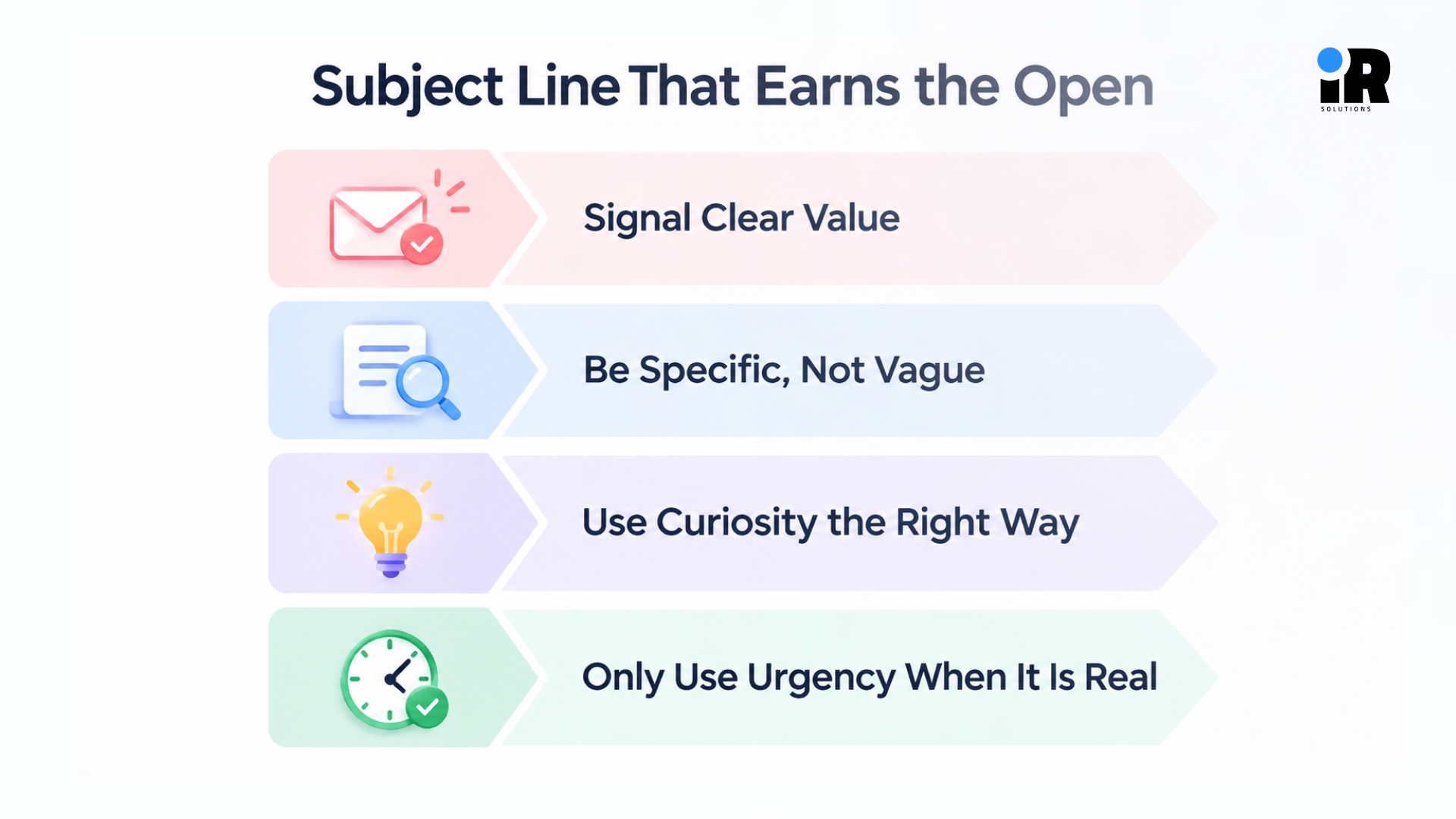
Signal Clear Value
A strong subject line gives the reader a clear reason to open. It can highlight:
- A specific benefit
- A relevant offer
- Useful information
- Genuine curiosity
- A real deadline
- Something timely to the reader
Then continue with your existing explanation.
Be Specific, Not Vague
Vague subject lines fail because they give the reader no reason to care. Compare these two examples:
Weak: Big News Inside
Better: Your Weekend Offer Ends Tonight
The second version tells the reader exactly what to expect and creates a reason to open before the window closes. Specificity builds trust and sets accurate expectations for the email content.
Use Curiosity the Right Way
Curiosity works when it creates genuine interest without hiding the point of the email. The subject line should make readers want to know more, but the email still needs to deliver what was promised. The "curiosity" approach for the subject line works when the email comes with something that is worth reading. They fail if the email content doesn't match what was promised in the subject line.
Ask yourself, if someone opened this email expecting what the subject line suggested, would they feel satisfied or deceived?
Only Use Urgency When It Is Real
Urgency is one of the most overused and abused tools in email marketing. It works when the deadline is genuine:
- A sale that actually ends tonight.
- Stock that is genuinely running low.
- A registration deadline that cannot be extended.
- A benefit that expires on a fixed date.
Fake urgency can make people stop trusting your emails. If you send a “last chance” message today and the same offer shows up again tomorrow, readers may stop believing your claims.
For more on what causes open rates to drop and how to fix it, read why email open rates drop and how to fix it.
Make the Preview Text Work With the Subject Line
Preview text is the short line that appears beneath the subject line in most email clients. Many brands either ignore it or let it default to the first line of the email. That is a missed opportunity.
Good preview text adds new information that builds on the subject line. It should give the reader another reason to open, not just repeat what the subject line already said.
Strong Example
Subject: Your cart is still waiting
Preview: Complete your order before your saved items sell out.
Weak Example
Subject: Your cart is still waiting
Preview: You still have items in your cart.
Think of the subject line and preview text as two parts of the same message. The subject line creates the initial reason to open, while the preview text can add context or another useful detail. Give both enough attention to make the message clear before the email is opened.
Write an Opening Line That Keeps People Reading
Once someone opens your email, the first few lines have to justify that decision. If the opening feels generic or slow, readers close the email and move on.
Lead With the Problem
Start by naming something the reader is experiencing right now. This immediately signals that the email is relevant to them specifically.
Open With the Benefit
If you are leading with what the reader gets, put it in the first line. Do not make them scroll to find out why this email was worth their time.
Continue the Subject Line Idea
Your opening should feel like a direct continuation of whatever the subject line promised. If the subject line created curiosity, the opening should start answering it. If the subject line promised an offer, the opening should deliver it.
Reference a Specific Action
People can tell when an email feels relevant to what they just did. If someone viewed a product, left items in their cart, or signed up a few minutes ago, the opening should connect to that action. It does not have to be highly personalized or complicated. A simple reference to what they just did can make the email feel more timely and useful.
Lead With What Matters Most
For announcements, offers, updates, and transactional messages, the most important information should come first. Avoid long introductions, brand background, generic greetings, or the phrase "We are excited to announce." Sentences that do not move the message forward should be cut.
Write Email Body Copy That Holds Attention
The body of your email is where you build the case for your reader to take action. This is the section that does the most work, so it deserves the most attention. If you need support with email strategy, campaigns, and conversion-focused copy, you can hire email marketing experts to help manage your email marketing efforts.
Focus on the Reader
Read through your email draft and count how many times you use "we" or "our" compared to "you" and "your." Emails that talk about the brand or product from the company's perspective tend to feel like ads. Emails that speak directly to the reader feel like useful communication.
Shift from:
- We are thrilled to introduce our newest product.
To:
- Here is something that might make your mornings easier.
Turn Features Into Benefits
Features explain what a product does. Benefits explain what that means for the reader. Most email copy defaults to features because they are easy to list. Benefits require more thought but drive more action.
Feature: Real-time analytics dashboard.
Benefit: See which campaigns are making sales without digging through multiple reports.
The second version answers the reader's implied question: what does this actually do for me?
Stick to One Main Idea
Trying to cover three products, two blog posts, and a webinar in a single email dilutes everything. One email, one message. If you have multiple things to share, consider whether they belong in separate emails or whether one is clearly the primary focus.
Make Every Sentence Work
Each sentence in your email should do at least one of these things:
- Build interest or curiosity
- Explain the value to the reader
- Answer a likely objection
- Provide proof or credibility
- Move the reader toward the CTA
If a sentence does none of these, it probably does not belong in the email.
Keep It Easy to Scan
Most people scan emails before reading them. Keep paragraphs short, sentences simple, and leave enough space between sections so the message is easy to follow.
Use bullet points when you need to list several things. The goal is to help readers quickly find the main point without making them work through a wall of text.
Mailchimp also recommends short, clear copy, enough white space, and one main goal for each email.
Write Benefits Without Sounding Like a Sales Pitch
Email copy should focus on what the product can do for the reader, not just list its features. A simple way to do this is to start with the feature, explain the benefit, and then show the result.
For example, an abandoned-cart flow can automatically follow up with shoppers who leave without buying. Instead of manually contacting each person, the business can send a timely reminder while the purchase is still relevant.
- Keep the copy specific and skip words that sound impressive but say nothing:
- Use plain language your actual customers would use in conversation.
- Describe the real outcome the reader experiences after using your product.
- Replace vague claims like "powerful solution" with concrete, specific details.
- Words like "revolutionary" and "game-changing" tell readers nothing useful.
- If something is genuinely impressive, describe exactly what makes it so.
Use Proof to Make Email Copy More Credible
Persuasive email copy makes claims. Credible email copy backs those claims up. Proof is one of the most underused tools in email marketing, and it deserves its own space in your writing process.
Types of proof that work in emails:
- Testimonials from real customers with specific results.
- Reviews with star ratings or quoted feedback.
- Results stated in concrete numbers and outcomes.
- Case studies that show the before and after.
- Customer volume, such as how many people use the product.
- Guarantees or policies that reduce the perceived risk of buying.
- Awards or recognition that are relevant and genuinely credible.
One important detail, place proof near the claim it supports. Do not gather all your social proof at the bottom of every email as an afterthought. If you are claiming the product saves time, put the testimonial about time-saving right next to that claim.
Write a CTA That Makes the Next Step Obvious
The CTA is the bridge between your email and the action you want the reader to take. Everything in the email builds toward this moment, so the CTA needs to be clear, direct, and matched to where the reader is in their journey.
Use Action Language
Weak CTAs tell people nothing specific about what happens next. Strong CTAs describe the action clearly:
1. Weak: Learn More
Better: See the Full Collection
2. Weak: Submit
Better: Book My Consultation
Connect the CTA to the Benefit
When the CTA language reflects what the reader is getting, it reinforces the value one more time at the decision point:
- Get My Discount
- See My Recommendations
- Start My Free Trial
- Reserve My Seat
- Complete My Order
Each of these makes the benefit personal and specific.
Keep One Primary CTA
Multiple competing CTAs can divide attention. For conversion-focused emails, it is usually better to give one action clear priority. You can repeat the same CTA in different places within the email, but do not introduce multiple different actions.
Match the CTA to the Reader's Stage
A subscriber who is new to your brand and reading an educational email is not in the same mindset as someone who browsed a product page twice this week. The CTA should reflect where the reader actually is.
Someone who is still learning about your product may respond better to a CTA like “See How It Works” than a direct “Buy Now.”
The commitment level of your CTA should match the commitment level your reader is ready to make.
Email Copywriting Frameworks You Can Use
Frameworks are writing tools, not templates. They give you a structure to work within so you do not start from a blank page every time. Here are four that work well for email.
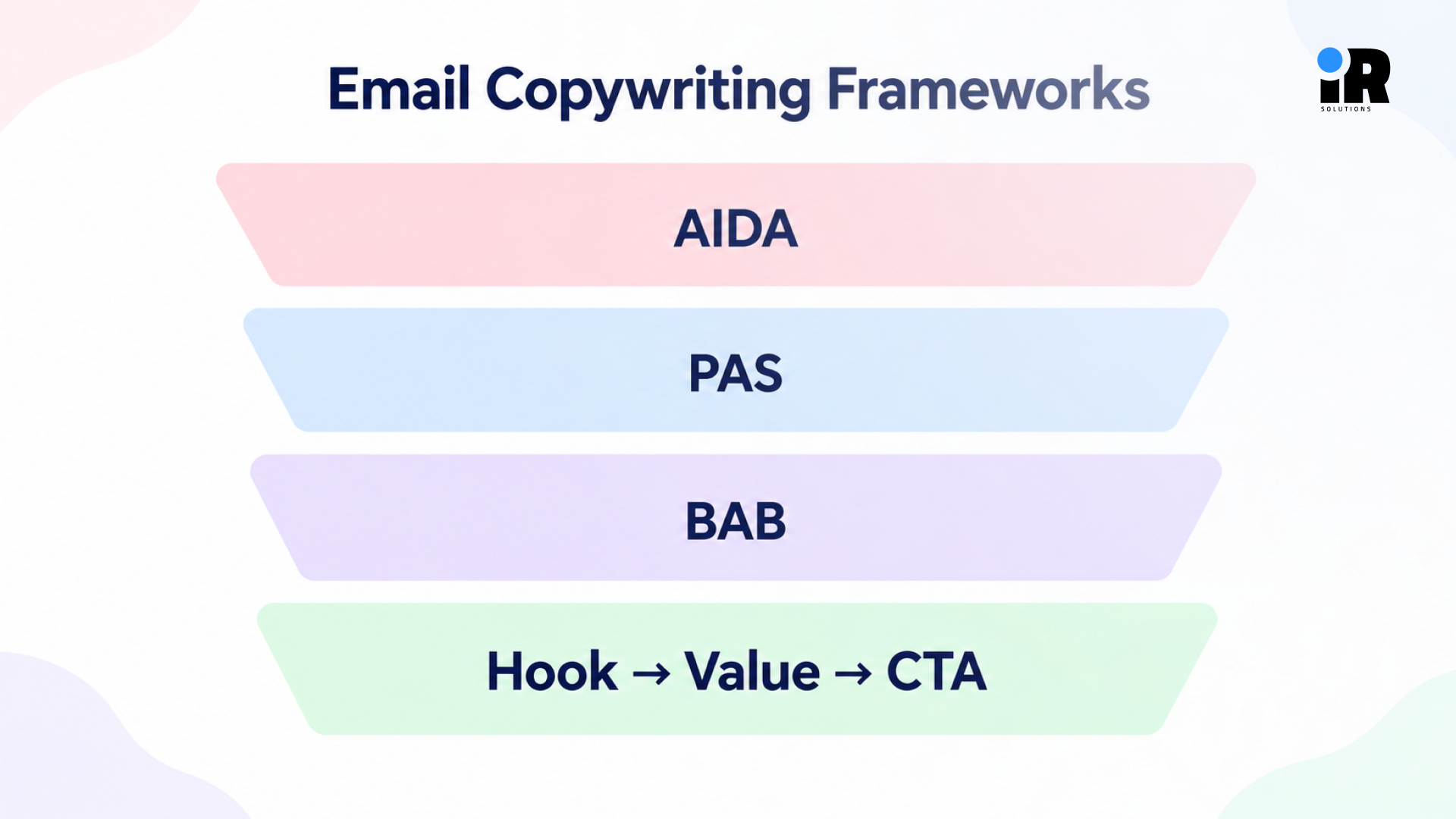
AIDA - Attention, Interest, Desire, Action
Best for: Promotional emails, product launches, seasonal offers
- Attention: Grab the reader with a strong opening that signals relevance.
- Interest: Build on that opening by explaining why this matters to them.
- Desire: Show the benefit or outcome clearly enough that they want it.
- Action: Give them a single, clear CTA to take the next step.
Example
- Subject: Your summer collection is here.
- Opening: The pieces you've been waiting for just landed in store.
- Body: Cool, lightweight fabrics designed for the heat, available now in your size.
- CTA: Shop the New Arrivals.
PAS - Problem, Agitate, Solution
Best for: Problem-aware audiences, service emails, pain-point-heavy categories
- Problem: Name the issue your reader is dealing with.
- Agitate: Acknowledge how frustrating or costly that problem is.
- Solution: Introduce your product or service as the clear answer.
Example
- Subject: Still spending hours on monthly reports?
- Opening: Pulling data from five different platforms is not a strategy.
- Body: Our reporting dashboard connects everything in one place, so your weekly report takes minutes instead of hours.
- CTA: See the Dashboard.
Keep the "agitate" step reasonable. The goal is empathy, not alarm.
BAB - Before, After, Bridge
Best for: Showing transformation, results-driven products, fitness and personal development
- Before: Describe the current situation your reader is in.
- After: Paint a picture of where they could be.
- Bridge: Show how your product or service gets them there.
Example
- Subject: What if your email took care of itself?
- Before: Right now, you are manually following up with every customer who does not convert.
- After: Imagine recovering those sales while you focus on other parts of the business.
- Bridge: Automated email flows handle the follow-up for you.
- CTA: Set Up My Flows
Hook → Value → CTA
Best for: Ecommerce, newsletters, short promotional emails, automated sequences
The simplest structure. Lead with something that grabs attention, deliver one clear value, and give the reader one action to take.
Example
- Hook: Your October discount is about to expire.
- Value: Use it on anything in the store no minimum spend, no exclusions.
- CTA: Shop Before Midnight.
These frameworks give you a clear structure to work from, but the message should still feel natural and fit the email's purpose.
How Email Copy Changes by Email Type
Generic email copywriting advice often treats every email the same way. In practice, what you write depends on the type of email you are sending and what the reader needs to hear at that moment.
Welcome Email Copy
The welcome email sets the tone for everything that follows. Focus on:
- Setting clear expectations about what the subscriber will receive.
- Delivering any promised incentive right away.
- Introducing the value your brand provides.
- Encouraging the first meaningful action.
Promotional Email Copy
Promotional emails need to make the offer clear and the reason to act now obvious. It focuses on:
- The specific offer and what it includes.
- The primary benefit of taking the offer.
- Any social proof that supports the decision.
- Urgency where it is genuinely real.
- One clear CTA.
Abandoned Cart Email Copy
Someone left items in their cart. They are close to buying. The copy should:
- Remind them what they left behind.
- Show the specific product they were looking at.
- Remove any objections that might have stopped them.
- Give a clear path back to checkout.
Post-Purchase Email Copy
After someone buys, the goal shifts from conversion to retention. Focus on:
- Reassuring them they made a good decision.
- Helping them get value from the product quickly.
- Letting them know where to go for support.
- Introducing a relevant next action.
Win-Back Email Copy
A win-back email reaches someone who has gone quiet. The copy should:
- Acknowledge that some time has passed without trying too hard.
- Show something relevant to what they engaged with before.
- Give them a genuine reason to come back.
- Keep the pressure low and the invitation clear.
Newsletter Copy
Newsletters build relationships over time. They work best when:
- Every piece of content provides actual value to the reader.
- The layout makes it easy to find what matters to them.
- The hierarchy is clear so nothing important gets buried.
- Each section has a relevant next step.
See how different email types are structured in email automation flows, including the key flows businesses commonly use.
Personalization That Actually Improves the Copy
Personalization is more than adding someone’s first name to an email. It means using what you know about a reader to make the message more relevant to them.
- Purchase history: Products they have already bought.
- Products viewed: Items they looked at but did not buy.
- Lifecycle stage: Where they are in their relationship with your brand.
- Customer interests: Categories or content they engage with most.
- Engagement history: How often and recently they open or click emails.
- Previous actions: Abandoned carts, completed surveys, or downloaded resources.
- Customer value: Whether they buy occasionally or purchase more often.
Compare these two approaches:
- Generic: Check out our latest products.
- Behavior-based: Looking for something to go with the running shoes you ordered last month?
The second version works because it references something specific. It signals that the brand is paying attention, which creates relevance without needing to be intrusive. Personalization only works when it draws on real, accurate data. Adding a merge tag for first name when the data is incomplete or wrong does more damage than good.
Customer data can help make emails more relevant and improve sales. Read more about how personalized email marketing drives revenue growth.
Email Copywriting Mistakes That Hurt Conversions
Most underperforming email copy makes one of these mistakes. Use this section as a diagnostic checklist when an email is not delivering the results you expected.
- Writing for everyone instead of one audience
- Starting with the brand instead of the reader
- Clever but unclear subject lines
- Preview text that repeats the subject
- Burying the main message
- Features without benefits
- Too many competing actions
- Fake urgency
- Unsupported claims
- Long, difficult-to-scan paragraphs
- Inconsistent tone
- Skipping the mobile check
How to Edit Email Copy Before You Send
Writing and editing are separate stages. The first draft gets the ideas on the page. Editing makes the copy work. Here is a practical editing sequence to use before every send.
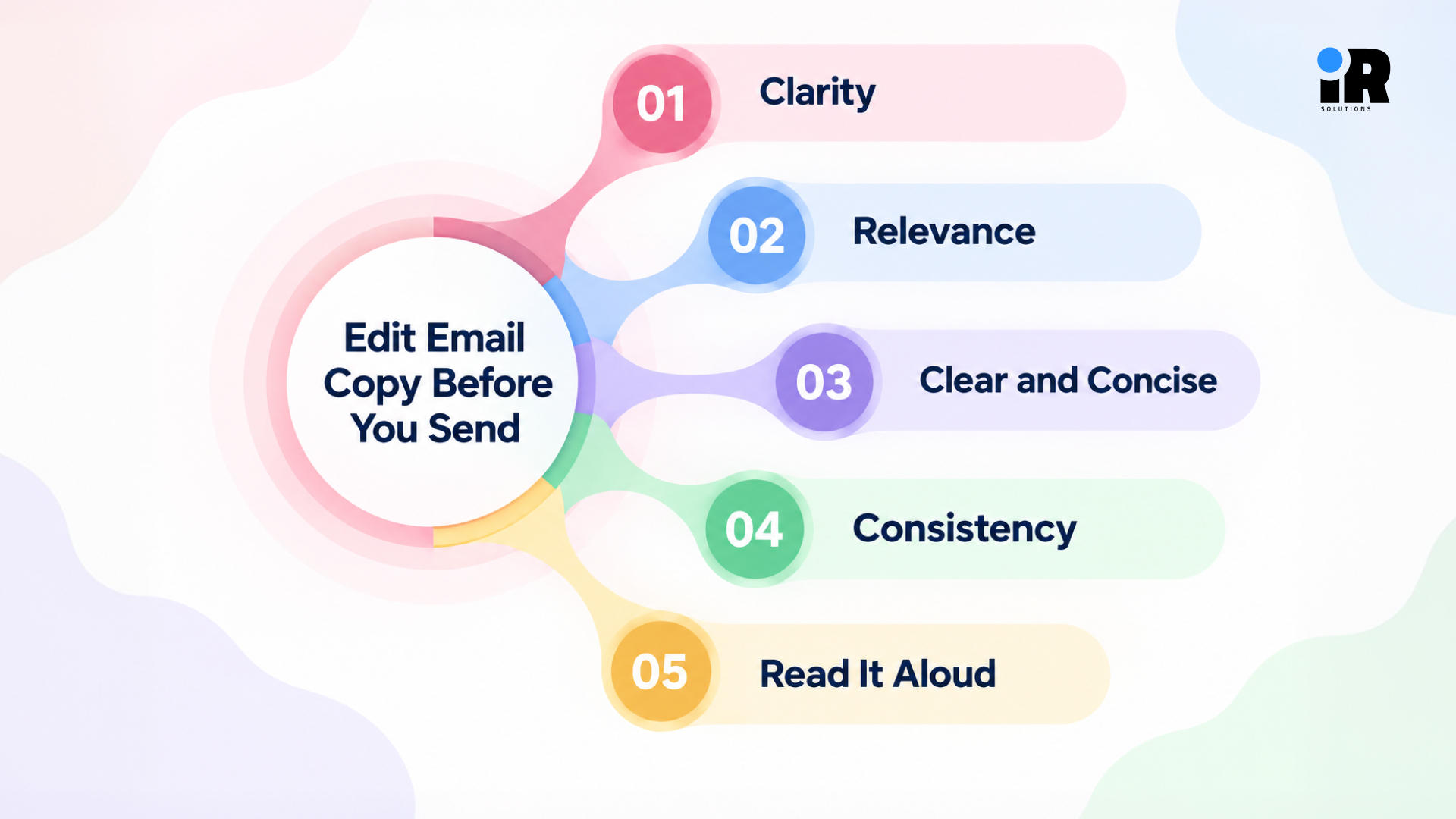
Clarity
Read the email and ask: could someone understand the main point within the first few seconds? If not, find where the message gets unclear and simplify it.
Relevance
Does every part of this email actually matter to this specific audience? Remove anything that is there for the brand's benefit rather than the reader's.
Clear and Concise
Cut anything that is:
- Repeated from earlier in the email
- Filler language that does not add meaning
- A long introduction before the actual point
- Unnecessary adjectives or qualifiers
The email should be as long as necessary to make the message clear, but no longer.
Consistency
Read the subject line, preview text, opening line, body copy, CTA, and landing page as one continuous experience. They should all feel like one connected promise. If the subject line promises a discount and the landing page mentions nothing about it, that inconsistency costs conversions.
Read It Aloud
If a sentence sounds stiff or unnatural when you read it aloud, rewrite it until it sounds like something a person would actually say. Natural-sounding copy is easier for readers to absorb and act on.
Check Mobile
Open the email on your phone. Look for:
- Subject lines that cut off at the wrong point
- Paragraphs that look overwhelming on a small screen
- A CTA that is hard to find or tap
- Formatting that breaks on mobile
A final check before sending can catch small issues that make a big difference. Read it once more from the reader’s point of view, then send it.
Email Copywriting Checklist Before You Send
A quick final check can catch weak messaging, unclear CTAs, and issues before your email reaches subscribers.
- Is the audience clearly defined?
- Does the email have one primary goal?
- Does the subject line match the message?
- Does preview text add something new?
- Does the opening get to the point quickly?
- Does the copy focus on reader benefits?
- Are important claims supported?
- Is the email easy to scan?
- Is there one primary CTA?
- Does the CTA clearly explain the next step?
- Does the landing page match the email promise?
- Have all links been tested?
- Does the email work on mobile?
- Is there something worth testing?
Conclusion
Strong email copy starts with a clear understanding of the reader, the message, and the action you want them to take. From the subject line to the CTA, every part of the email should support that goal without adding unnecessary distractions.
Keep the copy focused, lead with the reader's needs, explain benefits clearly, and use proof when making important claims. Then edit the email, check it on mobile, and test the elements that matter most. Small improvements to your subject lines, openings, body copy, and CTAs can add up over time.
None of this requires a big budget or a large team. It requires attention and consistency. The brands that do well in email are usually not the ones with the most resources. They are the ones that treat every send as an opportunity to be genuinely useful to the people on their list.
Email also rewards patience. One improved subject line will not transform your results overnight, but a steady habit of writing with more intention will. Tighten the opening, sharpen the CTA, test one thing at a time, and pay attention to what the numbers tell you. Over time, those small decisions add up to a meaningful difference in how your audience responds and how much your emails actually contribute to your revenue.
Frequently Asked Questions
What is email copywriting?
Email copywriting is the craft of writing the text inside marketing and transactional emails. It has subject lines, preview text, opening lines, body copy and CTAs. The goal is to make the message clear, engage the reader and inspire a specific action.
How do you write email copy that converts?
Start by defining the audience and choosing one primary conversion goal. Write a specific subject line and supporting preview text, open with something relevant to the reader, focus on benefits rather than features, support important claims with proof, and finish with one clear CTA.
How long should marketing email copy be?
Long enough to make the case for the action you want, and no longer. A promotional email with a straightforward offer might need only a few sentences. An educational or consideration-stage email might need more detail. Let the goal and the reader's context determine the length.
What makes a good email subject line?
A good Subject line should be specific, relevant to the reader and should indicate something worth reading. It avoids vague teases, manufactured urgency, and clickbait. The ideal email subject lines sound like a conversation that's relevant rather than a marketing pitch.
How do you write a strong CTA for an email?
Utilize action language that captures the reader's attention when they click. Connect the CTA to the benefit the reader is getting. Use just one main call to action per email. Be as committed as the CTA is to the reader’s place in their journey.
How can you improve email copy?
First check the email from the reader's point of view. Look at the subject line, opening, benefits, and call to action to see if the subject is clear, the opening is to the point, benefits are easily understood, and the call to action clearly tells the reader what to do. Eliminate extraneous text, test on mobile and test one thing at a time when you have enough data to compare.
What are the best email copywriting frameworks?
AIDA works well for promotions and product launches. PAS is useful for problem-aware audiences and service-based businesses. BAB shows transformation effectively. Hook → Value → CTA is the simplest structure and works across most email types. Use them as starting points, not rigid scripts.
How do you measure whether email copy is working?
Match the metric to the element you are evaluating. Open rates reflect subject line and preview text performance. Click-through rates reflect body copy and CTA effectiveness. Conversion rates and revenue reflect whether the full email and landing page experience delivered on the promise.