


Key Takeaways
- Klaviyo combines customer data, email, SMS, mobile push, automation, analytics, and customer service tools in one platform.
- More than 196,000 customers use Klaviyo to manage customer data and marketing campaigns.
- Klaviyo's Shopify integration syncs customer, order, product, consent, and behavioral data to support personalized marketing.
- Essential flows such as welcome, abandoned cart, browse abandonment, post-purchase, and replenishment automate customer communication.
- Klaviyo pricing depends on factors such as active profiles, messaging usage, and the products included in your plan.
- Klaviyo works best for ecommerce stores that have enough customer activity and resources to manage advanced automation consistently.
You have built your Shopify store, brought in traffic, and gained customers who browse before buying. Getting visitors is important, but turning those visitors into repeat customers matters more for growth.
Many customers browse products, add items to their carts, and leave without completing their orders. Others make one purchase and never return, leaving businesses with missed opportunities to increase revenue.
Klaviyo helps Shopify stores stay connected with customers through targeted email, SMS, and other marketing channels. It uses customer data and shopping activity to send relevant messages at the right stage.
More than 196,000 customers use Klaviyo to manage customer data and marketing campaigns. The platform connects with Shopify and tracks actions such as product views, cart activity, purchases, and customer engagement.
Klaviyo has grown beyond its original email marketing features and now supports several marketing channels. These include email, SMS, mobile push notifications, analytics, and customer service tools for ecommerce businesses.
These features allow Shopify brands to create automated messages based on customer actions. For example, you can remind customers about abandoned carts, welcome new subscribers, recommend products, or bring previous customers back.
However, Klaviyo may not be the right choice for every Shopify store. Pricing, features, and setup requirements can make simpler tools more suitable for some businesses.
This guide explains what Klaviyo does, its core features, pricing, and Shopify integration. You will also learn about useful flows, key benefits, and limitations before choosing Klaviyo.
What Is Klaviyo?
Klaviyo is a marketing and customer data platform built for ecommerce brands. It lets you collect customer information, send email and SMS messages, automate follow-ups, and track what drives sales. Everything runs from one dashboard connected to your store.
Klaviyo can also function as a B2C CRM, helping brands organize customer information and use it to create more relevant marketing experiences. A CRM, or customer relationship management platform, helps businesses store, manage, and use customer data at scale.
Klaviyo started in 2012 as an email marketing platform focused on ecommerce. Over time, it expanded into SMS marketing, advanced segmentation, analytics, and predictive features. Today, it combines customer data with marketing automation and analytics to help ecommerce brands understand and engage their customers.
What makes Klaviyo different from a basic email marketing tool is its focus on customer behavior. When someone browses a product, abandons a cart, makes a purchase, or returns for another order, Klaviyo can use that activity to trigger personalized marketing automatically. This allows brands to send more relevant messages based on what customers actually do rather than relying only on general email broadcasts.
How Does Klaviyo Work?
Klaviyo turns customer data into targeted marketing actions through a connected system. Here's the basic flow:
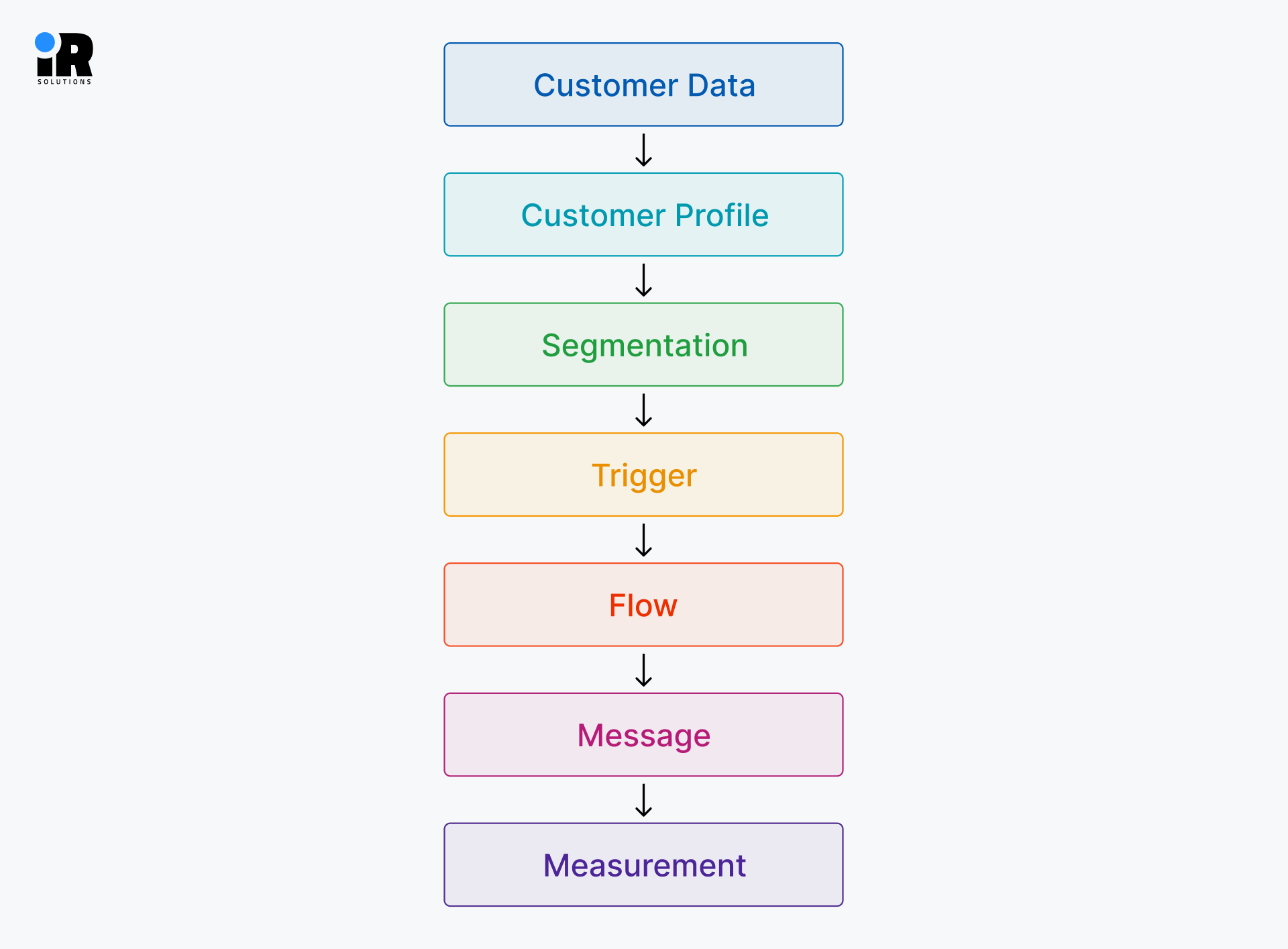
When a customer interacts with a Shopify store, Klaviyo can capture supported events such as product views, cart activity, searches, and purchases through its Shopify integration and on-site tracking. It notes which products they viewed, what they added to their cart, and whether they completed a purchase. All of the activity gets saved to a customer profile. Think of it like a personal file for every customer who visits your store.
Once Klaviyo has enough data, it groups customers into segments. A segment is just a list of people who share something in common. For example, customers who bought in the last 30 days. Or people who added something to their cart but never checked out.
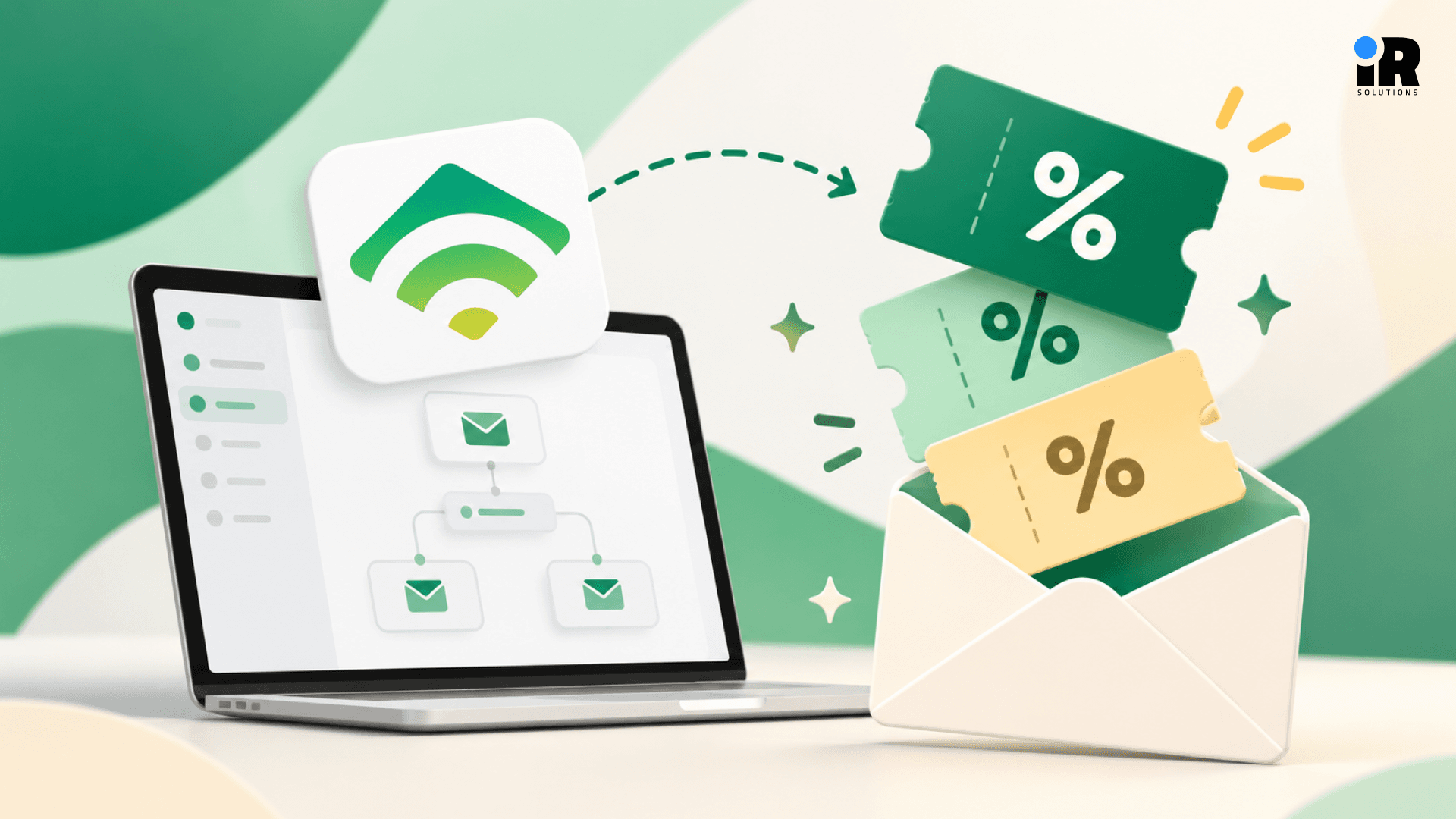
Those segments then connect to triggers. A trigger is simply an action a customer takes, like abandoning a cart or making a second purchase. When that action happens, Klaviyo starts a flow. A flow is a series of emails or texts that go out automatically in response. You set it up once, and it runs on its own after that.
Once messages are sent, Klaviyo shows you what happened. You can see which emails led to purchases, which flows are making money, and where people dropped off.
That's the full loop in plain terms, Klaviyo watches what customers do, groups them by behavior, sends the right message at the right time, and shows you the results.
What Are the Core Features of Klaviyo?
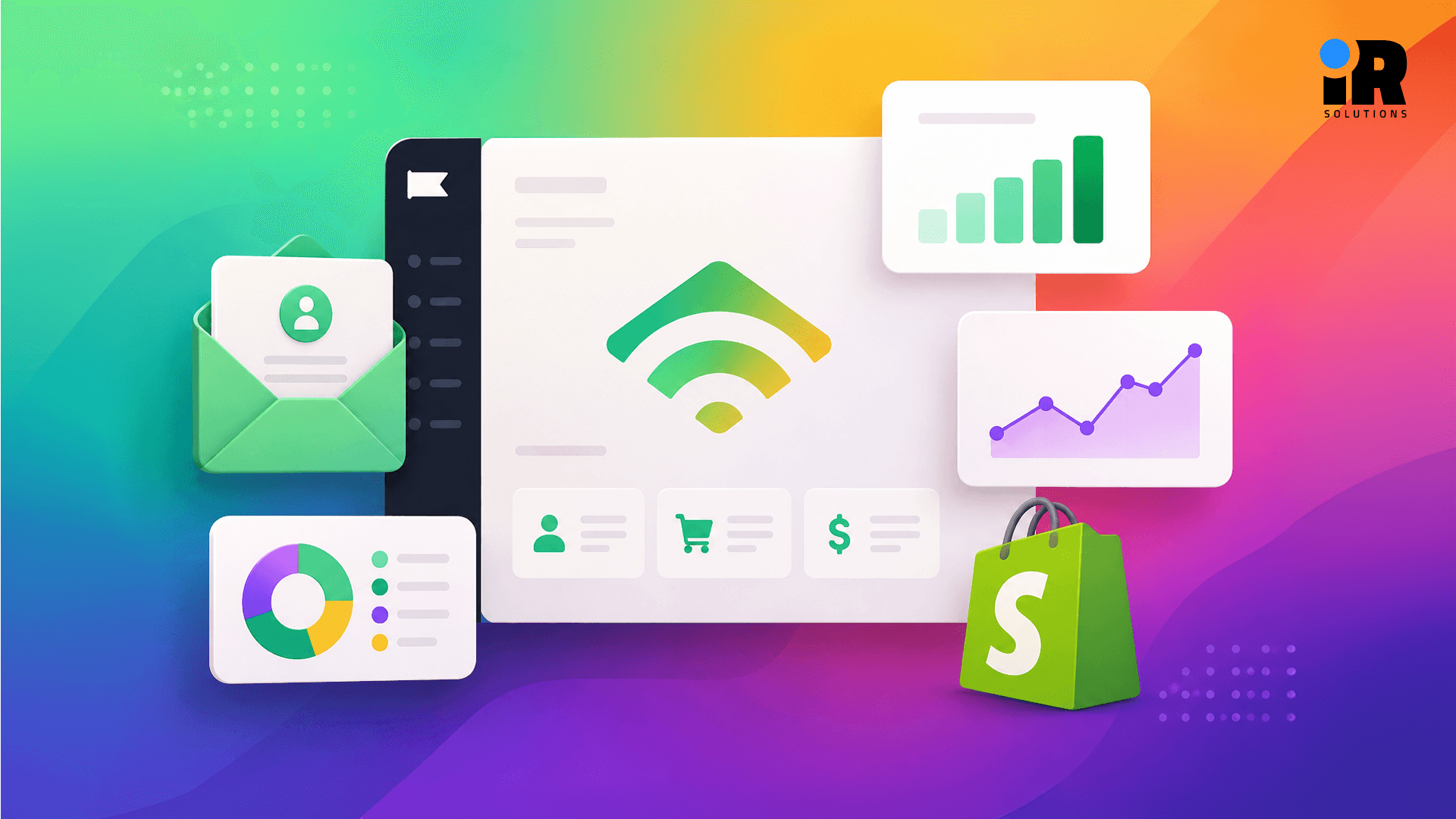
Klaviyo is built around four core areas: Marketing, Customer Data, Analytics, and Customer Service. Each area handles a different part of how you reach, understand, and retain your customers. Together, they give ecommerce brands one connected system instead of four separate tools.
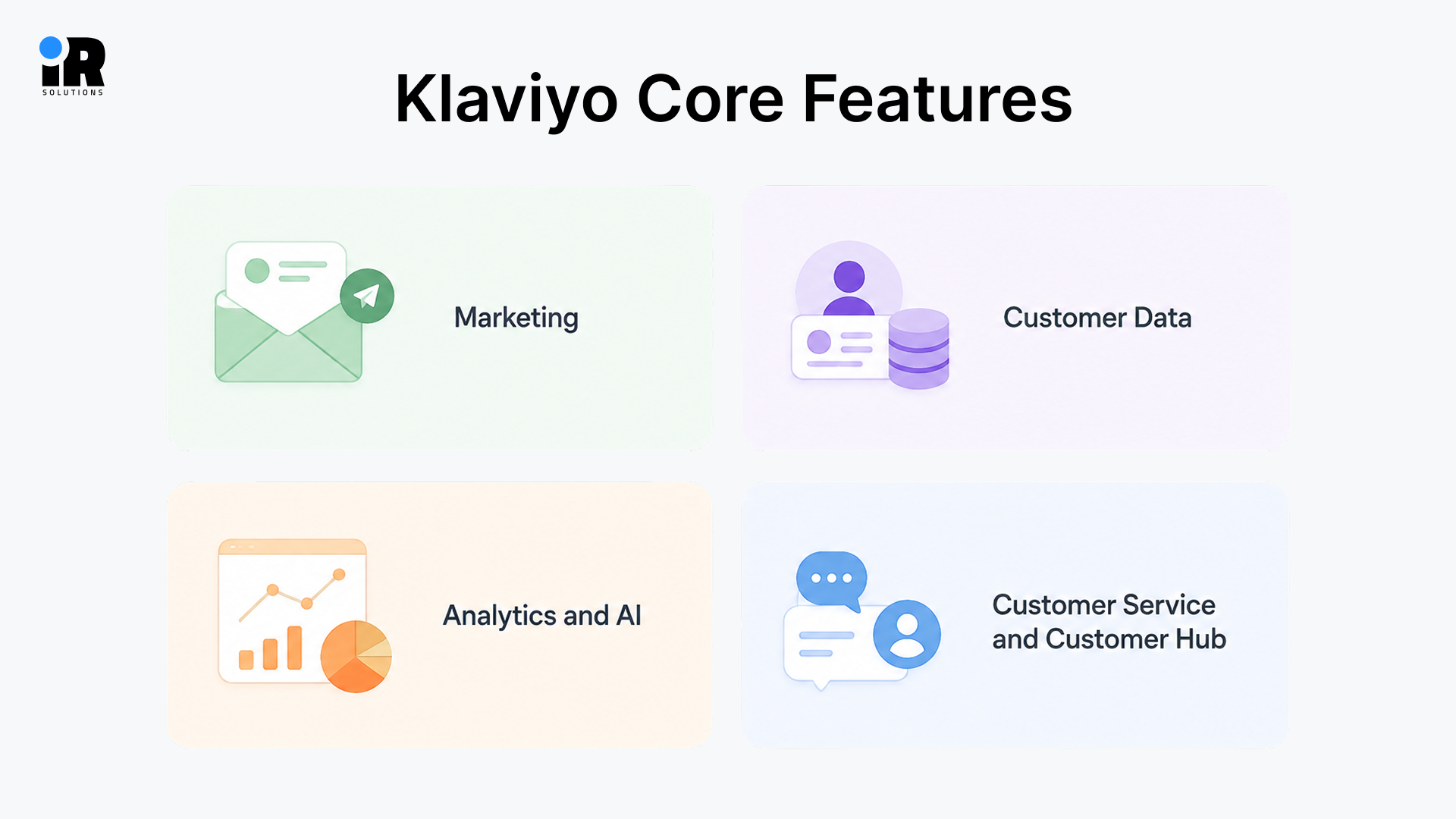
Marketing
Klaviyo brings email, SMS, mobile push, campaigns, and automated flows together using the same customer data. This allows brands to coordinate messages across channels while using customer behavior and profile information for personalization.
- Email marketing: Build emails with a drag-and-drop editor and pull in dynamic content automatically.
- SMS marketing: Send short, time-sensitive texts as an add-on alongside your email campaigns.
- Mobile push: Deliver notifications straight to a customer's phone through your mobile app.
- Campaigns: One-off sends for sales, new collections, or announcements sent to a chosen audience.
- Flows: Automated message sequences that run on their own when a customer trigger fires.
- Personalization: Use customer data to customize subject lines, product blocks, and send times.
- A/B testing: Test different subject lines or content and let Klaviyo pick the winning version.
You can also follow these Klaviyo SMS marketing best practices to improve engagement and avoid common messaging mistakes.
Customer Data
Your customer data layer is the foundation of everything you do in ecommerce. It pulls together customer profiles, purchase history, and behavior into one place, so you actually know who you're talking to. From there, you can segment customers in real time based on what they just did, not what they did months ago. With built-in integrations, data exports, and transformations, your data stays clean and flows wherever it needs to go across your marketing, your service team, and beyond.
Analytics and AI
Marketers use these tools to stop guessing and start making decisions backed by real numbers. Campaign and flow reporting show you what's working, while attribution tells you which channels actually drove the sale. Customer lifetime value, predictive analytics, attribution, and AI-powered insights help marketers evaluate customer behavior, campaign performance, and potential future actions. Product recommendations and AI-assisted analysis then take that knowledge and put it to work in your campaigns, without requiring a data team to run them.
Customer Service and Customer Hub
Customer Hub gives customers a self-service space to track orders, manage their account, and find answers without contacting support. The AI chatbot handles common questions on the spot, while purchase-based service tools give your team the order context they need to help faster. Personalized experiences inside the hub are tied to what each customer has actually bought. Some newer features are still rolling out, so availability may vary by plan and account.
What Are Klaviyo’s Limitations
Klaviyo is a powerful platform, but it may not suit every business. The cost goes up as your contact list grows, which can be a problem for fast-growing stores. Some features take time to figure out, and the platform needs regular attention to get real results from it.
Smaller stores may not need everything Klaviyo offers, and paying for tools you don't use doesn't make sense. A few newer features are still rolling out, and some things cost extra or need a higher plan to access. So before you sign up, it's worth checking if the platform matches where your business is right now.
How Much Does Klaviyo Cost in 2026?
Klaviyo pricing depends on factors such as active profiles, email and messaging usage, and the Klaviyo products included in your plan. An active profile is a contactable person who has not been removed from email communication. This means someone who subscribed to your list but has never made a purchase can still count toward your profile limit.
Your monthly cost depends on several factors. These include the number of active profiles in your account, your monthly SMS usage, the email plan you choose, and any additional paid products you use.
Paid add-ons such as Klaviyo Analytics, the Data Platform, and Klaviyo Reviews can also increase your total monthly cost. As your customer list grows or you add more features, your Klaviyo bill can increase accordingly.
Klaviyo Pricing Based on Active Profiles
Klaviyo does not have one fixed price for every business. Your cost depends on factors such as active profiles, messaging usage, and the products included in your plan. Check Klaviyo's pricing calculator for the current cost at your account size.
Active Profiles | Email Plan | Email + SMS Plan |
Up to 250 | $0/month | Free plan with $5 of mobile messaging per month |
500 | $20/month | $35/month |
1,500 | $45/month | $60/month |
5,000 | $100/month | $115/month |
10,000 | $150/month | $175/month |
50,000 | $720/month | $800/month |
100,000 | $1,380/month | $1,500/month |
Klaviyo can become more expensive as your audience grows, so consider both your current list size and future growth when planning your budget.
What Can Increase or Reduce Your Klaviyo Bill?
Your Klaviyo bill can change as your customer database and marketing activity grow. More active profiles can increase your plan cost, while higher SMS usage can add to your monthly charges. Adding products such as analytics, reviews, or other paid features can also increase your total bill. If you regularly remove profiles you no longer need, you can keep your database smaller and avoid paying for unnecessary contacts.
Inactive profiles can also affect your costs if they remain part of your active audience. Regular database cleanup helps remove outdated or unnecessary contacts and keeps your account easier to manage. If you no longer use a paid Klaviyo product, removing it from your plan can also lower your monthly cost. Reviewing your profiles, SMS usage, and paid features regularly can help you keep your Klaviyo bill under control.
Klaviyo Pricing Rules
A few things worth knowing about how billing works:
There are no annual discounts or public coupon codes. Pricing is based purely on active profile count.
The free plan supports up to 250 active profiles and 500 email sends per month. It also includes $5 of mobile messaging per month, subject to regional and provider availability. Klaviyo branding appears on emails and forms. Support is available for the first 60 days only.
When your monthly spend exceeds $10,000, Klaviyo moves your account to the Klaviyo One enterprise tier. This comes with custom pricing and dedicated support.
Klaviyo's pricing page now uses a slider-based calculator. The entry prices shown above are the base rates. The
How to Connect Klaviyo to Shopify
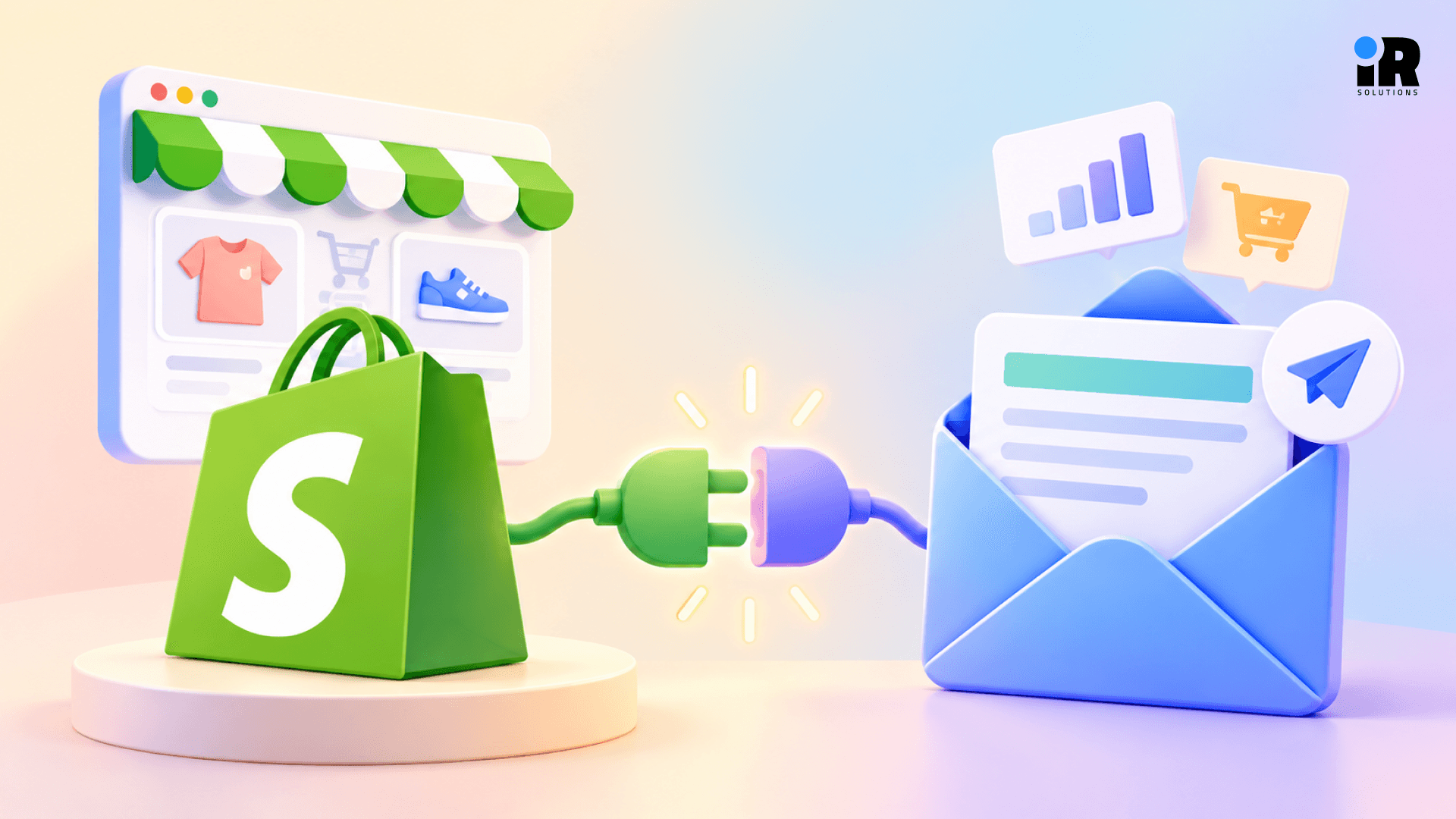
Klaviyo and Shopify have a native integration that syncs customer data, orders, and behavior in real time. It's one of the deepest connections available between an email platform and an ecommerce store. If you need help with the technical setup or Shopify customization, experienced Shopify developers can help ensure the integration is configured correctly. Once set up correctly, it powers everything from abandoned cart flows to post-purchase sequences automatically.
Step 1: Connect your Shopify store by installing the Klaviyo app from the Shopify App Store.
Step 2: Configure subscriber synchronization by selecting which list new email and SMS subscribers should enter.
Step 3: Configure Shopify Markets settings if you sell across multiple regions to ensure correct language targeting.
Step 4: Enable onsite tracking to confirm Klaviyo's snippet is active and recording customer behavior on your store.
Step 5: Configure email and SMS consent so your opt-in settings match your sign-up forms and checkout.
Step 6: Review synchronization settings and enable only the data types you actually plan to use.
Step 7: Test the integration by placing a test order and confirming the data appears correctly in Klaviyo.
What Data Syncs Between Shopify and Klaviyo?
When you connect Klaviyo to Shopify, both tools start sharing data with each other. This happens automatically in the background. The more data they share, the better Klaviyo can target the right customers at the right time.
Basic customer details like names, email addresses, phone numbers, and locations go straight into Klaviyo. When someone signs up through your Shopify checkout, their email or SMS opt-in status syncs too, so they land on the correct list without any manual work.
Every order your store receives syncs to Klaviyo with the product bought, the order total, and the order status. This helps Klaviyo know who your repeat buyers are, what they like to purchase, and when to follow up. Your product catalog syncs as well, so Klaviyo can show real product photos and prices inside emails based on what each customer has looked at or bought.
When a customer starts checkout but leaves without paying, Klaviyo catches that event right away and can send a reminder email within minutes. Klaviyo can also track cart activity, including Added to Cart events, which can be used to trigger relevant follow-up flows.
Klaviyo also tracks what customers do on your website, like which pages and products they view. This powers browse abandonment emails and helps Klaviyo suggest the right products. If you sell in different countries through Shopify Markets, that regional data syncs too so you can send messages in the right language. Some data can also flow back to Shopify, like customer tags that help personalize the experience when someone returns to your store.
Maintaining good deliverability is also important when sending automated campaigns, so follow our Klaviyo deliverability guide to keep your emails out of spam folders.
Essential Klaviyo Flows for Shopify Stores
Flows are automated customer journeys that run based on real-time behavior. They can become an important source of automated revenue for ecommerce brands. Here are several essential Klaviyo flows that many Shopify stores can use to automate customer
communication. If you need help planning, building, and optimizing these automations, a Klaviyo expert can help you set up the right flows for your store.
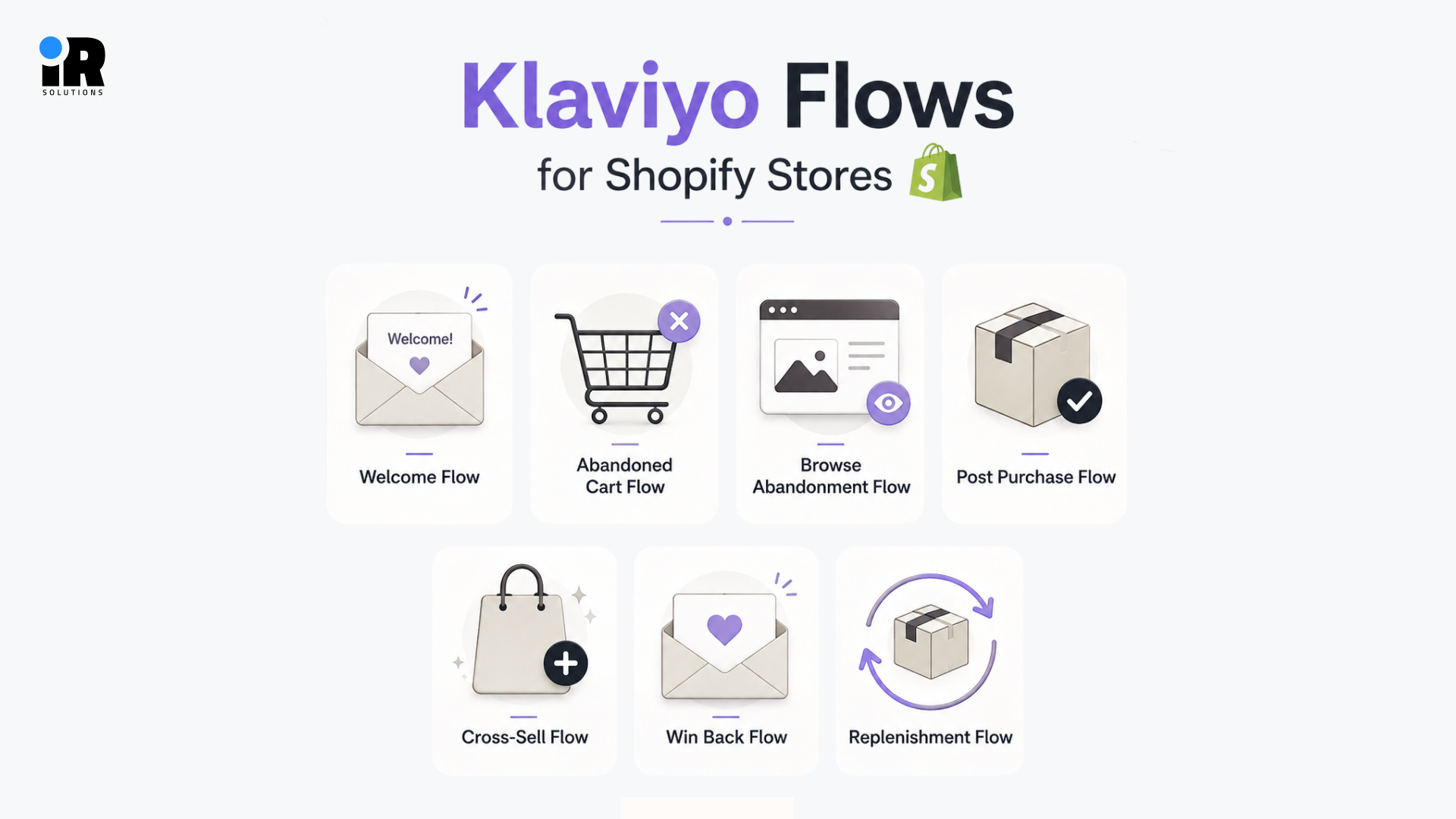
Welcome Flow: A new subscriber joins your list. Someone new just showed interest in your brand, so make it count. Introduce who you are, tell them what to expect, and give them a reason to buy. A simple three-email sequence ending with a small first-purchase discount works really well here.
Abandoned Cart Flow: Customer adds to cart but leaves without buying. Most people who add to cart don't buy right away, but that doesn't mean they're gone. A reminder after one hour catches them while they're still warm. Follow up at 24 hours with an incentive, then send one final email at 72 hours for high-value carts.
Browse Abandonment Flow: Visitor views a product but never adds it to cart. Not everyone is ready to buy, but that doesn't mean interest is gone. One email sent around six hours later showing the product they viewed can pull them back. Add a few related items to give them more to look at.
Post Purchase Flow: Customer completes their first order. The first order is just the start of the relationship, not the end. Thank them on day one, share something useful on day three, and drop a product recommendation on day seven. Done right, this flow quietly drives second purchases on autopilot.
Cross-Sell Flow: Customer buys from a specific product category. Once someone buys, you already know what they like, so use that. Suggest products that go well with what they just ordered. A customer who buys coffee beans is a natural fit for a grinder recommendation about two weeks later.
Win Back Flow: Customer hasn't purchased in 90 to 180 days. Start with new arrivals to show them what they've missed, then offer a discount to sweeten it. Send one final message before you suppress them from your list for good.
Replenishment Flow: Set the number of days after a consumable product is purchased. If you sell products people use regularly, they will eventually run out and need to reorder. Time the email to land just before they're likely to run out. A customer who buys a 30-day supplement gets a reorder reminder around day 25, right when they need it.
For a deeper look at how these sequences can recover lost sales, read our guide on abandoned cart flows in Klaviyo.
Klaviyo vs Other Marketing Platforms
Here’s a quick comparison of Klaviyo with popular alternatives to help you choose the right platform for your business.
Platform | Best For | Ecommerce | Automation | SMS |
Klaviyo | Ecommerce brands | Strong | Advanced | Yes |
Shopify Messaging | Shopify stores | Native | Basic | Yes |
Omnisend | Ecommerce | Strong | Advanced | Yes |
Mailchimp | General marketing | Moderate | Moderate | Yes |
ActiveCampaign | CRM and automation | Moderate | Advanced | Yes |
Attentive | Enterprise messaging | Strong | Advanced | Strong |
Klaviyo vs Shopify Messaging
Shopify Messaging is built into your store and works fine for sending basic emails and simple follow-ups. But it doesn't give you deep segmentation or strong flow building. Klaviyo goes much further with customer data, behavioral flows, and predictive insights, which makes a real difference for a growing store in results.
Klaviyo vs. Omnisend
Omnisend offers many of the same email and SMS features as Klaviyo at a lower price. For 25,000 contacts, Omnisend costs around $282 per month, compared with roughly $400 for Klaviyo. The key difference is in the depth of data and analytics. Klaviyo offers stronger tools for customer lifetime value (CLV) predictions, churn scoring, and revenue attribution. If advanced analytics and deeper customer insights are important to your team, Klaviyo may justify the higher cost. If you need reliable email and SMS marketing at a more affordable price, Omnisend is a strong alternative.
Klaviyo vs Mailchimp
Mailchimp is cheaper and easy to use, but it wasn't built for ecommerce. The Shopify connection is basic, segmentation is limited, and there's no real predictive analytics. Klaviyo is the better tool if you're focused on growing repeat purchases and customer value over time.
Klaviyo vs ActiveCampaign
ActiveCampaign is a strong option for CRM and sales automation, while Klaviyo is more closely focused on ecommerce customer data, marketing automation, and retail customer journeys.
Klaviyo vs Attentive
Attentive is built for high-volume SMS at the enterprise level and does that job well. It doesn't replace Klaviyo's email tools or data features, though. Some bigger brands use both together.
How Can You Calculate Klaviyo ROI?
A simple way to measure Klaviyo ROI is:
Klaviyo ROI = (Incremental Revenue Generated − Total Klaviyo Cost) ÷ Total Klaviyo Cost × 100
However, Klaviyo-attributed revenue should not automatically be treated as fully incremental revenue. Some customers may have purchased anyway, even without receiving the email or SMS. A more accurate calculation looks at the revenue Klaviyo actually influenced.
Repeat purchases are an important part of this calculation because effective email and SMS marketing can encourage existing customers to buy again. Retention also matters, as keeping customers engaged over time can increase the overall value they bring to your business. Automation revenue from flows such as welcome, abandoned cart, and post-purchase sequences should also be considered, along with customer lifetime value to understand the long-term impact.
Finally, account for the full cost of using Klaviyo, including the platform subscription, email and SMS messaging costs, and the time or resources required to manage, test, and optimize campaigns. Working with digital marketing experts can also help you identify which campaigns and channels are contributing most to your overall revenue. Looking at both the revenue generated and the total cost gives you a more realistic picture of Klaviyo’s ROI.
Conclusion
Klaviyo is a strong platform for Shopify stores that are serious about email and SMS marketing. It gives you the data, automation, and analytics to turn one-time buyers into repeat customers. For the right store, that's worth a lot.
The cost and setup time are real things to think about before getting started. If you're just starting or running a small store, simpler tools like Shopify Messaging or Omnisend can handle the basics at a fraction of the price.
Klaviyo works best when you're ready for it. That means having a real customer list, some bandwidth to manage flows, and a genuine focus on growing revenue through email and SMS.
When your store has enough customer activity and you are prepared to manage automation consistently, Klaviyo can become a valuable part of your retention and lifecycle marketing strategy.
If Klaviyo fits your needs, you can start with the free plan, connect your Shopify store, and build a few essential flows before expanding your marketing program. If you need help setting everything up, you can also book a consultation with our team.
Frequently Asked Questions
What Does Klaviyo Actually Do?
Klaviyo collects customer data from your store, organizes it into profiles and segments, and uses it to send automated and campaign-based marketing messages through email, SMS, and mobile push. It also offers analytics, predictive tools, and a customer service layer through its Customer Hub product.
Is Klaviyo Free?
Klaviyo has a free plan for up to 250 active profiles. It includes 500 email sends and 150 SMS credits per month. Klaviyo branding appears on all emails and forms, and email support is available for the first 60 days only. Beyond 250 profiles, you need a paid plan starting at $20 per month.
Does Klaviyo Work With Shopify?
Yes. Klaviyo is a Shopify Premier Partner and the preferred email tool for Shopify Plus merchants. The integration syncs customers, orders, product catalog, and behavior data in real time. Most Klaviyo features are designed with Shopify in mind, including checkout abandonment triggers and Shopify Markets support.
Why Did My Klaviyo Bill Go Up?
The most common reason is list growth. Since early 2025, Klaviyo charges based on active profiles rather than contacts you actually email. If you're adding subscribers without suppressing inactive ones, your active profile count rises and pushes you into a higher billing tier. Regular list cleaning and enabling auto-downgrade in your billing settings can help manage the cost.
Klaviyo vs Mailchimp: Which Is Better for Shopify?
Klaviyo is built for ecommerce. Its Shopify integration, behavioral segmentation, and predictive analytics go much deeper than Mailchimp's. Mailchimp is cheaper at small list sizes and easier to use for general campaigns. If you're running a serious Shopify store and you rely on email to drive repeat purchases, Klaviyo is the stronger choice. If you're just getting started or your email strategy is basic, Mailchimp is a reasonable starting point.