


Key Takeaways
- Shopify email integrations differ widely in how deeply they connect with your store data.
- Basic integrations sync contacts and orders, while advanced ones track browsing, cart, and purchase behavior.
- Automation and segmentation become far more powerful when built on real Shopify events.
- Native Shopify tools can handle simpler setups, while dedicated platforms support deeper automation.
- Pricing should always be compared against list size, send volume and the features you actually need.
- There is no single platform that fits every Shopify store perfectly.
You have your abandoned cart flow, welcome emails, and weekly campaigns running, but the revenue from email still is not where you expected it to be. Sound familiar? The problem may not be your copy or send time. It may be the way your email platform connects with your Shopify store.
Many Shopify store owners choose email platforms by comparing features, pricing, and reviews, only to find later that the platform is not capturing enough customer activity from Shopify. Automations may not trigger properly, segments can lack useful data, and revenue reports may not match what Shopify shows.
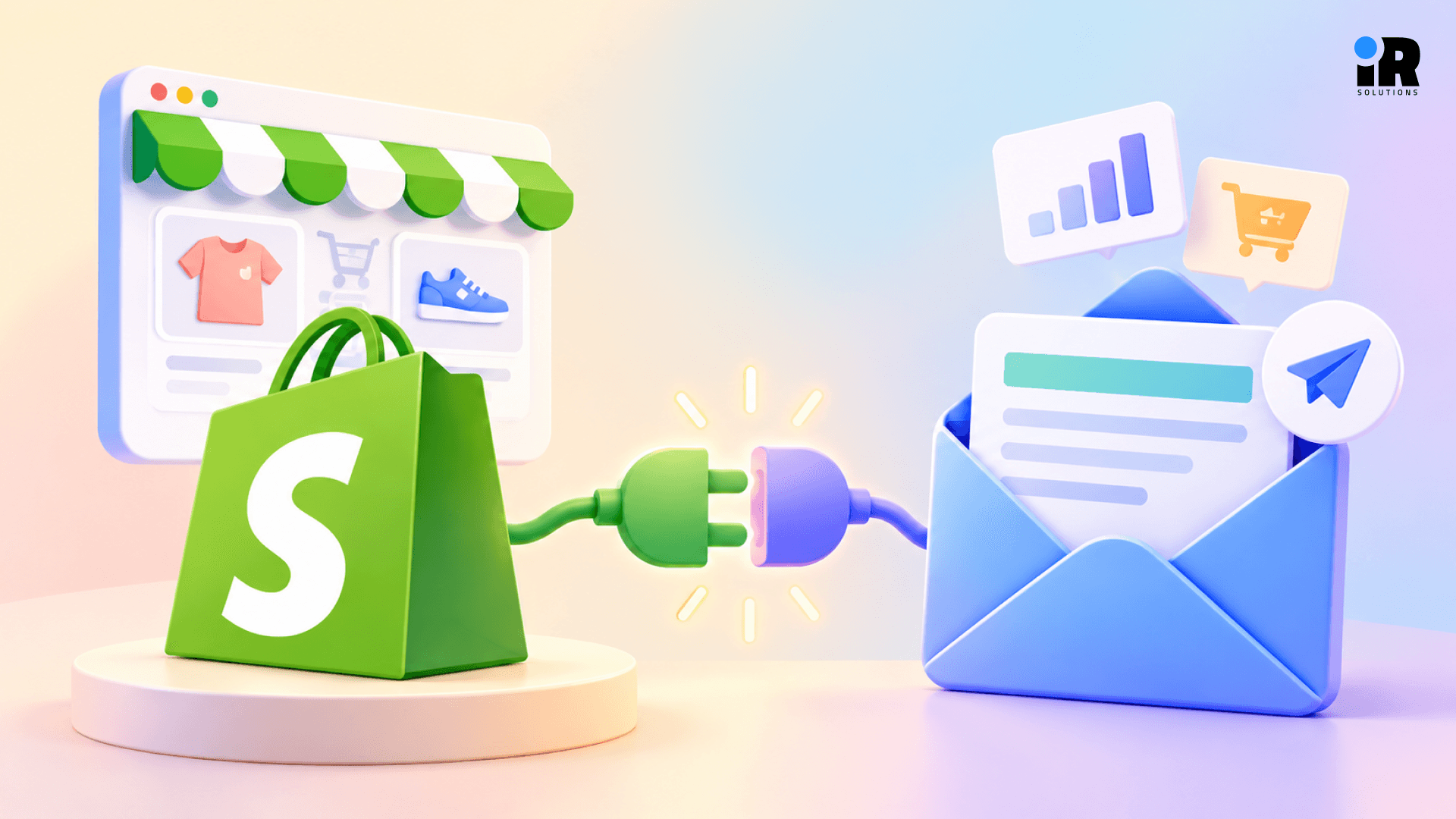
The better question is not which platform has the most features, but how well it works with Shopify. Can it sync customer, order, product, and browsing data and use that information for better automation, segmentation, product recommendations, and revenue tracking?
This guide compares eight leading platforms across Shopify integration, automation, segmentation, product data, revenue attribution, SMS, ease of use, and pricing, so you can find what fits your store.
If you want a broader comparison beyond Shopify, check out our guide to the best ecommerce email marketing platforms.
What Should a Good Shopify Email Marketing Integration Do?
Your integration should pull data from your store and use it in your emails. It should track what customers do, trigger the right messages based on their actions, and show how much revenue those emails generate. EmailToolTester similarly evaluates Shopify tools by whether they can sync contacts, products, and discounts, build segments, trigger automated emails, and report ecommerce revenue.
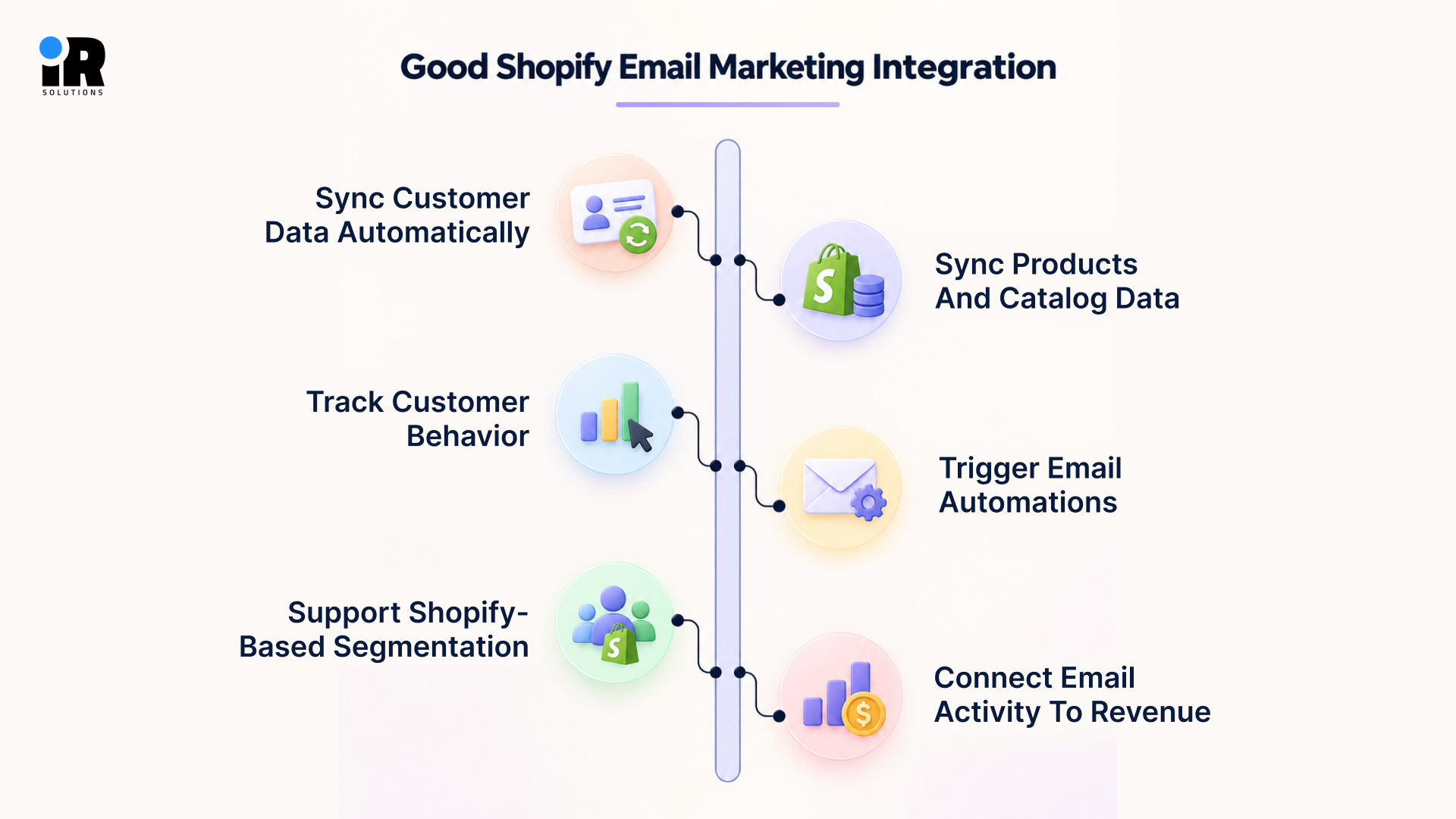
Sync Customer Data Automatically
Your email tool should pull customer data from Shopify on its own. You should never have to export a file and upload it by hand.
This covers names, contact details, and account history. It also covers consent, so you know who agreed to get emails or texts. Order history and any tags your team adds in Shopify should come across too.
When all of this updates by itself, your list stays correct, and your team saves time.
Sync Products and Catalog Data
Your email tool should be able to read your product catalog straight from Shopify. That way you don't have to type product details into every email.
It should pick up names, descriptions, images, prices, and variants. It should also pick up product links and stock status. If an item sells out, it shouldn't show up in your emails.
This saves a lot of time on every campaign, and your emails always show the right price.
Track Customer Behavior
What people do in your store tells you far more than a name on a list. Your email tool should notice when someone views a product, adds it to their cart, or starts checkout.
It should also record when a customer buys and when they come back to buy again. Patterns matter too. If someone keeps looking at one type of product, you should know that.
Without these signals, your emails are just guesses.
Trigger Email Automations
Your email tool should send emails on its own when a customer does something. Nobody on your team should have to press send.
Every store needs a few basics. A welcome email goes out when someone signs up. A browse reminder goes to people who looked at a product and left, and a cart reminder goes to people who left items behind. After a sale, send a thank-you and a follow-up.
You can also suggest related products and remind people to reorder things they use up. A win-back email helps bring back customers who have gone quiet.
Each of these matches a real moment in the customer's journey, so they feel useful to the reader.
Support Shopify-Based Segmentation
Not every customer should get the same email. Your tool should let you build groups using Shopify data, so you can send each group something that fits.
You might group people by what they bought or how many orders they have placed. You might also look at how much they have spent, or how long it has been since their last order. Cart activity, browsing, and how often they open your emails are useful too.
When your groups come from real store behavior, your emails feel more relevant and get better results.
Connect Email Activity to Revenue
Opens and clicks are nice to see, but they don't pay your bills. Your email tool should link each email to real Shopify orders.
That lets you see how much money each campaign or automation brought in. You can also see how many people bought after reading an email, and how much you earn per recipient. Average order value from email is worth tracking as well.
Once you can see this, you know which emails work and which ones to fix.
Shopify Email Marketing Integrations Compared
Each platform below connects to Shopify, but they differ in how deep the connection goes. This table shows how they compare on data sync, automation, segmentation, SMS, and revenue reporting, so you can find the one that fits your store.
Platform | Shopify Data Sync | Automation | Segmentation | SMS | Revenue Reporting | Best For |
Shopify Messaging | Native | Basic–Moderate | Moderate | Yes | Shopify-based | Simpler setups |
Klaviyo | Deep | Advanced | Advanced | Yes | Advanced | Data-driven ecommerce |
Omnisend | Strong | Advanced | Advanced | Yes | Strong | Email + SMS ecommerce |
Drip | Strong | Advanced | Advanced | Limited | Strong | Lifecycle automation |
Mailchimp | Good | Moderate | Moderate | Yes | Available | General marketing |
ActiveCampaign | Good | Advanced | Advanced | Available | Strong | CRM + automation |
MailerLite | Basic–Moderate | Moderate | Moderate | Limited | Basic | Simpler campaigns |
Brevo | Moderate | Moderate | Moderate | Yes | Available | Volume-conscious brands |
1. Shopify Messaging: Native Email and SMS Marketing Inside Shopify
Shopify Messaging, formerly Shopify Email, lets merchants create email and SMS campaigns directly from Shopify admin. Because it works within Shopify, customer, product, and store data are already available without connecting a separate ecommerce platform.
Shopify Integration
Because it is built into Shopify, you don't have to connect a second store or set up anything. It already has your customers, products, and orders.
You manage it from the same admin you use every day. That makes it the quickest option to get started with.
Email Automation
Shopify Messaging can send basic automated emails, like a welcome message to new subscribers. That covers what many small stores need at the start.
Dedicated platforms go further. They let you build longer flows that change based on what a customer does. Shopify Messaging keeps things simpler.
Segmentation
You can use Shopify customer segments to pick who gets an email. Groups can be based on order history, location, spending, and tags.
These segments work in your campaigns right away. Nothing needs to be imported or synced. This helps stores that already keep their customer data tidy in Shopify.
Reporting
You can see which campaigns led to orders, and the numbers sit right next to your Shopify sales. You don't need a separate tool to work out what your emails earned.
Limitations to Consider
As your store grows, you may want more than Shopify Messaging offers. Some merchants reach a point where they need:
- More complex automations based on customer behavior
- Deeper segments with several conditions
- Longer lifecycle workflows
- Wider marketing tools beyond email
That doesn't make it a poor choice. It is a solid starting point for welcome emails and promotions. If you later build a full retention plan, a dedicated platform will probably make more sense.
2. Klaviyo: Deep Shopify Data and Lifecycle Marketing
Klaviyo is an ecommerce-focused platform with a deep Shopify integration and extensive lifecycle marketing features. It pulls in a lot of store data and lets you act on it. It suits stores that want to use their customer data properly.
Shopify Data Integration
Klaviyo brings a lot more than contact details from Shopify. Each customer gets one profile with their information, orders, and the products they bought.
It also picks up checkout and cart activity, so you can see where people drop off. Browsing events come through when the tracking script is installed. Consent for email and SMS is included too.
When you first connect Shopify, Klaviyo initially syncs recent store data and then completes a broader historical sync. New Shopify metrics and profile properties then sync in real time. That gives you something to work with from day one.
If you want a deeper explanation of the platform before comparing it with other Shopify integrations, read our guide to what Klaviyo is, its features, pricing, and Shopify integration.
Automation
Klaviyo's automations are called flows. They react to what shoppers do in your store, and you can add conditions along the way. For example, a flow can change based on the product viewed or how much the customer has spent.
The flows most Shopify stores need are abandoned cart, browse abandonment, welcome, post-purchase, replenishment, and win-back. Each one covers a different moment, from a first visit to a customer who hasn't bought in a while.
Segmentation
Klaviyo updates segments as Shopify activity comes in. You don't have to rebuild your lists by hand. A customer moves in or out of a group when their behavior changes.
You can build segments from purchases, browsing, and how people engage with your emails.
The customer data coming from Shopify can help you build more targeted email segments. Our guide to Klaviyo segmentation covers how to segment customers by purchases, engagement, customer value, and lifecycle stage.
Analytics and Revenue Attribution
Klaviyo ties your sends to Shopify revenue. You can see what each campaign earned and which flows bring in the most sales. It also shows revenue per recipient and customer data in one place.
Where supported, it gives predictive numbers such as expected customer value. That helps you treat email as a sales channel and not only a way to send messages.
Limitations to Consider
Klaviyo isn't the right fit for every store. Pricing goes up as your profile count grows, so it is worth checking the cost at the size you expect to reach.
Setup takes more effort than simpler tools, especially for advanced flows. A store that only sends the odd promotion may never use most of what it offers. None of this is a reason to skip it. It just depends on what you need.
3. Omnisend: Shopify Email and SMS in One Platform
Omnisend is made for online stores and handles email and SMS together. Its Shopify connection is strong and fairly easy to use. It works well for brands that send both kinds of messages.
Shopify Data Sync
Omnisend pulls in customer details, orders, product data, and shopping behavior from Shopify. That data goes straight to its automation, segments, and campaigns.
You don't need much technical skill to set it up. That is a big reason small and mid-size stores like it.
Automation
Omnisend comes with ready-made workflows for stores. They cover abandoned cart, welcome, post-purchase, browse abandonment, and win-back.
You can add SMS steps next to email steps. A customer might get an email first, then a text if they haven't responded.
Email + SMS
When both channels run in one place, they use the same customer data. Someone who signs up for both gets messages that fit together, with no repeats or mixed signals.
If you already use SMS with email, this saves you from managing two tools.
Segmentation
Omnisend lets you group customers by what they bought, what they looked at, and how they engage. You can use those groups to personalize campaigns.
You can also use them to decide who enters a given automation.
Limitations to Consider
Omnisend can suit Shopify stores that want to manage email and SMS from the same ecommerce-focused platform. If your team needs highly custom workflows or deeper data analysis, look closely at its limits before you commit.
You can also compare the two platforms side by side in our guide to Klaviyo vs Omnisend, including their features, pricing, and automation options.
4. Drip: Behavioral Automation for Shopify Stores
Drip is built around what customers do in your store. It sends messages based on those actions instead of a fixed schedule. That makes it a fit for brands that want to react to shopper behavior.
Shopify Data Sync
Drip connects to Shopify and pulls in customers, orders, your product catalog and shopping behavior. It uses that data for its segments and automations.
The goal is a clear and current picture of how each person interacts with your store.
Behavioral Automation
Drip starts workflows from events, such as a product view, a cart abandonment, or a purchase. Nothing waits on a timer alone.
These events can feed your welcome, cart, browse, and win-back workflows. When a customer takes an action, the right email follows without anyone on your team stepping in.
Dynamic Segmentation
Segments change as Shopify behavior changes. Say a customer makes a second purchase. They move from your first-time buyers to your repeat buyers on their own.
This keeps your audiences current, which helps stores with a busy, changing customer base.
Revenue Reporting
Drip puts a lot of weight on linking email to customer revenue. You can see which automations and campaigns bring in sales, and roughly how much each one earns.
Limitations to Consider
Drip costs more than basic tools, and that may feel like a lot if you don't use its advanced features. Its SMS options are also thinner than those of a platform like Omnisend.
It takes time to set up well. Check whether its feature set matches what your team needs.
5. Mailchimp for Shopify
Mailchimp is one of the best-known email tools around. For Shopify stores, it is a familiar place to begin with decent ecommerce features. It works best for general marketing needs.
Shopify Integration
Mailchimp syncs customer profiles, purchase data, and orders from Shopify. It can also pull product details from your catalog for use in emails.
It has changed over the years.
Campaigns and Automation
Think about what your store actually needs. If you mostly send newsletters and promotions, Mailchimp covers that. It also handles basic lifecycle emails like welcome messages, abandoned cart, and simple post-purchase follow-ups.
Product recommendation emails are possible too. Where it gets thinner is in more advanced journeys built on detailed shopper behavior.
Segmentation
You can build segments from Shopify purchase data, how people engage with your emails, and contact details. They can personalize campaigns and decide who enters an automation.
It is easier to pick up than Klaviyo, though it goes less deep on behavior.
Limitations to Consider
Mailchimp isn't built only for ecommerce. Stores that need advanced flows, detailed Shopify event tracking, or complex lifecycle setups may find Klaviyo, Omnisend, or Drip a better match.
That isn't a flaw. Mailchimp is made for general marketing, and for many stores that is enough.
6. ActiveCampaign for Shopify
ActiveCampaign is a bit different from the rest. It is a marketing automation and CRM tool first, and it connects to Shopify. It makes the most sense when your store is part of a bigger sales process.
Core Capabilities
ActiveCampaign takes your Shopify purchase data into its wider automation and CRM system. You can use order history to start automations, score leads, and track where each customer is in their journey.
Its conditional workflows are some of the most advanced here. That helps when a customer's path is long or involves several steps.
Where It Makes Sense
ActiveCampaign fits when email is only one part of how you sell. It works well in cases like these:
- Your store has a sales team that manages customer relationships.
- Customers take a long time to decide and need nurturing.
- You sell subscriptions or services next to physical products.
- Your business runs on a CRM that shares data with email.
What to Check Before Choosing It
Look at a few things first. Ecommerce features may take more setup than they would in an ecommerce-first tool. It is also more complex than most options in this guide.
Pricing at scale is worth a close look, based on your list size and how much CRM you need.
7. MailerLite for Shopify
MailerLite keeps things simple. It is easy to learn and priced with smaller stores in mind. It suits stores with basic email needs.
Shopify Connection
MailerLite syncs contacts, orders, and basic customer details from Shopify. Its product blocks let you drop items from your catalog into an email without copying anything by hand.
Setup is simple, which helps new store owners.
Campaigns and Automation
You can send campaigns for promotions and content. MailerLite supports ecommerce automations based on purchases and abandoned checkout activity. For Shopify stores, its abandoned checkout automation has additional limitations, so check whether those restrictions fit your recovery strategy before choosing the platform.
Signup forms can go on your store or on landing pages. Segmentation is there too, though it is fairly basic. It works for sorting your list into a few useful groups.
What to Consider
MailerLite's simplicity is what people like about it, and it is also its limit. It has less behavioral depth, automation logic, and segmentation than Klaviyo, Omnisend or Drip.
If you want clean campaigns and simple automations at a low cost, it fits. If you plan to build advanced lifecycle flows, it may start to feel tight.
8. Brevo for Shopify
Brevo is known for its pricing and its wide set of tools. Brevo's pricing puts more emphasis on monthly email volume than many contact-led platforms, although current plans also include contact-storage limits. That structure can still be useful for stores with larger databases that send relatively selectively. That can help stores with big lists.
Shopify Data Sync
Brevo syncs contacts, orders, and customer details from Shopify. In one platform, you get email campaigns, automations, SMS, a basic CRM, and transactional emails.
Automation and SMS
You can start automations from Shopify events like purchases, cart abandonment, and new sign-ups. SMS can run in the same automation as email, much like Omnisend.
The CRM helps if you manage customer relationships beyond email.
What to Consider
Think about what matters more to your business. If you have a large list but send fairly few emails, Brevo's pricing model may be worth comparing more closely than a plan based on contacts. The wider toolset is a plus if you want email, SMS, and CRM together.
It is less strong in deep Shopify-specific automation and behavior tracking. If you need the most detailed event-based flows, Klaviyo or Drip will likely serve you better.
Shopify Messaging vs a Dedicated Email Marketing Platform
One of the most common questions Shopify merchants ask is whether to use the built-in Shopify email tools or invest in a separate platform. The honest answer depends on what you are actually trying to do.
Need | Shopify Messaging | Dedicated Platform |
Basic campaigns | Strong fit | Yes |
Native Shopify management | Yes | External platform |
Simple automation | Yes | Yes |
Advanced behavioral automation | More limited | Usually stronger |
Advanced segmentation | More limited | Usually stronger |
Multichannel marketing | Depends on setup | Often available |
Advanced lifecycle journeys | Limited | Common |
Revenue attribution | Shopify-based | Platform-specific |
Shopify Messaging makes the most sense when simplicity is the priority. You want campaigns, you do not want extra tools, and your automation needs are basic. A dedicated platform becomes more relevant as your customer journeys, segmentation needs, and automation complexity grow.
The decision is not permanent. Many stores start with Shopify Messaging and migrate when they outgrow it.
What Shopify Data Should Your Email Platform Sync?
Understanding which data your email platform should access helps you evaluate integrations more accurately. The table below shows the key Shopify data fields and what email marketing can do with each one.
Shopify Data | How Email Marketing Uses It |
Customer profile | Personalising emails with names, preferences, and history |
Order history | Segmenting buyers by purchase behavior |
Products purchased | Recommending complementary products |
Products viewed | Triggering browse abandonment emails |
Cart activity | Recovering abandoned carts automatically |
Checkout activity | Catching drop-offs before purchase completion |
Total customer spend | Identifying VIP customers for special treatment |
Purchase frequency | Timing replenishment and retention campaigns |
Product catalog | Populating dynamic email content automatically |
Consent records | Controlling email and SMS eligibility |
The depth of this data sync is what separates a basic integration from a genuinely useful one. An integration that only syncs emails and names cannot support any of the behaviorally triggered campaigns that drive the most revenue.
Email Automations Your Shopify Integration Should Support
The automations below cover the moments that matter most in Shopify email marketing. Each one reacts to something a real customer did, and it goes out on its own, without anyone building a campaign by hand.
Welcome Flow
This one goes out when someone subscribes, whether or not they've bought anything yet. It usually gets the best open rates of any sequence you'll run, and it sets the tone for everything that follows.
Browse Abandonment
This fires when a customer looks at a product but doesn't add it to their cart. It catches people early, while they're still interested, and can bring them back before that interest fades.
Abandoned Cart
A customer adds something to their cart and then leaves without paying. This email brings them back to finish what they started. For a deeper example of how Shopify behavioral data triggers recovery emails, see how Klaviyo abandoned cart flows use cart and checkout activity.
Post-Purchase
Every completed order can set this one off. Depending on how you set it up, it can confirm the order, suggest something else, ask for a review, or start building loyalty.
Cross-Sell and Upsell
Based on what a customer has already bought, these emails suggest something that pairs well or a step up from their last purchase, using their actual buying history from Shopify.
Replenishment
Some products run out on a schedule. This email goes out around the time a customer is likely due for a refill, so they reorder from you instead of somewhere else.
Win-Back
Once a customer has gone quiet for a set number of days, this email tries to bring them back before they drift away for good.
VIP Recognition
When a customer crosses a spend or order milestone, this email says thanks. It's a chance to offer something exclusive and make loyal customers feel noticed.
These automations sit at different points along the customer lifecycle, and together they cover most of what a Shopify store needs. If you want a closer look at how to build these sequences, see our guide to email marketing automations every ecommerce brand needs.
Why Segmentation Depth Matters for Shopify Email Marketing
Most Shopify store owners understand that segmentation means not sending the same email to everyone. Fewer understand how much the quality of segmentation actually changes results.
Here is how segmentation typically progresses as a Shopify store matures.
- Basic level: You separate subscribers into buyers and non-buyers.
- Intermediate level: You segment by product purchased, number of orders, or total spend.
- Advanced level: You can build an audience like this, customers who bought Product A in the last 90 days, clicked an email recently, and have never purchased Product B.
That level gives marketers more control over message relevance because campaigns can be matched to much more specific customer behavior.
The most valuable segments for Shopify stores include the following.
- Purchase-based: Group customers based on what they bought and when they made the purchase.
- Product interest: Group customers based on the products they viewed, even if they never made a purchase.
- Engagement-based: Separate active subscribers from those who are becoming less engaged.
- VIP customers: Identify high-value customers who may respond to exclusive offers and early access.
- At-risk customers: Identify customers who have not purchased recently and may be close to dropping off.
- First-time vs. repeat: Treat new customers differently from those who have purchased from you multiple times.
For broader strategy beyond Klaviyo specifically, learn more about building useful email segmentation strategies for ecommerce.
How to Compare Shopify Email Marketing Analytics
Analytics matter because email marketing only creates value when it produces measurable business results. Opens and clicks show engagement. Revenue reports show whether that engagement is actually worth anything.
When comparing platforms, look at the reporting metrics that show how email contributes to sales and customer retention.
- Total revenue attributed to each email campaign.
- Revenue generated by each automated flow.
- Percentage of recipients who complete a purchase after receiving an email.
- Revenue generated per email recipient.
- Average order value from customers who purchase through email.
- Repeat purchase rate among customers reached through email.
- Unsubscribe and complaint rates to monitor list health and content quality.
If you need a broader framework for connecting email performance with business results, our guide to email marketing ROI covers the key metrics and how to measure them.
How to Choose the Right Email Integration for Your Shopify Store
The right platform depends on how your store operates, what data you need, and how much you want to automate. Use the points below to compare your options and find an integration that fits your Shopify store.
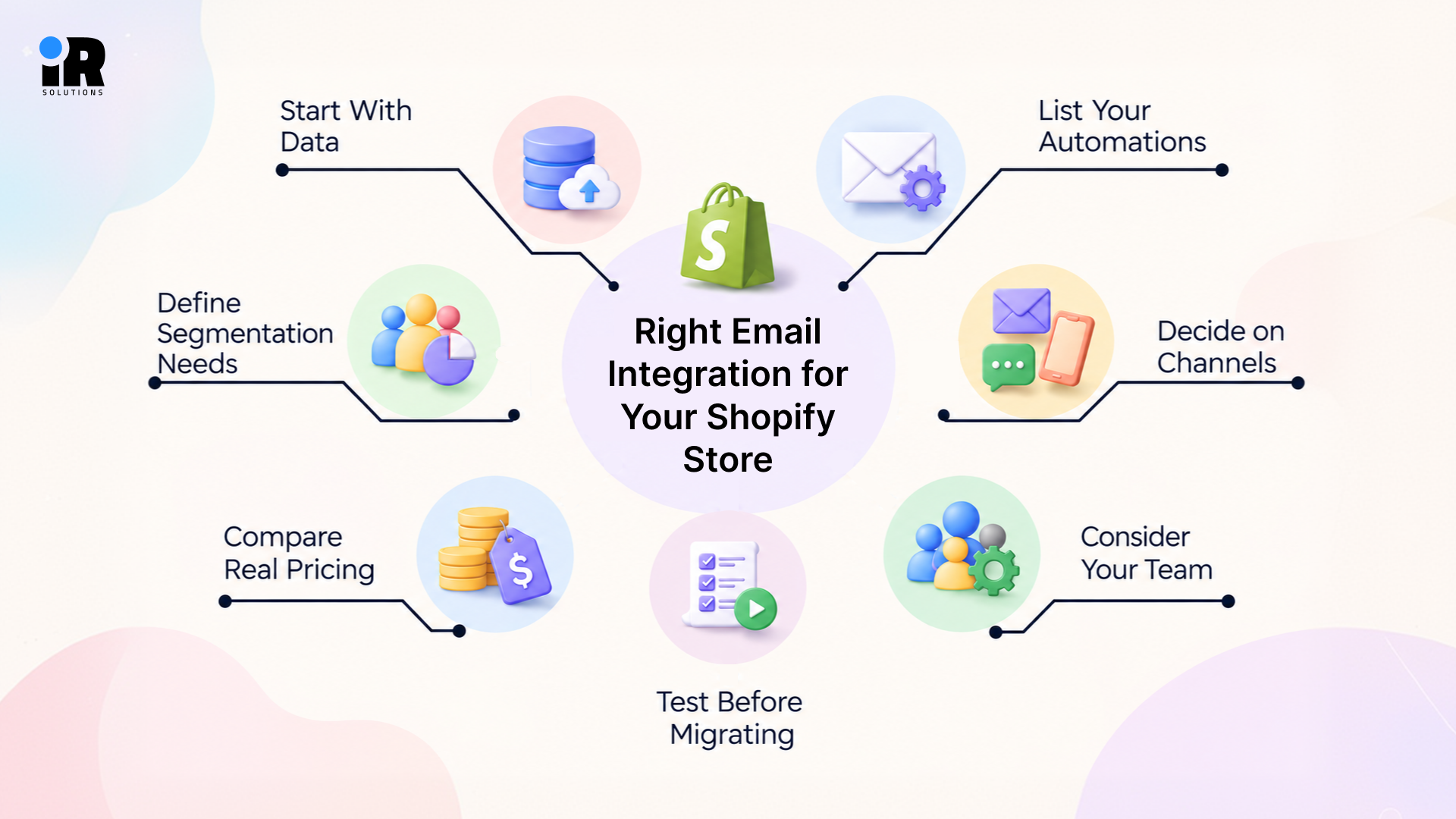
Start With Data
Ask what data you actually need your platform to use. If you only need subscriber contact information and basic order history, a simpler platform is fine. If you want to use product views, cart behavior, purchase frequency, and customer value, you need a deeper integration.
List Your Automations
Write down every automation you want to build before evaluating platforms. Welcome emails, cart recovery, browse abandonment, post-purchase, replenishment, and win-back each require different data and trigger logic. Check that your shortlisted platforms support them all.
Define Segmentation Needs
A newsletter-led store needs basic list segmentation. A mature DTC brand needs multi-condition behavioral audiences. Be honest about which one you are and choose accordingly.
Decide on Channels
If SMS is a genuine part of your marketing strategy, choosing a platform that handles both email and SMS from the same customer data makes operational sense. If you only plan to use email, there is no need to pay extra for SMS features you will not use.
Compare Real Pricing
Evaluate pricing at your current list size, your expected list size in twelve months, and your typical send volume. Some platforms charge per contact, others per send, and others per active profile. The cheapest option today may not be the most cost-effective as you grow.
Consider Your Team
A highly advanced platform delivers little value when the team managing it lacks the time or skills to use it well. Be realistic about who will actually run this tool day-to-day.
Test Before Migrating
Before committing to any platform, test the Shopify integration properly. Verify that the following are working correctly before canceling your existing tool.
- Customer data is syncing accurately
- Product catalog is accessible inside the platform
- Shopify events are firing correctly
- Automation triggers are responding as expected
- Segmentation is reflecting real customer behavior
- Revenue attribution is connecting to Shopify orders
When Does a Shopify Store Need More Advanced Email Marketing?
Some stores outgrow their email tools without realising it. Here are the clearest signs that it is time to move beyond a basic integration.
- You want campaigns based on customer behavior, not just bulk sends.
- Abandoned cart emails are no longer performing as well as they should.
- You want post-purchase and retention sequences that run automatically.
- You need to segment customers by product interest or purchase history.
- Email revenue is difficult to trace back to actual Shopify orders.
- You want to personalise emails beyond first name and order confirmation.
- Customer lifetime value or purchase frequency would improve your targeting.
- Your current tool requires manual workarounds for standard ecommerce workflows.
These signs usually point to a gap between what your store needs and what your current email setup can handle. When basic campaigns are no longer enough, a more advanced integration can give you better customer data, stronger automation, and more control over how you target and retain customers.
When Should You Get Help Setting Up Shopify Email Marketing?
Getting a Shopify email integration right takes time, some skill, and a fair bit of testing. In some cases, it's worth bringing in help instead of figuring it all out yourself.
It's worth reaching out if your customer data isn't syncing properly between Shopify and your email platform. The same goes if your automation flows are broken, missing steps, or firing at the wrong time.
If your segmentation has stayed basic even though you have better data available, that's another sign. Same if you can't tell where your email revenue is actually coming from, or trace it back to specific campaigns.
If you're moving from one platform to another and don't want to lose your data in the process, that's a good time to get help too. And if your team just doesn't have the bandwidth to handle campaigns, automation, and reporting all at once, that's reason enough on its own.
If you need help choosing, integrating, or managing a platform, email marketing experts can help build the campaigns, automation, segmentation, and reporting around your Shopify customer journey.
Conclusion
There is no single Shopify email platform that works best for every store. Shopify Messaging can be enough if you only need to send campaigns without adding another tool. Klaviyo, Omnisend, and Drip are better suited to stores that need automation based on customer behavior. Mailchimp makes sense when email is part of a wider marketing plan, while ActiveCampaign can fit stores that also work with a sales team or CRM. MailerLite and Brevo are worth considering when keeping costs low or handling higher send volumes matters most.
The right choice comes down to how well the platform works with your Shopify data and whether it helps you track sales from your emails. A new store with a small customer list may not need advanced features. As your store grows, your email needs will change too. If your current platform is not delivering the results you need, compare your options before spending more time or money on it.
Frequently Asked Questions
What is the best email marketing integration for Shopify?
There is no single best option for every Shopify store. Shopify Messaging can cover simpler campaign and automation needs, while ecommerce-focused platforms such as Klaviyo and Omnisend provide deeper automation and segmentation. The right choice depends on the Shopify data you need, the journeys you want to automate, your budget, and the team managing the platform.
Does Shopify have built-in email marketing?
Yes. Shopify Messaging is a native email marketing tool built into the Shopify admin. It supports campaigns, basic automation, and Shopify customer segments without requiring a third-party platform.
Can Klaviyo integrate directly with Shopify?
Yes. Klaviyo has a direct integration with Shopify that syncs customers, orders, products, cart activity, browsing behavior, and consent. It is one of the deepest Shopify integrations available from any email platform.
Is Klaviyo or Shopify Messaging better for Shopify?
Shopify Messaging keeps campaigns and automations inside Shopify and can suit stores with relatively straightforward requirements. Klaviyo offers deeper behavioral data, segmentation, and multi-step lifecycle automation. The right choice depends on how sophisticated your email program needs to be.
What customer data can email platforms pull from Shopify?
The most complete integrations pull customer profiles, order history, product catalog data, cart and checkout activity, browsing behavior, and consent records. Simpler integrations may only sync contact information and basic order data.
Which Shopify email integrations support abandoned-cart automation?
Klaviyo, Omnisend, Drip, Mailchimp, ActiveCampaign, and MailerLite all support abandoned-cart flows using Shopify data. The depth and customisation of those flows vary significantly between platforms.
Can Shopify email marketing tools track revenue?
Yes, most dedicated platforms connect email sends to Shopify orders. Revenue attribution quality varies between tools. Klaviyo and Drip offer particularly detailed revenue reporting.
Do I need a separate email marketing platform for Shopify?
Not necessarily. Shopify Messaging handles campaigns and basic automation for many stores. A separate platform becomes worthwhile when you need advanced behavioral flows, deep segmentation or more sophisticated lifecycle marketing.
Can I use email and SMS together with Shopify?
Yes. Omnisend, Klaviyo, Brevo and ActiveCampaign all support email and SMS from the same platform using Shopify customer data.
How do I connect an email marketing platform to Shopify?
Most platforms connect through the Shopify App Store. You install the app, authorise the connection, and the platform begins syncing your customer, order and product data. Always test the integration before running live campaigns to confirm data is syncing accurately.