



Key Takeaways
- Growing your list only adds opportunity, and it does not guarantee that more people will buy.
- The first thing to check is who is joining your list and the reason they subscribed.
- Welcome emails should guide new subscribers toward a first purchase instead of only introducing your brand.
- Sending the same campaigns to everyone makes a growing list less relevant to each person over time.
- Automated emails should catch high-intent moments such as browsing, carts, purchases, and long periods of inactivity.
- If subscribers click but do not buy, the problem may sit in the offer, page, shipping, or checkout.
Your email list keeps growing every month, but your sales are still the same. You've gained hundreds of new subscribers, sent regular campaigns, and even offered discounts. So why aren't more people buying?
More subscribers don't always mean more customers. Some people may have joined only for a discount, while others might be interested in your products but aren't ready to buy.
Growing your email list is only the first step. What matters is what happens after someone subscribes. Do they open your emails, check your products, and place orders? If not, you need to find out what's stopping them.
In this guide, we'll look at eight reasons your email list might be growing without bringing in more sales, along with practical ways to fix them.
If you would rather have experts review your setup, our email marketing services team can help. Let us start by looking at why a growing list and flat sales often appear together.
Why Can Your Email List Grow While Sales Stay Flat?
Most owners expect more subscribers to bring more sales, but the real customer journey is longer than that.
A growing email list means more people are interested in hearing from your brand, but that doesn't mean they're ready to buy. Some may be comparing products, waiting for a sale, or simply browsing.
Look at how many subscribers are clicking your emails, visiting product pages, and completing purchases. This will help you understand where potential customers are losing interest.
List Growth Is Not the Same as Buyer Growth
A rising subscriber count can look healthy on a report while quietly hiding several weak spots.
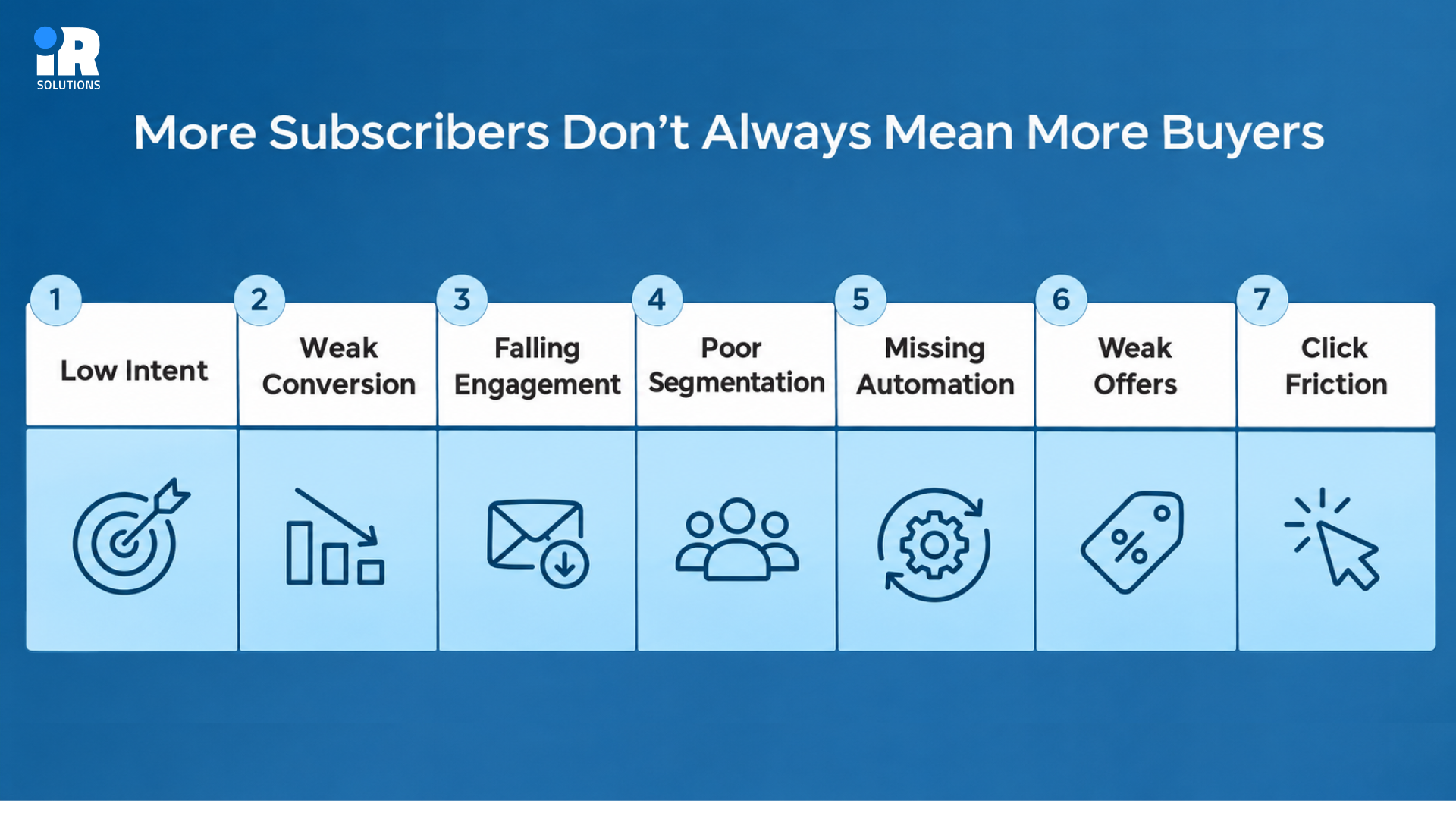
- Low Intent: More subscribers may be joining only for a prize or a quick discount, with no plan to buy.
- Weak Conversion: Fewer new subscribers may place a first order, even though more people are signing up each week.
- Falling Engagement: Open and click rates can drop slowly as the list fills with people who barely remember you.
- Poor Segmentation: One message sent to everyone fits fewer people as your audience becomes more varied and spread out.
- Missing Automation: Without behavior-based emails, you miss the exact moments when shoppers are most ready to buy something.
- Weak Offers: An offer that gives people no clear reason to act today will rarely turn interest into orders.
- Click Friction: Even a strong email loses its value when the page after the click confuses or frustrates shoppers.
Before spending more money to grow your list, check why your current subscribers aren't buying. You may find that the problem is with your signup offer, emails, product pages, or checkout process.
1. You Are Attracting Subscribers, but Not Enough Potential Buyers
Not everyone who joins your email list intends to buy something. Some people subscribe for discount codes, giveaways, or free resources. Others are genuinely interested in your products. Understanding why they signed up can help you identify which subscribers are more likely to become customers.
Check What Is Bringing People Onto the List
Different signup sources attract people with very different reasons for joining, and those reasons shape what happens next.
- Discount Popup: These visitors often want a lower price, so some buy quickly while others never return after signing up.
- Giveaway: People who join for a prize usually care about winning, and they may know little about your products.
- Product Quiz: Quiz takers share their needs, which gives you strong clues about what they are likely to buy.
- Lead Magnet: A guide or checklist attracts readers, but only a closely related one attracts future customers of your store.
- Waitlist: People waiting for a launch already want something specific, so they tend to show strong buying interest.
- Stock Alerts: Shoppers asking for a back-in-stock notice have chosen a product already, which makes them very warm leads.
- Blog Signup: Readers who join from articles want information first, so they usually need more time before buying.
- Paid Campaign: Cold traffic from ads can grow your list quickly, but these visitors know your brand the least.
- Checkout Opt-in: Customers who opt in at checkout already bought from you, so they need a different follow-up.
Subscribers from these sources do not share the same purchase intent, so they should not receive the same treatment.
Your Lead Magnet May Be Too Far From the Product
A free offer should attract people who have a problem your products can actually solve.
For example, a skincare brand offering a general morning routine checklist might attract people who aren't interested in buying skincare products.
A guide on choosing products for different skin types would be more relevant because it attracts people who are already looking for skincare advice.
A better offer is a guide that helps people find the right skincare routine for their skin type. The second offer draws someone with a real problem that the store's products may actually help solve.
Your signup offer should be closely related to the products you sell. This helps you attract people who are more likely to become customers rather than subscribers who only want something free.
Don't Judge Acquisition by Signup Rate Alone
A source that brings many signups can still earn less than one that brings fewer, better-matched people.
A signup source that creates 1,000 subscribers is not automatically better than one that creates 400. Compare each source using results that connect directly to revenue, not just the number of new contacts.
- First Purchases: Count how many subscribers from each source place an order, and how many never buy at all.
- Revenue Generated: Add up the total sales from each source so you can see which one truly pays off.
- Purchase Time: Track how many days pass between signup and first order, because slow sources need more patient follow-up.
- Repeat Orders: Check whether subscribers from a source come back for a second order, since loyalty adds lasting value.
- Unsubscribes: Watch how many people leave soon after joining, because high exits suggest the signup promise did not match.
Tracking email revenue per subscriber by source shows quickly which signup methods deserve more of your budget. Getting more subscribers is useful, but attracting people who are interested in your products matters more. Our guide on ecommerce email list building shares practical ways to grow your list with potential customers rather than collecting email addresses that never lead to sales.
Discounts and Giveaways Aren't Automatically Bad
These tactics can work well, but you should measure them separately before you decide to keep or drop them.
It is unfair to say that discount subscribers never buy, because the real answer depends on your data. Create a separate view for each of these groups and ask a few simple questions about their behavior.
- First Orders: Do these subscribers place a first order within a reasonable time after joining your list?
- Full Price: Do they ever buy again at full price, without needing another discount code to push them along?
- Return Visits: Do they come back to your store and keep engaging with your emails over the following months?
- Source Revenue: How much revenue does this acquisition source generate compared with the cost of running it?
If the numbers look healthy, keep the tactic; if they do not, adjust the offer before dropping it.
2. Your Welcome Emails Are Not Turning New Subscribers Into Buyers
Once the right person joins, the next question is what happens in the first few days. Strong welcome email conversion depends on guiding people toward a purchase, not just greeting them warmly. New subscribers are usually most interested right after joining, so that early window deserves real attention.
A Welcome Email Should Do More Than Say Hello
A friendly greeting is nice, yet new subscribers also need answers before they feel ready to buy.
- Your Products: Explain clearly what you sell so nobody has to guess what your store is about.
- Why It Matters: Show the problem your products solve and the benefit a customer can expect to enjoy.
- Best Fit: Point people toward the products that suit them, based on what you already know about them.
- Key Difference: Share what makes your products different from the many similar options shoppers can find elsewhere.
- Trust Signals: Include reviews, guarantees, or return details so a first-time buyer feels safer placing an order.
- Next Step: End with one clear action, such as browsing a collection or taking a short quiz.
If your welcome emails are getting attention but not generating sales, check whether they explain your products clearly and give subscribers an easy next step.
Deliver the Signup Promise First
Trust starts with keeping your word, so the first email should hand over what you promised.
If someone joined for a discount, a quiz result, a guide, early access, or a waitlist, give it immediately. Making people hunt for their reward creates doubt, and doubt reduces the chance that they will ever buy. Once the promise is delivered, you can continue the journey with the next helpful message in your sequence.
Build Toward the First Purchase
You don't need to explain everything about your brand in the first email. Spread the information across a short welcome series so new subscribers can learn about your products without receiving too much at once.
- Email One: Deliver the signup offer right away, along with a short, friendly note about your brand.
- Email Two: Show the main value of your product and the main problem that it helps solve.
- Email Three: Help subscribers choose the right product with a guide, a comparison, or a few simple recommendations.
- Email Four: Add reviews and other proof, and answer the doubts that usually stop people from buying.
- Email Five: Give a relevant reason to purchase now, such as a bundle, a bonus, or a time-limited offer.
You can start with three to five emails and adjust the sequence based on how subscribers respond. There's no need to send more emails than your customers actually need.
Change the Welcome Journey Based on How Someone Joined
One welcome flow for everyone wastes the context that each signup source already gives you.
- Back-in-Stock: These subscribers already want a particular product, so tell them quickly when it returns and how to buy.
- Quiz Takers: These subscribers need personal product recommendations based on the answers they gave during the quiz.
- Giveaway Entrants: These subscribers may need more brand and product context, because they joined mainly for the prize.
- Checkout Opt-ins: These subscribers already bought, so they should enter post-purchase communication instead of a first-order journey.
This approach is far stronger than simply adding a generic welcome flow and hoping that it works for everybody. To see the main journeys in detail, read 6 key email marketing flows for ecommerce growth.
3. Everyone on Your List Is Getting the Same Emails
As a list grows, subscribers become more different from each other, and one message fits fewer of them. One generic campaign becomes less relevant with every new group of subscribers who join your store. This is often why email marketing not converting feels like a mystery, even though the cause is simple.
Segment by Customer Intent and Behavior
Start by grouping subscribers based on their shopping activity. Look at what they've purchased, which products they've viewed, and whether they've ordered before.
- New Subscribers: People who joined recently and have not purchased yet need gentle guidance toward their very first order.
- First-Time Buyers: These customers should hear about care tips, helpful add-ons, and reasons to come back for more.
- Repeat Customers: Buyers with several orders already trust you, so they respond well to new arrivals and useful reminders.
- VIP Customers: Your best customers deserve early access and special treatment, because they bring the most revenue over time.
- Category Interest: Shoppers who browse one product type should see more of that type instead of unrelated items.
- Recent Browsers: People who just viewed products are showing real interest, so a timely follow-up can make sense.
- Cart Abandoners: Shoppers who left items behind need a reminder, and sometimes an answer to a hidden question.
- Inactive Customers: Past buyers who went quiet may need a fresh reason to return, rather than the usual newsletter.
- Engaged Non-Buyers: People who open and click often but never buy usually have one question that remains unanswered.
Start With the Data You Already Have
You do not need dozens of complicated segments to see a clear improvement in results. Start with the information that is already sitting inside your email platform and your online store.
- Signup Source: This shows why each person joined and what they probably expected to receive from you.
- Product Interest: Pages viewed and items clicked reveal which products or categories each shopper cares about most.
- Purchase History: Past orders show what people bought, how much they spent, and what they might need next.
- Order Count: The number of purchases separates first-time buyers from loyal customers, who naturally deserve very different messages.
- Last Purchase: The date of the latest order tells you who is active, cooling off, or probably gone.
- Email Engagement: Recent opens and clicks show who is paying attention and who has stopped reading your messages.
Once these basics work, become more specific in the places where your data supports it.
Don't Over-Segment Tiny Audiences
More segments are not always better, because every group needs enough people to teach you something.
Segmentation should make emails more relevant to the reader, and it should never create extra work without extra results. Dozens of tiny groups are hard to manage, and they rarely give you enough data to learn from. A simple test works well: if a group is too small to measure, merge it with a similar one.
4. Your Emails Are Not Creating Enough Buying Intent
Your subscribers might enjoy reading your emails without feeling ready to buy anything. This can happen when your emails share useful tips but don't explain how your products can help. You don't need to promote a product in every email, but customers should understand what you sell and why it might be useful to them.
Useful Emails Can Still Fail to Sell
Sharing useful information can help customers trust your brand, but they also need to understand why your products are worth buying. A list can enjoy your tips, advice, guides, and stories without ever understanding what you actually sell.
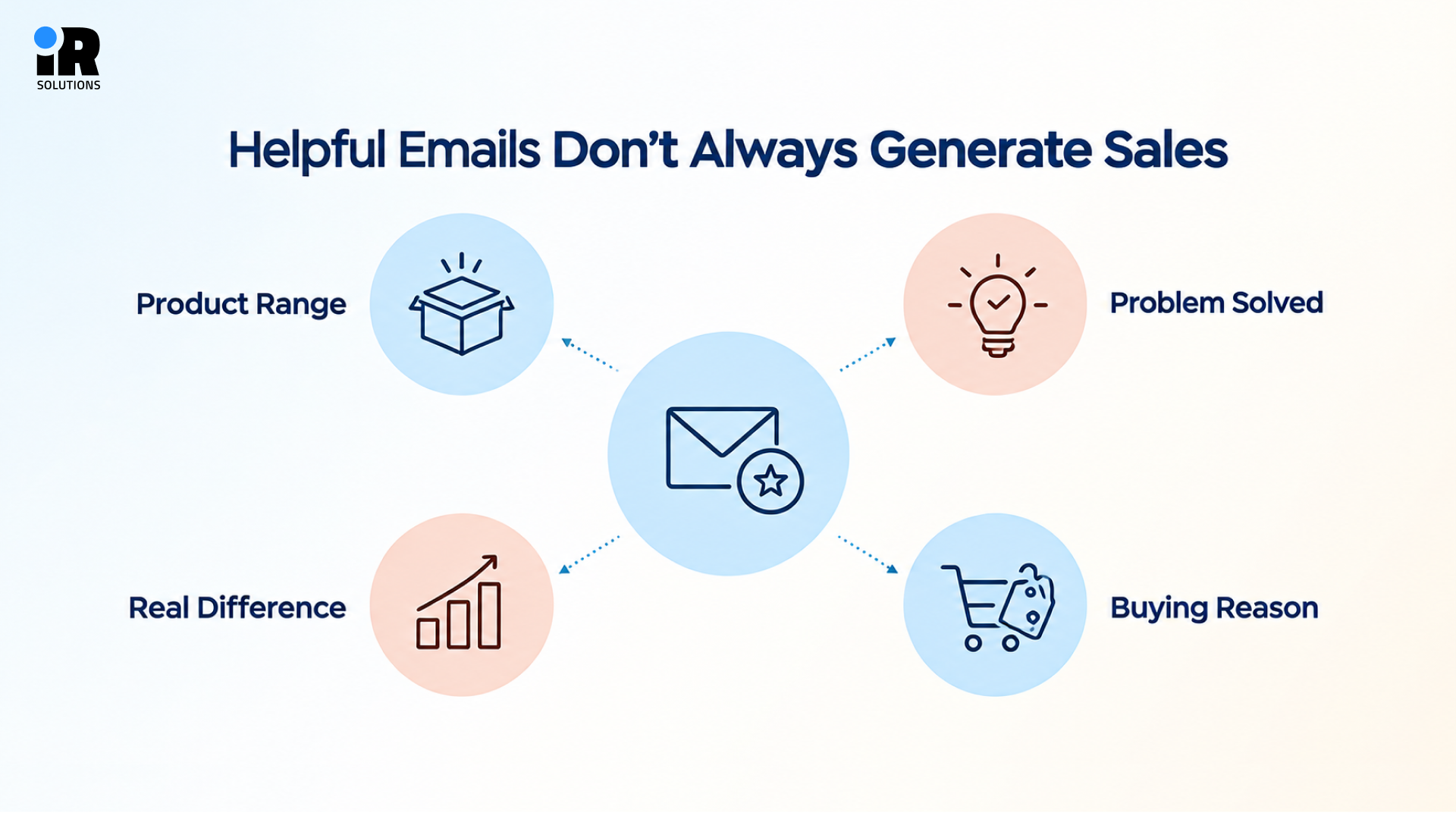
- Product Range: Subscribers may not know which items you offer beyond the single one they first noticed on your site.
- Problem Solved: They may enjoy the advice without seeing which of their problems your products can fix.
- Real Difference: They may not see why your product is better than the cheaper option on another site.
- Buying Reason: They may never receive a clear invitation explaining why today is a good day to buy.
Build a Bridge Between Education and the Product
The best emails teach something useful and then show how your product fits into that lesson.
Consider an email titled five tips for better sleep, which gives advice but never mentions any product. A stronger version explains why temperature affects sleep, then shows how cooling bedding addresses that exact issue. The reader learns something and also meets a relevant product without feeling pushed into a hard sale.
For example, if you sell cooling bedding, you could share tips for staying comfortable during warm nights and explain how your products fit into that routine. Add a product link for readers who want to learn more.
This gives customers useful information while helping them discover something they might want to buy.
Answer the Questions That Stop People From Buying
Shoppers hesitate for specific reasons, and your emails can remove those reasons one by one.
Depending on your product, the same few doubts appear again and again in your customers' minds.
- Right Fit: Is this product right for me, and will it really work for my own situation?
- Fair Price: Why is it worth the price, and what exactly am I paying for with this particular item?
- Clear Difference: What makes it different from other options, and which one should I choose if I can only pick one?
- Size Fit: Will it fit me properly, and how do I know that before I place an order?
- Easy Returns: What happens if I need to return it, and who pays for the shipping cost?
Answer these questions inside your emails, and shoppers will not need to leave your message to find reassurance.
Sometimes the problem isn't your product but how you explain it in your emails. These email copywriting tips can help you write clearer messages that give subscribers more reasons to consider buying.
Stop Making Every Email a Discount Email
Constant promotions teach customers to wait, and waiting customers cost you margin without building loyalty.
If every purchase needs another promotion, customers learn to wait for the next sale before buying anything. Margins can suffer, and the real value of your product becomes harder to communicate to anybody.
- Product Value: Explain what makes the item well made and why it deserves its place in a customer's daily life.
- Reviews: Real customer opinions reduce doubt faster than any claim that your own brand could make.
- Use Cases: Show different ways people use the product, so shoppers can picture it in their own lives.
- Bundles: Bundles raise the order value while giving customers a clear reason to buy more than one item.
- Free Shipping: Free shipping above a set amount can work better than a discount, especially when shipping fees cause hesitation.
- Smart Discounts: Keep discounts for the moments where they matter most, such as a first order or a long-lost customer.
Our email copywriting guide shows how to write product-focused emails that persuade without relying on constant discounts.
5. You Are Relying on Campaigns and Missing High-Intent Automated Emails
Sending regular email campaigns is useful, but some customers need messages based on what they've done in your store.
For example, someone who leaves products in their cart may appreciate a reminder. A customer who recently placed an order might benefit from product care tips or recommendations for related items.
Automated emails can help you send these messages without creating a new campaign every time.
Campaigns and Flows Solve Different Problems
Both formats matter, but each one does a different job in your overall email program.
Campaigns work well for moments when you have news that many subscribers want to hear at once.
- Product Launches: A new release deserves a loud announcement that reaches your most interested people at the same time.
- Promotions: Sales and special offers need a clear start and end date, which suits a scheduled send.
- Seasonal Events: Holidays and shopping seasons create natural reasons to write to your whole audience or a large segment.
- New Collections: Fresh arrivals give past buyers and browsers something new to look at and talk about.
- Announcements: Store updates, new services, or changes to policy belong in a campaign that everyone receives.
Capture the Moments That Show Purchase Intent
Automated emails allow you to follow up after actions such as viewing a product, leaving a cart, or completing an order. Choose the timing based on the type of message and how customers normally shop.
- Viewed Product: When someone views a product and leaves, send a browse follow-up that reminds them what caught their eye.
- Added Cart: When someone adds an item to the cart, send a friendly reminder before interest fades away.
- Started Checkout: When someone starts checkout, send a recovery email that fixes doubts and makes finishing the order simple.
- First Purchase: When someone buys for the first time, begin a post-purchase journey that leads toward a second order.
- Stopped Buying: When a customer stops purchasing, start a win-back series that reflects their normal buying cycle.
Each of these triggers catches a person at a moment when your message feels helpful rather than random.
Don't Send Another General Campaign
Behavior gives you a sharper picture of the shopper than any general calendar ever could. Someone who just abandoned a cart needs a reminder, while someone gone for six months needs a reason to return. Check your flows before adding another promotion, because strong ecommerce email conversion often hides inside flow stores that never finish.
6. Your Sending Rules May Be Blocking or Overloading the Wrong People
Sending rules protect subscribers from too many emails, but they can also hide your best messages. You do not need technical skills to review these settings, only a little time and a clear goal. A rule that blocks the wrong people can leave you with an email list not generating sales.
Check Smart Sending and Frequency Caps
Smart Sending and frequency caps limit how often one person gets emails, which protects the inbox experience. Still, the checks below show how these limits can quietly block cart emails, skip flows, or create overlap.
- Broad Campaigns: A wide promotion may suppress a high-intent cart email that was ready to send moments later.
- Skipped Flows: Important flow emails may be skipped without any warning, and nobody notices until monthly revenue drops.
- Overlapping Messages: Campaigns and automations can overlap more than necessary, which wastes sends and tires out your subscribers.
Don't Turn Frequency Controls Off Everywhere
Removing every limit may sound like the easy answer, but it creates a different set of problems.
The solution is not to send everything to everyone, because that quickly tires out your audience. Instead, decide which messages deserve priority when two of them compete for the same subscriber. High-intent customer behavior, such as a cart or checkout event, may deserve different treatment from a general promotion. Write down your priority order, then set your rules to match it instead of leaving everything on default.
Review Exclusions Too
Exclusion lists are easy to forget, yet one wrong rule can hide your emails from the right people. Make sure you are not unintentionally excluding people who are very likely to buy from you.
- New Subscribers: Fresh signups sometimes land in an exclusion rule meant for older contacts, and they miss your welcome.
- Active Browsers: People currently exploring your store should not be blocked from messages that match what they are viewing.
- Recent Carts: Anyone who recently left a cart behind should stay eligible for your reminder and recovery emails.
- Engaged Customers: Customers who still read and click should never be suppressed because of an outdated rule.
7. The Email Gets the Click, but Your Store Loses the Sale
Your emails might be getting plenty of clicks, but customers still aren't placing orders. This could mean they're interested in your products but something is stopping them from buying.
Start by checking the page they're visiting. Look at the product information, pricing, shipping costs, and checkout process to see where customers might be leaving.
Check Whether the Email and Landing Page Match
Shoppers expect the page to continue the promise that your email made a moment earlier.
If you're promoting running shoes with a 20% discount, send customers directly to the relevant product or collection page. Don't make them search through your homepage to find the offer.
Also, check that the discount works and that the product details match what customers saw in your email.
Audit the Product Page
A product page has to answer every remaining doubt without forcing shoppers to leave and look elsewhere.
- Main Benefit: Make sure the top of the page states clearly what the product does for the buyer.
- Product Images: Clear photos from several angles help shoppers judge quality, size, and style without touching the item.
- Visible Price: The price should be easy to find, and any savings should be explained in plain words.
- Reviews: Genuine ratings and written feedback give hesitant shoppers the proof they need before they commit.
- Size Options: Sizing guides and option selectors should be simple, because confusion here ends many sessions early.
- Shipping Details: Delivery times and costs should appear on the page so nothing surprises the buyer later.
- Return Policy: A visible and fair return policy lowers the risk that shoppers feel when buying something new.
- Availability: Show stock status honestly, and offer a back-in-stock alert when a popular size sells out.
- Clear Button: The add-to-cart button should stand out and remain easy to tap on a small phone screen.
Look for Checkout Surprises
Sometimes customers are ready to buy but leave during checkout. Unexpected shipping costs, limited payment options, or a complicated checkout process could be the reason. According to Baymard Institute's cart abandonment research, shoppers often leave checkout because of extra costs, slow delivery, or a complicated checkout process. If your emails are getting clicks but not generating orders, these are some of the first things worth checking.
- Shipping Cost: High delivery fees shown only at the end are one of the most common reasons for lost orders.
- Hidden Fees: Unexpected taxes or service charges make shoppers feel tricked, even when the final price is fair.
- Stock Issues: Out-of-stock options discovered at checkout waste the shopper's time and quietly push buyers toward competing stores.
- Forced Accounts: Making people create an account before paying adds effort that many first-time buyers will not accept.
- Coupon Failure: A discount code that fails at checkout creates frustration, and many shoppers leave immediately afterwards.
- Payment Limits: Shoppers want familiar payment options, so missing wallets or local methods can cost you real sales.
- Mobile Checkout: A slow or awkward mobile checkout hurts most, because a large share of email clicks come from phones.
Remember this simple distinction, because low clicks mean you should investigate the email itself first. Strong clicks with low purchases mean you should investigate what happens after the email is opened.
8. Your List Is Getting Bigger, but Less Healthy
Your email list might be growing, but not everyone on it is receiving or reading your emails. Some addresses may no longer work, while other subscribers may have lost interest in your brand. If this continues, your campaigns could reach fewer interested customers even though your subscriber count keeps increasing.
Growth Can Hide Inactive or Poor-Quality Contacts
A rising number can hide contacts who stopped reading long ago or never wanted your emails.
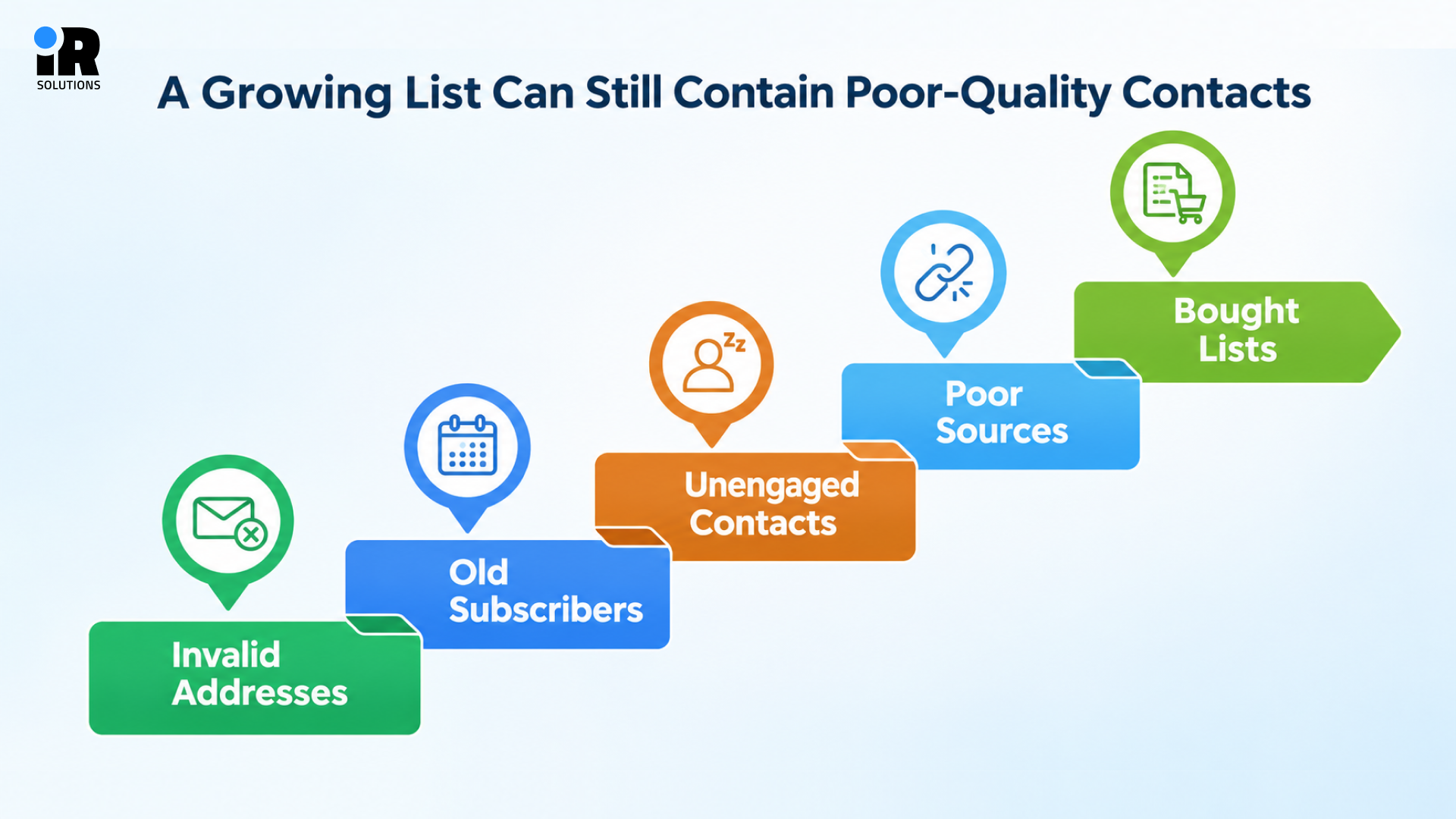
- Invalid Addresses: Typos and fake addresses bounce back, and too many bounces can harm how inbox providers see you.
- Old Subscribers: People who joined years ago may have changed their interests, their email address, or their habits entirely.
- Unengaged Contacts: Contacts who repeatedly ignore your emails drag down overall engagement, which can affect where your emails land.
- Poor Sources: Some signup sources bring low-quality contacts, such as bots or people who joined only for a freebie.
- Bought Lists: Purchased or scraped addresses never belong on your list, because those people did not agree to hear from you.
Normal, organic list growth does not automatically create spam traps, so do not panic about healthy signups.
Check Whether Reach Is Falling as the List Grows
If more people are on your list but fewer are seeing your emails, revenue will not follow.
Watch a handful of health signals each month, and compare them with the changes in your list size.
- Bounces: A rising bounce rate usually points to invalid addresses or old contacts that need cleaning.
- Spam Complaints: Even a small increase in complaints is a warning that some people do not want your messages.
- Domain Reputation: Your sending domain builds a reputation over time, and a poor one pushes emails toward spam folders.
- Authentication: Settings such as SPF, DKIM, and DMARC prove that your emails really come from your business.
- Engagement Trends: Falling clicks and opens over several months often show that fewer people are reaching the inbox.
- Delivery Errors: Error messages from your platform can reveal blocked domains, full mailboxes, or other problems worth fixing.
Re-Engage Before Suppressing Where Appropriate
Cleaning your list should be careful and fair, because some quiet subscribers are still real customers.
Do not delete everyone after an arbitrary number of days, because buying cycles differ between products. A mattress buyer may need you only once every few years, while a coffee buyer returns monthly.
- Recent Clicks: Someone who clicked last week is still paying attention, even if they have not purchased yet.
- Purchases: A recent order shows a customer is active, whether or not they opened the latest email.
- Site Activity: Store visits and product views show interest that your email metrics alone may not capture.
- Customer Status: VIP and repeat buyers deserve extra patience before you decide to stop sending them email.
- Purchase Cycle: Match your inactivity window to how often people normally buy the kind of product you sell.
Send a short re-engagement series first, and suppress only the contacts who still show no sign of interest. To go deeper, read our Email Deliverability Guide, which explains how to stop spam placement and reach the inbox.
Which Problem Is Actually Hurting Your Sales?
Instead of guessing, match what you see in your reports to the most likely place to investigate. Use the table below as a quick diagnosis, then return to the matching section for detailed fixes.
What You're Seeing | Most Likely Place to Investigate |
Lots of new subscribers, few first orders | Signup source / lead magnet |
Welcome emails get clicks but few purchases | Product value / offer / product page |
Opens are fine, clicks are weak | Relevance / copy / CTA |
Clicks are good, orders are weak | Product page / price / shipping / checkout |
Campaign revenue falls as list grows | Segmentation / subscriber quality |
Important emails have unexpectedly low recipient counts | Smart Sending / exclusions |
Campaigns generate most email activity | Missing flows |
Flows trigger but generate little revenue | Trigger / timing / content |
First-time orders grow, repeat sales don't | Post-purchase / retention |
List grows while revenue per recipient falls | Audience quality / relevance |
Start with the problems that match your reports. Make one change at a time and check whether it improves clicks, orders, or revenue before moving on to the next issue.
When Should You Get Help With Email Conversion?
Some problems are easy to fix alone, while others need an outside view to spot the real leak. Professional help may make sense when several of the following situations sound familiar to you.
- Low Sales: Your list keeps growing, but email revenue hasn't improved.
- Weak Automation: Your welcome, cart recovery, or post-purchase emails aren't bringing in enough orders.
- Poor Targeting: You're sending similar campaigns to everyone without considering their interests or purchase history.
- Tracking Problems: You can't clearly see which campaigns, subscribers, or signup sources are generating sales.
- Deliverability Issues: Your emails are bouncing, landing in spam, or reaching fewer customers.
Conclusion
Growing your email list is a good sign, but what matters most is how many subscribers become paying customers. If your list keeps growing without an increase in sales, start by checking your signup sources, welcome emails, customer segments, and automated campaigns.
Look at where subscribers lose interest and make improvements based on what your reports show. You don't need to change everything at once. Start with the areas that need the most attention and track whether those changes bring in more orders.
Frequently Asked Questions
Why is my email list growing but sales are not?
Your list may be attracting people who are not ready to buy, or your journey may leave gaps. In most cases, email subscribers not converting points to gaps in the journey after signup, not to bad subscribers. Check your signup sources, welcome emails, segmentation, automation, and checkout in that order for the fastest answers.
How can I turn email subscribers into customers?
Start by giving each subscriber a clear next step based on why they joined your list. Use a welcome series, helpful product education, and behavior-based flows to guide people toward their first order. Then remove friction on the product page and checkout so interested shoppers can finish buying easily.
Can the wrong lead magnet attract subscribers who never buy?
Yes, a lead magnet that has little connection to your products attracts people who want the freebie only. A magnet tied to a real customer problem attracts people who may later need your products. Compare sources by first orders and revenue, not by how many signups each one creates.
Why do people open my emails but not click?
Opens show that your subject line and sender name worked, but they say little about interest. Weak clicks usually point to unclear copy, a weak offer, poor relevance, or a button that is hard to find. Also remember that privacy features on some devices can inflate open numbers, so rely more on clicks and revenue.
Why do people click my emails but not buy?
Strong clicks and weak orders mean the email worked, and the problem now sits after the click. Check whether the landing page matches the email, then audit the product page, price, shipping, and checkout. Surprise fees and forced account creation are two of the most common reasons shoppers leave at the end.
Should I send every email to my full list?
No, a full-list send works for major announcements, but most messages perform better with relevant segments. Start with simple groups such as buyers, non-buyers, engaged readers, and people with a clear product interest. Avoid tiny groups that are too small to measure, since they add effort without clear learning.
Do automated email flows increase sales?
Yes, the flows that are automated can generate more revenue per send because they're reaching consumers at times of high intent. Lots of online stores without any welcomes, browses or carts. The trick is still there, having to time it right, have timely and relevant content, and regularly reviewing it for continued success.
Can Smart Sending stop customers from receiving important emails?
Yes, it can, because Smart Sending skips people who already received a message within a set window. If a broad campaign goes out first, a more valuable cart email may be skipped. Review your settings, check recipient counts, and decide which messages should have priority over the others.
Which metric matters most if my list is growing but revenue isn't?
Revenue per email sent, tracked by source and segment, gives you the clearest view of what works. No single number tells the full story, but revenue beats opens when you need to judge business results. Pair it with first-order rate, click-to-order rate, and unsubscribe rate to see where subscribers drop off.