

Key TakeAways
- Drip campaigns work best when each email has a clear purpose and next step.
- Strong triggers help to send the right message when the subscriber really needs it.
- Entry and exit rules prevent people from getting emails that no longer apply.
- Don’t send emails on a fixed schedule, but instead, on customer intent.
- Track clicks, conversions, revenue, and drop-off so you can see what needs improving
- Keep each sequence tight, useful, and easy to follow for subscribers.
Think about the last marketing email you deleted without reading. Maybe it felt like it was meant for someone else. That is why so many emails get ignored. People do not want to feel like just another name on a mailing list, and your subscribers feel the same way.
Not every subscriber is at the same stage with your brand. One may have just downloaded a guide, another may have started a free trial, while someone else may have left products in their cart. Sending the same email to everyone can waste your time and make people less interested in your messages.
Email drip campaigns solve this by sending a planned series of emails based on a person’s actions or situation. Each email goes out at a set time, helping you stay in touch without sending every message yourself. Mailchimp explains drip campaigns as automated emails sent based on timing, user actions, or status changes.
This guide explains what drip campaigns are, how they differ from other email automation, and how to plan a drip campaign. We’ll discuss real-world examples, email frequency and timing, and easy ways to track results.
What Is an Email Drip Campaign?
An email drip campaign is a sequence of emails that are sent automatically based on a specific action or condition. Every email is on a journey guiding the reader toward a specific goal, whether that’s making a first purchase, starting a trial, or completing a signup.
Once the campaign is set up and tested, the emails go out automatically without any manual work.
A drip campaign usually takes this easy path:
Trigger – Entry Criteria – Email – Delay – Goal – Exit
The trigger starts the campaign, entry criteria decide who can enter, and each email is sent after a set delay. The campaign ends when the reader reaches the goal or meets the exit condition
Email Drip Campaign vs Email Automation vs Nurture Campaign
These terms often overlap, and email platforms do not always use them in exactly the same way. The most useful way to compare them is by looking at how the workflow actually behaves.
Approach | How It Usually Works | Typical Logic | Common Use |
Drip campaign | Sends a planned series after a trigger | Usually simple or mostly sequential | Welcome, education, onboarding |
Nurture campaign | Develops a lead or customer over time | May use segmentation and behavioral branches | Longer consideration journeys |
Email automation | Umbrella term for automated email workflows | Simple or highly conditional | Lifecycle marketing |
Broadcast | Sent to an audience at a scheduled time | One-time send | Newsletter, announcement, promotion |
The boundaries are not strict. A drip campaign can include conditional logic, while a nurture campaign may sometimes follow a simple sequence. Focus on the trigger, timing, audience rules, and behavior inside the workflow rather than the label your platform gives it.
Drip Campaign vs Newsletter
The biggest difference is who receives the email and exactly when that send takes place.
A newsletter reaches everyone in the selected audience at the same scheduled time, no matter their history. A drip starts separately for each person, at the moment that person meets the trigger.
Say one subscriber joins on Monday and another joins on Friday. The first person starts the sequence on Monday, and the second person starts it on Friday. Their inboxes will look quite different, even though both are following the same plan.
Drip Campaign vs Nurture Campaign
A nurture flow adds decisions along the way, while a basic drip moves everyone down the same path.
A drip usually follows a set progression that stays the same for every person who enters. A nurture workflow can change direction based on what people do once they join the flow.
A reader who clicks a pricing link may get a different message than someone who ignores it. Visits to product pages, a rising lead score, or a recent purchase can steer the next email too. This is not a strict industry rule, and many teams blend both styles inside one workflow without trouble.
Drip Campaign vs Autoresponder
The main difference is how they are used and how the messages are structured.
An autoresponder commonly sends one automatic reply, like a thank-you note right after someone fills in a form. A drip is usually a connected series of several emails that build on each other. Think of the autoresponder as a single handshake and the drip as the whole conversation that follows.
When Should You Use a Drip Sequence?
A drip sequence makes sense when you can clearly define where someone starts, what they need next, and where you want them to end up. It works especially well when people follow a similar path and each message can build on the one before it.
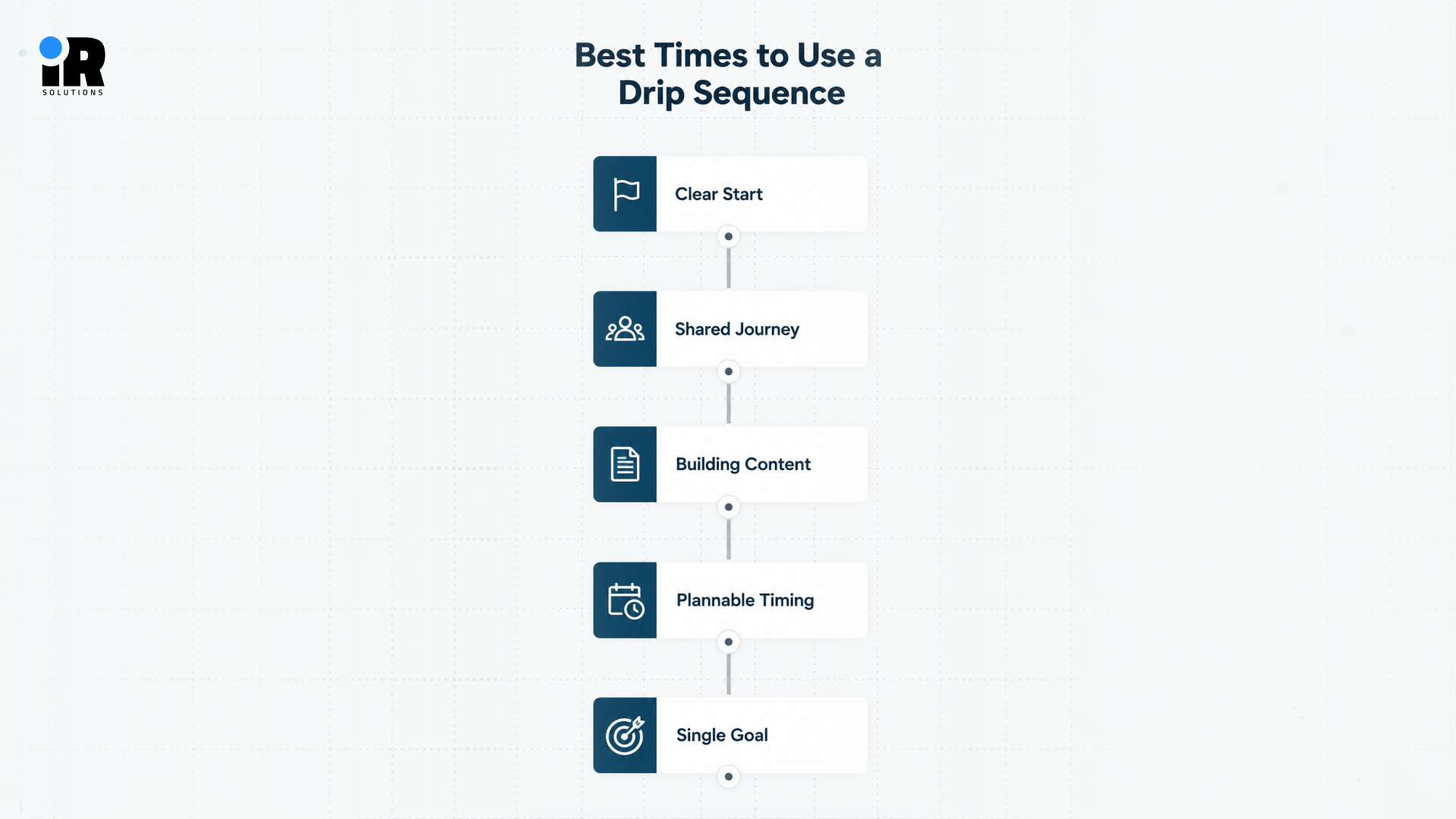
- Clear Start: A drip needs one obvious starting action, such as a signup, download, trial, or purchase.
- Shared Journey: Subscribers should have similar needs or follow a similar path through the sequence.
- Building Content: Each email should add something useful and move the reader to the next step.
- Plannable Timing: You should be able to set sensible gaps between emails before the sequence begins.
- Single Goal: Keep the sequence focused on one main result, such as a purchase, signup, or activation.
Common examples are simple: a signup can start a welcome series, a download can lead to educational emails, a trial can start onboarding, a purchase can trigger follow-up messages, and inactivity can start a win-back sequence.
When a Simple Drip Is Not Enough
A simple drip may not work when customers need different follow-ups. If clicks, purchases, trial activity, or customer value should change the next email, one fixed path can fall short. In these cases, use branches so each person gets messages based on what they do. This is where a nurture workflow or more advanced automation can be a better fit.
What Makes a Drip Effective?
An effective drip starts with a clear plan. You need to know who should enter, what each email should do, when it should arrive, and when the sequence should stop. When these details are set before the emails are written, the whole sequence feels more natural and stays focused on what the customer needs next.
Start With a Specific Trigger
Everything starts with the reason someone joined the sequence, so the trigger has to be specific. A signup, a download, a trial start, a purchase, or an abandoned cart all make solid triggers. An inactivity window can also work as a trigger, but define the behavior clearly for example, no purchase, click, login, site activity, or product usage for a specific period. Avoid treating email opens as your only engagement signal.
Define Clear Entry Criteria
A trigger starts the process, but entry rules decide whether the person truly belongs in the sequence. Say someone downloads your ebook, then check that they opted in and are not already a customer. Also make sure they are not already inside this sequence and that they fit the right market or segment.
The right entry rules keep your segments focused and up to date. See our email segmentation strategy guide for practical tips.
Give the Sequence One Main Goal
Every sequence needs a single result to work toward, and that result shapes every email inside it. Examples include a first purchase, finished onboarding, a booked demo, an event registration, or a recovered checkout. Other goals include a repeat purchase or bringing an inactive customer back to active use. Avoid stuffing several unrelated goals into one sequence, because the message turns confusing and weak very quickly.
Give Every Email One Job
A sequence only moves forward when each email has its own clear and useful purpose.
Purpose | |
Email 1 | Deliver promised value |
Email 2 | Educate |
Email 3 | Build trust |
Email 4 | Handle an objection |
Email 5 | Ask for the next action |
Notice how each message advances the story instead of repeating the same pitch in slightly different words. Readers can feel when you are saying the same thing twice, and they usually stop paying attention.
Set Timing Around Customer Intent
Timing should follow what the customer needs, not a calendar rule copied from another company. An abandoned checkout needs a fast follow-up, while bigger purchases give buyers more time to think things over. Always check what else the person already receives before you add another sequence on top.
Define Exit Conditions
Exit and suppression rules prevent people from receiving messages that are no longer relevant. Configure the workflow so future emails stop or are skipped when someone buys, books, upgrades, registers, unsubscribes, or otherwise no longer qualifies.
Set Re-Entry Rules
Decide early whether someone can go through the same sequence twice, because the answer changes by type. Welcome series usually run once, while replenishment and abandoned cart flows can repeat when a new order or cart appears.
Prevent Campaign Overlap
One contact can sit in several programs at once, so check for newsletters, promotions, automations, and sales outreach. Frequency caps limit emails per person, and suppression rules pause lower-priority messages while a more important sequence runs.
Email Drip Campaign Examples and Sequence Blueprints
Each blueprint below covers the trigger, goal, emails, exit rule, and the number to watch. Use them as a starting point and change the details to fit your own audience.
Welcome Drip Campaign
A welcome series starts when someone signs up, and its goal is to lead them to a first purchase. Send the promised gift first, then explain your brand, show useful products, and share proof from real customers. Take people out after their first purchase, and track the first-conversion rate to see if it works.
You can explore more setups in our email automation flows guide for growing ecommerce brands.
Lead Magnet and Educational Drip
Someone who downloads a guide has shown interest, so the goal is to turn that into a qualified lead. Deliver the resource first, then share related tips, explain the problem, and back it up with a case study. Finish with a clear invitation to book a demo or try your solution while interest is still fresh. Remove people once they book, qualify, or buy, and watch the lead-to-conversion rate as your main number.
SaaS Trial and Onboarding Drip
A free trial or new account starts this drip, and the goal is to help users see real value early. Send a welcome and ask for one key action, then share a feature and a use case. Clear up common problems next, close with an upgrade message, and track activation, adoption, and trial-to-paid conversion. Ideally, the emails react to product usage, so nobody is reminded of a step they already finished.
Abandoned Cart Drip Campaign
This drip starts when a shopper adds items to a cart but leaves without paying, and the goal is recovery. Begin with a simple reminder, then clear doubts about shipping or returns, and add reviews to build confidence. Close with one last reason to return if it fits, and stop the emails the moment they buy. Track recovery rate, recovered revenue, and revenue per recipient, and read our abandoned cart email timing guide for send times.
Post-Purchase Drip Campaign
A completed order starts this drip, and the goal is to improve the experience and bring people back. Share product tips and care advice first, then ask politely for a review and suggest something that goes with it. Finish with a reminder to reorder at the time when the product is likely to run out. Change the flow by product, first-time or repeat buyer, and customer value, then watch repeat purchases, reviews, and lifetime value.
Event or Webinar Drip
Registration starts this drip, and the goal is to raise attendance and then guide people to a next step. Confirm the signup, share prep material, and send a reminder plus a final reminder close to the start time. After the event, attendees and no-shows need different follow-ups, so split the sequence and share the recording or resources. Measure attendance rate and post-event conversion to see if the series filled seats and drove action.
Re-Engagement Drip Campaign
A re-engagement drip campaign targets contacts who have been inactive for an extended period. Share relevant updates, products, or content based on their interests, and use an incentive when appropriate. End with a preference or final re-engagement message before suppressing inactive contacts. Track reactivation, clicks, conversions, and revenue to measure results.
Our article on win-back email sequence examples offers many more ideas for this lifecycle stage.
How Many Emails Should a Drip Include?
There is no magic number, because a sequence should run only as long as it needs to reach its goal. The table below shows a general pattern for each type, so treat it as a guide, not a rule.
Campaign | Sequence Pattern |
Welcome | Several introductory messages |
Cart recovery | Short and relatively urgent |
Onboarding | Matches the activation or trial period |
Lead nurture | Often longer because the buying cycle is longer |
Event | Built around the event date |
Win-back | Short sequence before suppression |
In practice, many teams begin with a short sequence of roughly three to five messages and then add or remove emails based on conversion and drop-off data. Treat that as a starting framework rather than a benchmark.
How Long Should You Wait Between Drip Emails?
Sequence length and sending gaps are two separate choices, and each one needs its own careful thought.
Consider Trigger Urgency
A checkout abandonment sequence usually needs much faster follow-up than a B2B educational sequence does. A shopper with a full cart is thinking about the purchase right now. A business buyer reading a guide may need several days to talk with colleagues.
Consider Customer Expectations
Ask yourself when the next message would genuinely be useful to the person reading it. A helpful email at the right moment beats a clever email that arrives far too early.
Match the Buying Cycle
Higher-consideration purchases generally need more time between messages, because buyers research carefully before they commit. A low-cost impulse purchase can usually handle tighter spacing without overwhelming the person who is buying it.
Account for Other Emails
Count every newsletter, promotional campaign, and automated flow that already reaches the same person's inbox. Your drip timing should leave enough room for those messages instead of competing with them.
Use Performance Data to Adjust Timing
Real results will tell you whether your chosen gaps are working or need some adjustment.
- Falling Conversions: Declining conversions may suggest that your gaps are too long or messages arrive too late.
- Unsubscribe Spikes: Sudden unsubscribe spikes often signal that your emails are landing too close together for readers.
- Engagement Drops: Falling engagement after a certain email may point to a weak message or poor timing.
- Early Conversions: If most people convert before the later emails arrive, those later emails may be unnecessary.
For an ecommerce example, our cart recovery timing guide shows how these choices play out in practice.
How to Create an Email Drip Campaign Step by Step
Follow these eleven steps in order, and your first sequence will launch with far fewer mistakes.
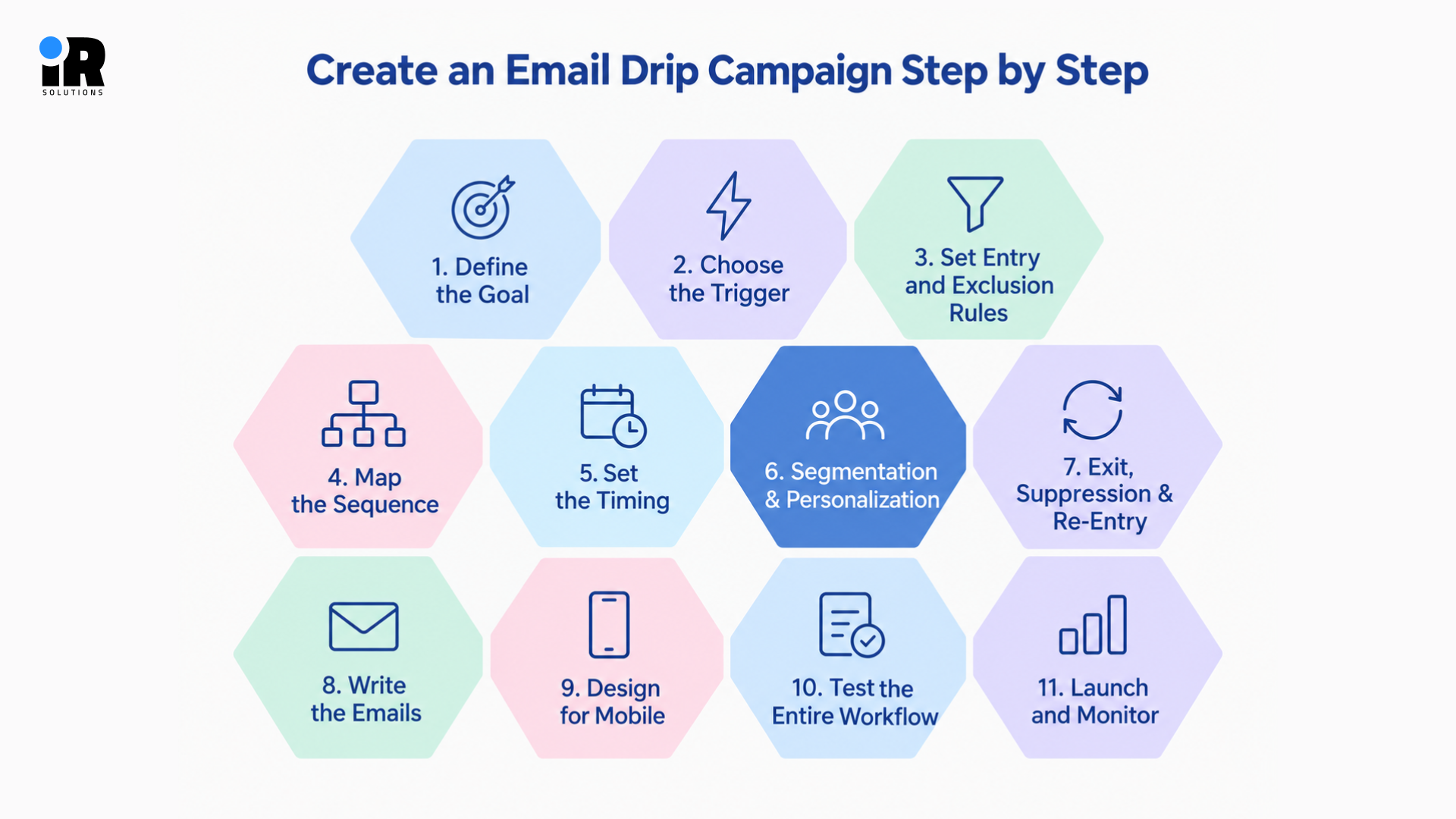
Step 1: Define the Goal
Start with the conversion outcome you want, because every later choice depends on it. Resist the urge to open your editor and begin writing emails before the goal is clear.
Step 2: Choose the Trigger
Define exactly which action starts the sequence, and write that action down in plain words. Your whole team should be able to explain the trigger without opening the email software.
Step 3: Set Entry and Exclusion Rules
Decide who gets in, who stays out, and whether they can come back in the sequence. Ensure that all the contacts are qualified and remove unsubscribed, suppressed or unqualified profiles so that they don’t receive irrelevant emails.
Step 4: Map the Sequence
Before writing any copy, document the purpose, message, call to action, and timing of every email. This simple map keeps the sequence focused and makes reviews with your team much faster.
Step 5: Set the Timing
Pick each gap by asking when the next message would actually help the reader, and keep the first one short. Treat these gaps as a first guess, and adjust them once real results show what your readers prefer.
Step 6: Add Segmentation and Personalization
Personalization should go far beyond placing a first name at the top of the email. Useful inputs include signup source, product interest, purchase history, lifecycle stage, lead source, engagement, and trial progress. These details help each message feel written for one person instead of a very large crowd.
Step 7: Add Exit, Suppression and Re-Entry Rules
Define all three of these rules before launch, because fixing them afterward is much harder. Late fixes usually mean someone has already received an email they should never have seen.
Step 8: Write the Emails
Keep the copy simple and focused. Write a useful subject line, start with a clear opening, and keep the message relevant to the reader. Use one main call to action, avoid unnecessary text, and make sure each email flows naturally into the next.
Step 9: Design for Mobile
Many subscribers read on their phones, so every email must work well on a small screen. Check readability, visual hierarchy, button size, image scaling, spacing, and load time before you launch.
Step 10: Test the Entire Workflow
Do not test only the individual emails, because most problems hide inside the workflow logic. Make sure the trigger works as expected and only eligible contacts can enter the sequence. Check personalisation, links, discount codes, and dynamic content. Check delays, branching, exit rules, and suppression. Finally, verify that conversion tracking, mobile rendering, and the unsubscribe link all work as you intend.
Step 11: Launch and Monitor
A drip is never something you set up once and then forget about completely. Review individual email results and the performance of the whole sequence regularly. If your team needs help planning, building, or improving these workflows, you can also hire email marketing experts to manage the process.
How to Measure Drip Performance
Measuring a drip means checking whether it reached its goal, not just whether people opened the emails. The metrics below help you see what works, what stalls, and which emails need a fresh look.
Goal Completion Rate
This metric shows whether enough people finished the action that the sequence was designed to bring about.
Conversion Rate
Count the real outcomes, such as purchases, demos, signups, registrations, or upgrades that came from the sequence.
Click-Through Rate by Email
Click rates reveal which messages actually push readers to act, and which ones fall flat.
Revenue per Recipient
This figure suits ecommerce and revenue-focused sequences, since it ties every email directly to money earned.
Time to Conversion
Measure how quickly subscribers reach the goal after they first enter the sequence from the trigger. If most conversions happen early, the later emails in your sequence may add very little value.
Sequence Drop-Off
Look for the point where engagement or conversions fall sharply from one email to the next.
Unsubscribe and Complaint Rates
Treat these numbers as early warning signals about poor relevance, aggressive cadence, or weak audience rules.
Performance by Sequence Step
Do not judge only the total workflow, because one weak email can drag down an otherwise strong sequence.
Email Drip Campaign Best Practices
A drip should feel useful, timely, and easy to follow. These simple practices help keep each message relevant without overwhelming subscribers.
- Trigger First: Relevance begins with why the subscriber entered, so design the trigger before you design any email.
- One Purpose: Give every email a single purpose, and never repeat the same message in different words.
- Real Context: Personalize around behavior and lifecycle information instead of relying only on a subscriber's first name.
- Instant Value: If someone downloads a resource, deliver it immediately instead of making them wait several emails.
- Standalone Emails: Let each email work independently, since subscribers may miss or skip the messages before it.
- Stop Promptly: Stop the sequence after conversion, because asking for a completed action feels careless to customers.
- Control Overlap: Use exclusions, suppression, and frequency management so one person never feels buried in messages.
- Regular Reviews: Check regularly for outdated offers, broken links, old product details, changed pricing, and declining performance.
What Should Drip Campaign Software Be Able to Do?
The right platform should handle your current needs and still leave room for future growth.
Trigger and Event Tracking
The software should reliably capture important actions such as signups, purchases, checkout activity, and other events your workflows depend on.
Flexible Timing and Delays
You should be able to set delays in minutes, days, or weeks, depending on the sequence you are building.
Audience Segmentation
Strong segmentation lets you send the right sequence to the right people without any manual list work.
Conditional Logic and Branching
For more advanced drip and lifecycle workflows, conditional logic lets the path change when someone clicks, purchases, completes an action, or no longer needs a message.
Exit and Suppression Rules
Built-in exits and suppression controls prevent unwanted emails after a goal is met or a conflict appears.
Dynamic Personalization
Dynamic content should change products, offers, and text blocks based on what you know about each person.
CRM or Ecommerce Integrations
Connections to your store or CRM keep customer data fresh, so every trigger reflects real activity.
A/B Testing
Testing subject lines, timing, and content helps you improve each email using evidence instead of opinion.
Conversion Tracking
Tracking should connect each email to the purchase, signup, or demo that it helped to produce.
Email-Level and Workflow-Level Reporting
You need results for each message and for the full sequence so you can find weak points quickly.
Visual Workflow Builder
A visual builder makes complex flows easier to design, explain to teammates, and fix when something breaks.
The right tool depends on how complex your customer journey and automation requirements really are. You can compare your options in our review of email marketing platforms for ecommerce brands.
Email Drip Campaign Checklist Before Launch
Run through this list before you publish, and you will catch most common problems early.
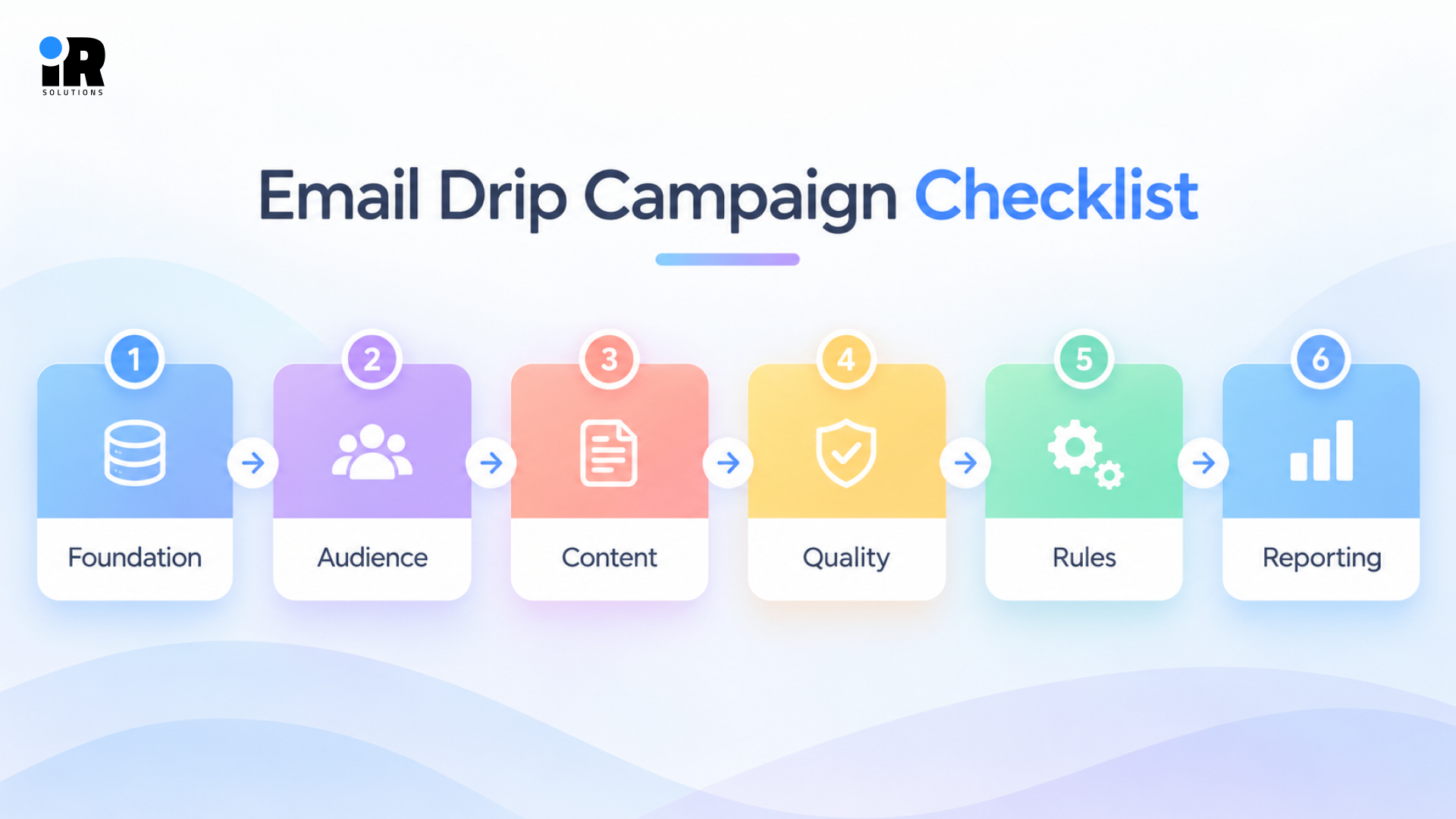
- Foundation: Confirm the goal is defined, the trigger is configured, and the entry criteria have been tested.
- Audience: Make sure exclusions are added, and marketing permission is confirmed for every contact who can enter.
- Content: Check that the sequence is mapped, every email has one purpose, and the timing is configured.
- Quality: Test personalization and call-to-action links, and confirm the mobile layout and unsubscribe link both work.
- Rules: Add the exit condition, define re-entry rules, configure suppression, and check for overlap with other campaigns.
- Reporting: Activate conversion tracking and configure reporting so you can judge results from the very first day.
Conclusion
A good drip respects the reader by sending the right message at the right moment. It begins with a specific trigger, clear entry rules, one goal, and emails that each do one job. Exit rules, re-entry rules, and overlap controls then protect the customer experience once the sequence goes live. Measure each step, not just the total, and adjust timing and copy as real data comes in.
Start small with one sequence, such as a welcome series, and improve it over the next few months. Small wins teach your team what your audience likes, and that knowledge makes every later sequence easier to build. When you are ready for branching and behavior-based logic, move toward broader automation with confidence. Your subscribers will notice the difference long before your reports prove it to you.
Frequently Asked Questions
What is an email drip campaign?
It is an automated series of planned emails that starts when someone meets a specific trigger. Each email has one job, and all of them work together toward a single clear goal.
How does an email drip campaign work?
A trigger begins the process, entry rules determine eligibility, and delays separate each scheduled email. The sequence stops when the person hits the target, unsubscribes, or fails to meet the entry criteria.
Are drip campaigns automated?
Yes, once created, they run on their own, sending each email when the trigger and delay conditions are met. Your team still needs to regularly review results and update content to make sure it’s accurate.
What is the difference between a drip campaign and a newsletter?
A newsletter goes out to an entire audience at a set time, a drip starts one-on-one. Everyone’s timeline varies because everyone begins the drip when they meet the trigger.
How many emails should be in a drip campaign?
There is no universal number, so include only the emails needed to reach the goal. Cart recovery is usually short, while lead nurture often runs longer because buying cycles take more time.
How often should drip emails be sent?
Timing depends on urgency, the buying cycle, customer expectations, and how many other emails the person receives. Use performance data, such as unsubscribe spikes and engagement drops, to adjust the gaps over time.
How long should a drip campaign run?
A drip should run only until the subscriber reaches the goal or the sequence has nothing new to say. Event sequences follow the event date, onboarding follows the trial period, and win-back stays short.
What is an example of an email drip campaign?
A welcome series is a common example, starting at signup and ending after the first purchase. Another example is an abandoned cart sequence that reminds shoppers, answers doubts, and ends once they buy.
Can drip campaigns be personalized?
Yes, you can personalize by signup source, product interest, purchase history, lifecycle stage, engagement, or trial progress. Real personalization goes well beyond a first name and reflects what the person actually did.
When should someone exit a drip campaign?
Someone should stop receiving drip emails when they complete the goal, unsubscribe, become ineligible, or meet a configured exit or suppression condition. Exactly how this works depends on the platform some systems remove the contact from the workflow, while others skip future messages when the contact no longer qualifies.