


Key Takeaways
- Review account settings, integrations, and customer data to catch setup issues early.
- Check flows, triggers, filters, timing, and exclusions to prevent missed revenue.
- Keep lists and segments clean so emails reach the right customers.
- Monitor SPF, DKIM, DMARC, bounces, complaints, and inactive subscribers regularly.
- Review forms, campaigns, templates, and mobile layouts for performance issues.
- Track revenue per recipient and attribution to identify what actually drives sales.
Your Klaviyo account may seem to be working fine, but small problems can still affect your sales and email results.
Campaigns may be sending on time, flows may be running, and your open rates may look normal. But issues with flow triggers, segment rules, deliverability, or old automations can still cause problems and send the wrong emails to customers.
These problems can stay hidden for weeks or even months while your team focuses on new campaigns and daily work. A Klaviyo audit gives you a chance to review the account closely, find what is not working, and fix it before it affects performance.
This guide covers the main areas to check, including account settings, integrations, flows, campaigns, segments, deliverability, and reporting.
Why Your Klaviyo Account Needs a Regular Audit
Klaviyo accounts grow over time as teams add new flows, segments, forms, and integrations. Over time, some old setups may be forgotten, overlap with newer ones, or stop working as expected.
A Klaviyo audit helps you find these issues by checking your flows, segments, forms, and other account settings. You may find emails going to the wrong customers, overlapping segments, or forms with very low conversion rates.
An audit also shows you what is working well, such as flows that bring in strong revenue. This helps you focus on the parts of your account that are already performing well.
Regular audits can catch issues early and keep your Klaviyo account organised and running properly.
Start With Your Klaviyo Account Settings
Before checking your flows and campaigns, take a few minutes to review your basic account settings. Small mistakes here can cause problems later, so it is worth checking them first.
Business and Sending Details
Check your business name, sender name, and the email address you use to send emails. These are the first details subscribers see in their inbox, so they should look clear and familiar. Also check your time zone and currency to make sure emails are sent at the right time, and your revenue reports are accurate.
User Access and Permissions
Check everyone who currently has access to your Klaviyo account. Remove access for former employees, old agencies, or freelancers who no longer work with you. You should also check whether each person has the right level of access. Someone who only needs basic access should not have admin permissions.
Billing and Active Features
Review your billing and check which features you are paying for. If you have features like SMS enabled but are not using them, you may be paying for something you do not need. Also check your profile count and make sure the contacts in your account are still useful and active.
Audit Your Ecommerce Integration and Customer Data
Klaviyo depends on the data coming from your store. If that data is wrong or missing, your segments, flows, and reports can also be wrong. That is why checking your ecommerce integration should be an important part of your audit.
Confirm the Integration Is Working
Check your Klaviyo account to make sure data from your store is coming in correctly. Customer profiles, orders, product details, and actions such as product views and cart activity should all be showing up.
If you use Shopify, most of this data is handled through the built-in integration, but it can still stop working after a theme change, app update, or other changes to your store. A quick check can help you catch these issues before they affect your flows.
Check Key Events
Your flows depend on events such as product views, cart activity, and purchases. Check that these events are being recorded correctly and include the right details.
- Viewed Product should show the product a customer looked at.
- Added to Cart should include the item, price, and cart value.
- Started Checkout should be recorded before the order is placed.
- Placed Order should include every completed purchase and the correct order details.
- Fulfilled Order should be recorded when the order is shipped.
Also check for duplicate events and missing details such as product names, prices, and order values, as these can affect your segments, reports, and email personalisation.
Review Third-Party Integrations
Go through the tools connected to your Klaviyo account, such as loyalty apps, review platforms, subscription tools, CRMs, and helpdesk systems. Check whether you still use each one and whether it is sending useful data to Klaviyo.
Remove integrations you no longer need, as old connections can create duplicate profiles or send incorrect data into your account.
If you are new to the platform, this guide on what Klaviyo is explains how customer, order, and behavioral data move through the platform.
Review Deliverability and Sender Reputation
You can write the best email in the world, but if it lands in spam, nobody reads it. Deliverability is the part of email marketing that most brands only pay attention to once something goes wrong. By then, the damage to your sender reputation has usually been building for weeks.
Check Email Authentication
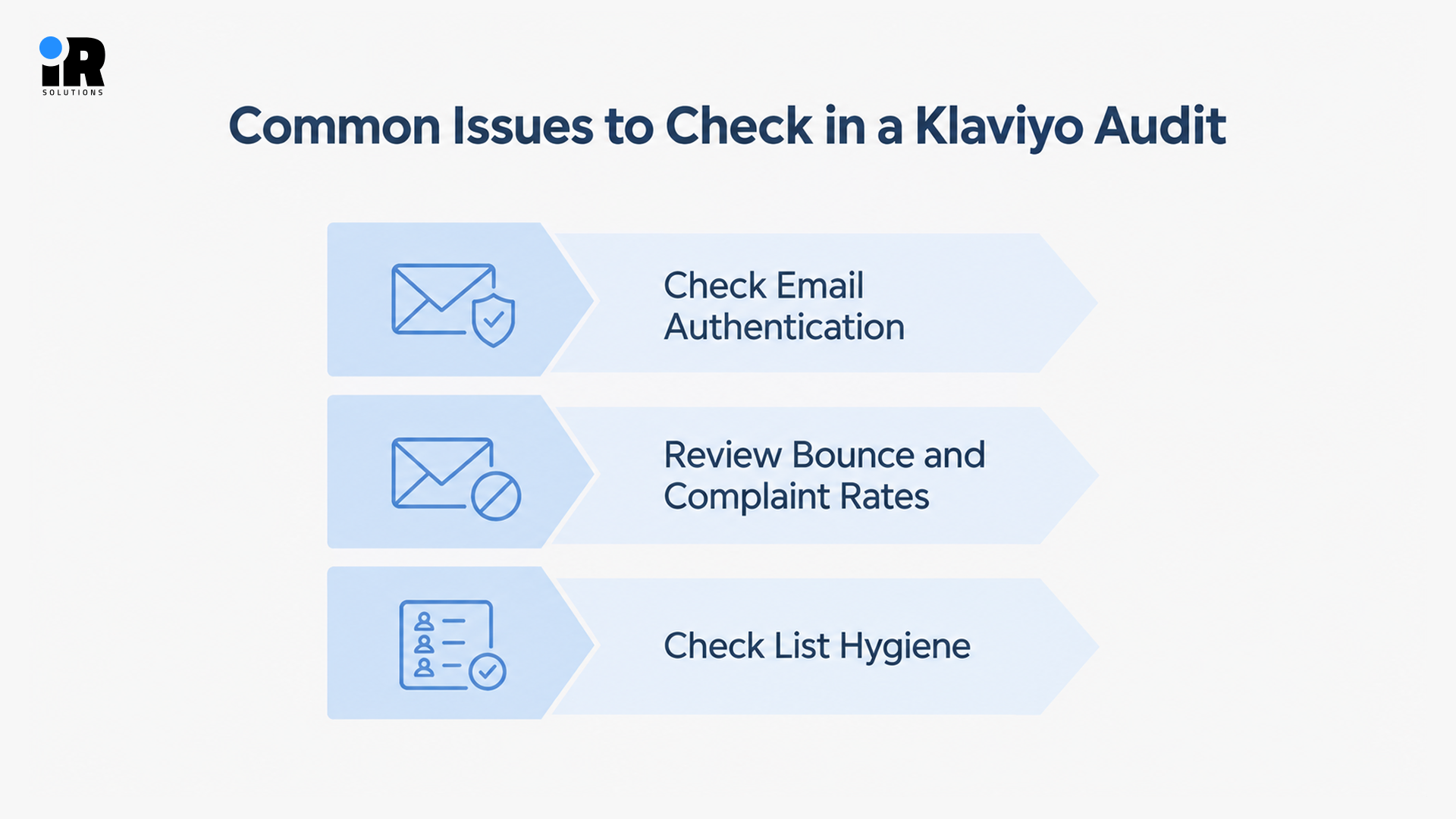
SPF, DKIM, and DMARC are important email authentication standards that help mailbox providers verify your sending domain.
Missing or incorrect authentication can increase deliverability problems, but it does not automatically mean every email will go to spam. Check all three and confirm your branded sending domain is correctly connected in Klaviyo.
For a deeper look at SPF, DKIM, DMARC, bounced contacts, and other deliverability issues, read our Klaviyo deliverability guide.
Review Bounce and Complaint Rates
Review hard bounces and make sure they are suppressed appropriately. For repeated soft bounces, look for patterns and investigate the reason before deciding whether those profiles should be suppressed.
For spam complaints, pull the data by campaign and look for patterns. A consistent spike after certain sends usually points to a specific segment or signup source causing the problem.
Check List Hygiene
A large list with many consistently unengaged contacts can make it harder to maintain healthy email engagement. Review subscribers who have not opened or clicked emails for six to twelve months, then consider a re-engagement or sunset process before suppressing contacts who remain inactive.
Check how many subscribers have not opened or clicked anything in the past six to twelve months, then run a sunset sequence as one final re-engagement attempt, followed by suppression for anyone who does not respond.
Audit Your Lists and Segments
Who you send to matters just as much as what you send. A great email going to the wrong audience will still underperform. This section is about making sure your lists are clean and your segments actually reflect how your customers behave.
Review Your Main Lists
Start by checking where subscribers are coming from and whether consent is being recorded correctly for each source. Then look for old lists that are still sitting in the account but no longer connected to anything active. If you have multiple signup sources, check whether the same person is appearing on more than one list with different or conflicting data attached to their profile.
Review Segment Logic
Open each segment you use regularly and read through the conditions. A segment that looks right on the surface can have a logic error that pulls in the wrong people or excludes someone it should include. Check the AND/OR conditions, make sure buyers and unsubscribers are excluded where they should be, and confirm that engagement windows reflect a realistic timeframe for your audience. A segment built on a 90-day engagement window behaves very differently from one built on 180 days.
Check for Overlap and Duplication
If two segments are built on almost identical conditions, there is a good chance the same person is ending up in both and receiving the same campaign twice. Go through your segment list and look for anything that has not been used in a recent campaign. If a segment has not been attached to anything active in months, it probably does not need to exist anymore.
Build Segments That Actually Matter
Most accounts get by with a handful of broad lists when they could be doing much more. At a minimum, every ecommerce store should have segments for:
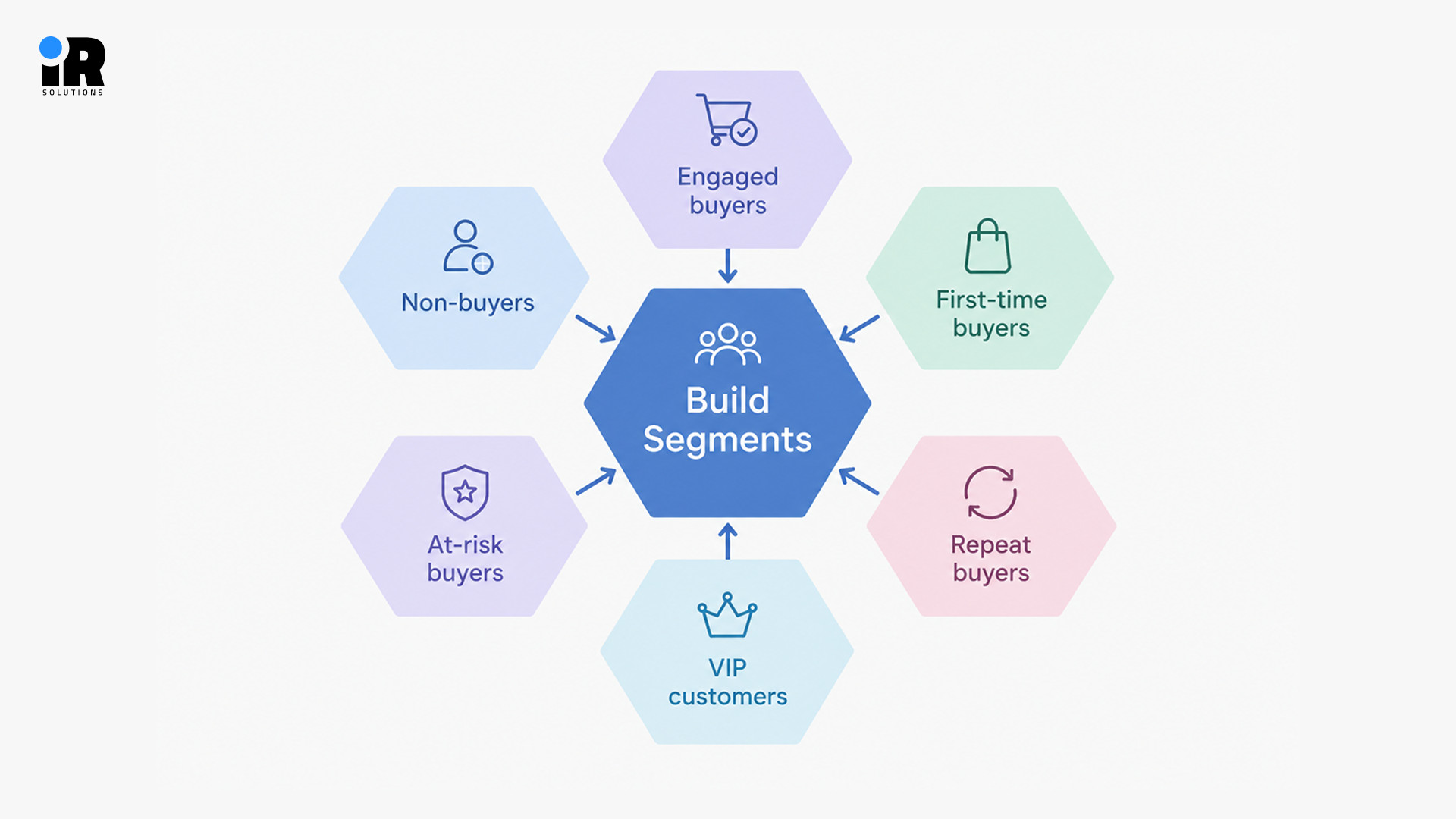
- Engaged buyers - Bought before and still opening emails
- First-time buyers - One purchase, have not come back yet
- Repeat buyers - Two or more purchases, already showing loyalty
- VIP customers - High spenders worth a different approach
- At-risk buyers - Purchased before but have gone quiet recently
- Non-buyers - On the list but never converted
Find more ways to segment customers in our Klaviyo segmentation for ecommerce guide.
Audit Your Signup Forms
Signup forms build your list, but most accounts treat them as an afterthought once they are live. A form with a low conversion rate may be missing opportunities to grow your subscriber list, especially when it receives significant traffic.
Review Every Active Form
Check every form that is currently live, including popups, flyouts, embedded forms, footer forms, and any SMS opt-in forms. For each one, confirm it displays correctly on both desktop and mobile.
Review Timing and Targeting
A form that appears immediately when someone lands on a page often performs worse than one with a short delay. Check the display delay, exit intent rules, mobile behaviour, page targeting, and frequency settings. Forms that show up too often or at the wrong moment damage the user experience and hurt conversions.
Check Conversion Rates
Pull the conversion rate for every form. Identify which forms are receiving traffic but producing few signups, and look at whether the offer is still compelling. A ten-percent-off discount that was competitive two years ago might now feel unremarkable compared to what competitors are offering. Consider whether free shipping, early access, or a different incentive would perform better.
Confirm Form Connections
Test every form to confirm it is sending subscribers to the correct list. This sounds basic, but forms get duplicated, edited, and reassigned over time, and the connection sometimes breaks without anyone noticing.
Audit Your Klaviyo Flows
Flows are where the biggest revenue opportunities live in most Klaviyo accounts. A well-built set of flows generates revenue around the clock without needing a campaign send. If your flows have not been reviewed recently, this section will likely uncover the most impactful problems.
Check Whether Core Flows Are Live
Most ecommerce accounts should review whether these core flows are needed and properly configured:
- Welcome flow: Introducing new subscribers and moving them toward a first purchase.
- Abandoned cart flow: Recovering shoppers who added items but did not complete checkout.
- Browse abandonment: Re-engaging visitors who viewed products but did not add to cart.
- Post-purchase flow: Following up after a purchase to thank, educate, and encourage a return.
- Win-back flow: Reaching customers who purchased before but have not returned recently.
- Re-engagement flow: Attempting to re-activate subscribers who have stopped opening emails.
- Sunset flow: Removing permanently unengaged contacts before they damage deliverability.
If several of these are missing, you are leaving consistent, predictable revenue on the table every single day.
Learn more about automated customer journeys, triggers, and ecommerce flows with Klaviyo email automation.
Review Flow Triggers
For every flow, confirm the trigger is correct and still firing properly. A flow with the wrong trigger either never sends or sends to the wrong people. Also check whether any two flows share a trigger that could cause the same person to receive duplicate messages.
Review Filters and Exclusions
Filters inside flows prevent people from receiving messages they shouldn't. The most important filter to check is the purchase exclusion anyone who has completed a purchase should be removed from an abandoned cart flow immediately. Also check that unsubscribed contacts, people in other active flows, and ineligible customers are properly filtered out.
Review Timing and Spacing
The delay between flow emails matters. Review whether the timing of your abandoned cart emails matches your customers' buying cycle, and test different delays to determine what performs best.
Check every delay in every flow and ask whether the timing makes sense for the customer's actual decision-making process.
Review Conditional Splits
Well-built flows behave differently based on who the customer is. Check whether your flows split based on purchase history, order value, product category, customer lifetime value, or lifecycle stage. Flows that treat every subscriber identically miss the opportunity to send more relevant, higher-converting messages.
Deep Dive on Abandoned Cart
Because abandoned cart recovery is usually one of the top revenue-generating flows, review it in detail. Check the trigger, confirm the filters, verify the purchase exclusion is working, review the timing of each email, and count the number of messages in the sequence. If the flow only has one email, adding a second or third often increases recovery significantly.
Review Flow Content
Go through the actual emails inside each flow. Check subject lines, preview text, copy, calls to action, personalisation tokens, product recommendation blocks, and mobile layout. Outdated copy, broken product blocks, and missing personalisation are common in flows that were built and never revisited.
Measure Flow Performance
Check the performance of each flow and review metrics such as revenue, revenue per recipient, conversion rate, click rate, and unsubscribe rate. Revenue per recipient is especially useful when comparing flows with different audience sizes, as a smaller flow with a focused audience can perform better than a larger flow. Klaviyo recommends reviewing flow triggers, filters, time delays, exclusions, and performance regularly to identify issues that may affect results.
Audit Your Klaviyo Campaigns
Campaigns serve a different purpose than flows. They are one-time sends tied to promotions, product launches, or specific moments. The audit for campaigns focuses less on technical setup and more on strategy, targeting, and performance.
Review Sending Frequency
Look at how often campaigns go out. Review whether your campaign frequency is appropriate for your audience. Changes in sending frequency can affect engagement, unsubscribes, and spam complaints, while sending too infrequently may reduce opportunities to reach customers. Also look for campaigns that overlap with flow emails in ways that might cause the same subscriber to receive multiple messages on the same day.
Review Segmentation Decisions
Many accounts send campaigns to their entire list when they should be sending to specific segments. Sending a sale campaign to everyone, including people who purchased three days ago, is both wasteful and likely to damage the relationship. Check whether campaigns are targeted to relevant subscribers based on purchase behaviour, engagement, or product interest.
Review Campaign Performance
Look at click rate, conversion rate, revenue, revenue per recipient, and unsubscribe rate for each major campaign type. Identify which campaign categories consistently perform well and which ones underperform despite high send volume. A campaign that gets a strong open rate but low revenue is telling you something important about the targeting or the offer.
Check A/B Testing
Ask whether campaigns are being tested consistently. Subject line testing is the most common, but testing send times, offers, creative formats, and calls to action all produce useful data over time. If tests are never being run, the account is operating on assumptions rather than evidence.
Review Templates and Mobile Experience
Email templates can look fine in the editor but still cause problems when subscribers open them. Older templates may have broken sections, outdated branding, missing links, or layouts that do not work well on smaller screens. Check templates used in both campaigns and flows, especially older flows that have not been reviewed recently.
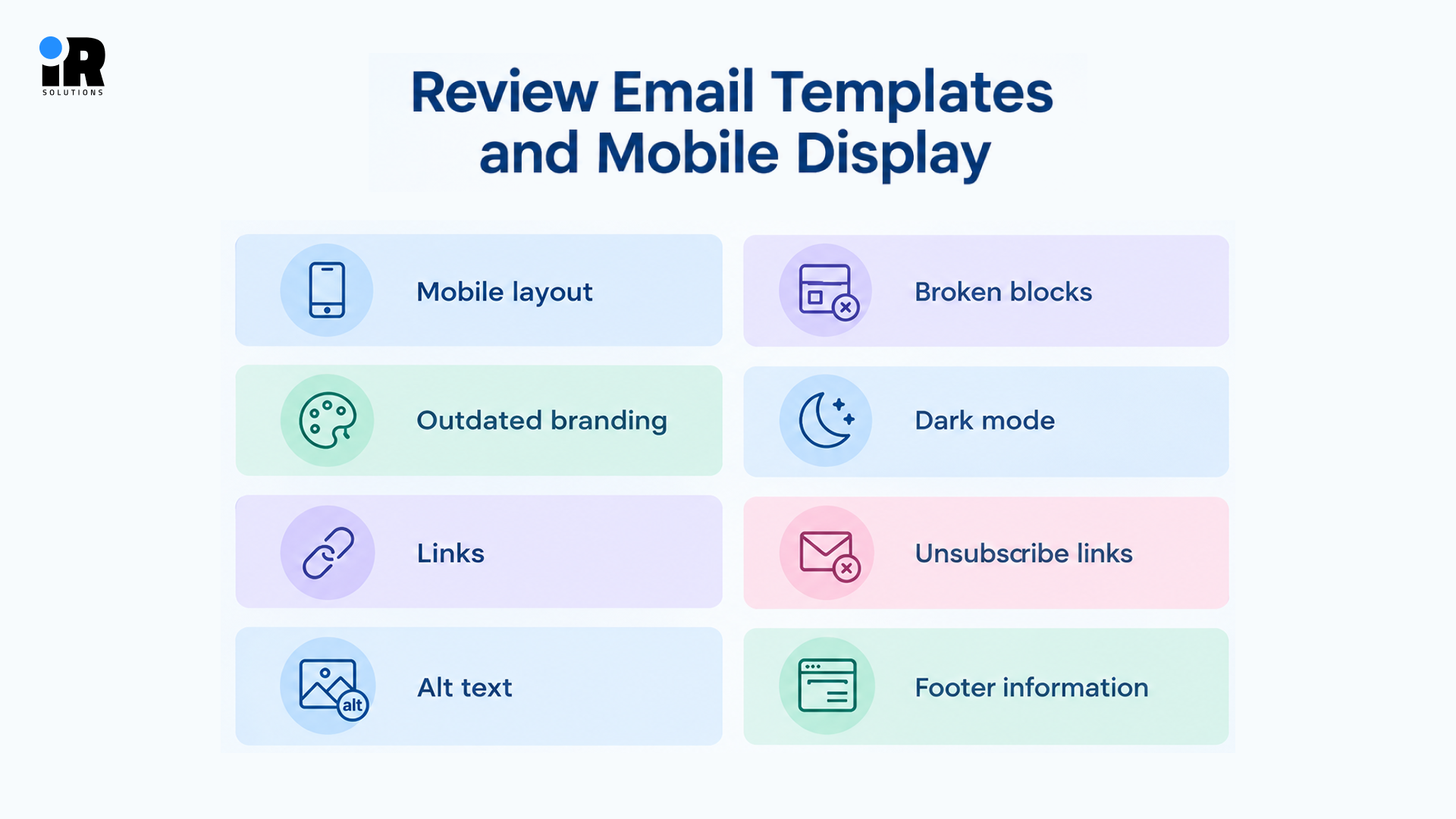
- Mobile layout: Check that every email displays properly across different phone screen sizes.
- Broken blocks: Test product blocks, image sections, and dynamic content for display issues.
- Outdated branding: Replace old logos, fonts, colours, and promotional graphics that no longer match.
- Dark mode: Check how text, images, buttons, and backgrounds appear in dark mode.
- Links: Test every link to confirm it opens the correct page without errors.
- Unsubscribe links: Make sure every email has a visible and working unsubscribe option.
- Alt text: Add useful alt text to images for subscribers who block them.
- Footer information: Check that company details and physical address are included where required.
Older flow templates may still use outdated designs, branding, or links. Campaigns are updated more often, while automated emails can keep running with old content for months or even years.
Audit Klaviyo Reporting and Revenue Attribution
Good open rates feel reassuring. But a 35% open rate does not pay the bills. Plenty of accounts have strong engagement and weak revenue at the same time, and reporting is where that gap finally shows up. This section is about measuring what actually matters, not just what looks good on a dashboard.
Review Attributed Revenue
Pull flow revenue and campaign revenue separately. Then look at the trend, not just this month's number. If your list has grown but email revenue has stayed flat, something in the account is not working the way it should. Look for any months where revenue dropped without an obvious reason those dips usually trace back to a specific change in flows, segments, or sending habits.
Use Revenue Per Recipient
Total revenue can hide a lot. A campaign that sent to twenty thousand people and made eight thousand dollars is actually weaker than a flow that sent to two thousand people and made five thousand dollars, once you do the per-person maths. Revenue per recipient cuts through the volume. Use it to spot which flows are genuinely strong and which campaigns are taking up send volume without earning it back.
Check Attribution Settings
Your attribution window controls how long after a send Klaviyo gives email credit for a purchase. A window that is too wide means email gets credited for sales that had nothing to do with the campaign. Check both your click and view attribution settings. Make sure they match how your customers actually buy, not whatever defaults were in place when the account was first set up.
Review Email and SMS Strategy Together
If you use both email and SMS in Klaviyo, review them together. Sending both without checking how they work together can lead to repeated messages, such as an abandoned cart email followed by an SMS about the same cart.
Check SMS consent separately from email consent. Someone who agreed to receive emails has not automatically agreed to receive SMS messages.
Review how email and SMS flows work together and avoid sending the same message through both channels within a short time. Also check:
- Opt-out handling: Make sure SMS unsubscribes are recorded correctly.
- Frequency: Check how often subscribers receive email and SMS combined.
- Revenue split: Compare revenue generated by SMS and email separately.
- Flow overlap: Check for the same abandoned cart or win-back flow running on both channels.
SMS can cost more per message than email, so review the revenue and costs from each channel separately. If you haven't reviewed SMS recently, include it in your audit.
See Klaviyo SMS marketing best practices for tips on coordinating email and SMS.
Common Issues Found in Klaviyo Audits
Klaviyo audits often reveal issues that can affect email performance, deliverability, or revenue. Some are easy to fix, while others may require a closer review of the account.
- Missing flows: Core automations that were never built or have been sitting in draft for months.
- Broken triggers: Flows that are set to live but never send because the trigger event is wrong or no longer works.
- No purchase exclusion: Abandoned cart flows continuing to send messages to people who already completed checkout.
- Poor list hygiene: Inactive contacts that have not engaged in over a year still sitting in the active audience
- Overlapping segments: The same subscriber receiving near-identical campaigns from multiple segments on the same day
- Low-converting forms: Signup forms that have been live for months with no testing and a conversion rate below two percent
- Authentication gaps: Missing DKIM or DMARC records quietly increasing the chance of emails landing in spam
- Outdated templates: Welcome and post-purchase emails still using last year's branding and old promotional offers
- No testing process: Campaigns consistently going out with no subject line or content testing happening at all
- Incorrect attribution: Attribution windows set so wide that email gets credit for purchases that had nothing to do with the campaign
- Unused integrations: Third-party tools still connected to the account but sending no useful data and creating noise
Missing flows and weak segmentation can have a significant impact because they may prevent relevant messages from reaching customers at important points in their buying journey. Together they represent revenue that should be arriving automatically but is not because the setup was never completed or never reviewed.
How to Prioritise What You Found
An audit will usually uncover more issues than you can fix in a week. Prioritise clearly so the most important problems get addressed first.
Fix Right Away
These issues are costing you money or creating risk right now:
- Broken ecommerce integration or missing event tracking
- Deliverability problems or authentication failures
- Broken flows with missing purchase exclusions
- Consent recording errors
- Broken links in live emails
Fix Next
These are important but not urgent enough to stop everything:
- Missing core flows that should be generating revenue
- Weak segmentation on high-volume campaigns
- Signup forms converting poorly with significant traffic
- Campaigns going to the full list rather than relevant segments
Optimise Later
These improve performance over time but are not immediate priorities:
- Advanced conditional splits in existing flows
- New A/B tests across campaigns and subject lines
- Template redesigns for better mobile experience
- Additional automation for specific customer journeys
How Often Should You Audit Your Klaviyo Account?
One audit is not enough. Your Klaviyo account keeps changing as you add flows, update segments, connect integrations, and change campaigns. A review can fix current issues, but new problems can appear later.
A full audit every three months is a good routine. Check your flows, segments, deliverability, and campaign results instead of only looking at dashboard numbers.
For example, review your account before Black Friday, a major sale, or a new product launch. After moving to a new platform, check that your lists, profiles, flows, and store data transferred correctly. If engagement or revenue suddenly drops, check your account right away instead of waiting for the next audit.
Regular checks help you find small issues before they affect your email performance and revenue.
When to Bring In a Klaviyo Expert
Some audits are straightforward. Others reveal problems that need specialist knowledge to diagnose and fix properly. Consider getting professional help when:
Revenue has been declining despite consistent sending. Deliverability has dropped, and internal changes have not fixed it. Multiple agencies or employees have managed the account, and nobody knows what is doing what. Basic segmentation has never been improved beyond the original setup. The team cannot identify which flows are actually generating revenue.
An experienced Klaviyo expert can review flows, campaigns, segmentation, deliverability, and account performance with a fresh set of eyes, identify the highest-priority issues, and help implement the fixes that can improve your email marketing performance. If your team needs help with automation, segmentation, testing, or performance tracking, you can also hire email marketing experts to manage these areas.
The Full Klaviyo Audit Checklist
Use this as your reference when going through the account.
Account Setup
- Business and sender settings reviewed
- User access and permissions checked
- Billing and active features reviewed
Integrations and Data
- Ecommerce integration confirmed as working
- Key events firing correctly with full properties
- Third-party integrations reviewed and cleaned up
Deliverability
- SPF, DKIM, and DMARC checked
- Bounce rates reviewed and addressed
- Spam complaint sources identified
- List hygiene and suppression reviewed
Lists and Segments
- Main lists checked for accuracy
- Segment logic reviewed and corrected
- Duplicate or overlapping segments removed
- Core ecommerce segments in place
Signup Forms
- All active forms tested and working
- Targeting and timing reviewed
- Conversion rates checked and benchmarked
- Form-to-list connections verified
Flows
- Core flows confirmed as active and live
- Triggers correct for every flow
- Filters and purchase exclusions working
- Timing and delays reviewed
- Content and personalisation checked
- Performance measured by revenue per recipient
Campaigns
- Sending frequency reviewed
- Segmentation decisions checked
- Performance data reviewed
- A/B testing process confirmed
Reporting
- Revenue attribution reviewed
- Revenue per recipient tracked
- Attribution settings match reporting approach
- Performance trends compared over time
Conclusion
Some Klaviyo issues can go unnoticed for a long time. They may slowly affect your revenue even when the numbers in your dashboard look normal. A regular audit helps you catch these issues before they become bigger problems.
You do not need to fix everything at once. Start with the biggest problems and work through the rest as your team has time. Fix flows that are not triggering properly, clean up your segments, and check deliverability before it starts causing bigger issues. Small fixes made regularly can make a real difference over time.
If something on the checklist is too difficult for your team to handle, getting help from a Klaviyo expert can save time and prevent costly mistakes. It is often better to fix an issue early than leave it unchecked.
Frequently Asked Questions
What is a Klaviyo audit?
A Klaviyo audit is an organized evaluation of your account that examines settings, integrations, deliverability, lists, segments, forms, flows, campaigns, and reporting. The aim is to determine what is working well, what isn't, and what can be enhanced.
What should a Klaviyo audit include?
An in-depth audit should include account configuration, integration with ecommerce, event tracking, email authentication, list and segment quality, signup forms, performance of flows, campaign results, templates, and revenue attribution.
How often should you audit a Klaviyo account?
Most accounts will benefit from a full audit each quarter, a lighter audit before a big sales period, and an immediate audit if there is an unexpected drop in performance that is unexpected.
How do you audit Klaviyo flows?
Check whether core flows are live, confirm triggers are correct, verify filters and purchase exclusions are working, review timing and delays, check content for accuracy, and measure performance using revenue per recipient.
What metrics should you review in Klaviyo?
Focus on revenue per recipient, conversion rate, click rate, deliverability metrics, unsubscribe rate, and spam complaints. Revenue per recipient is the most useful single metric for comparing flows and campaigns.
How do you audit Klaviyo deliverability?
Look at bounce and complaint rates, review unsubscribe trends, check SPF, DKIM, and DMARC authentication, and evaluate list hygiene (suppressed profiles and inactive subscribers).
How long does a Klaviyo audit take?
A simple audit of primary areas will take about 2-4 hours on a smaller account. A more comprehensive audit for a bigger, more complex account with a multitude of flows and integrations can take up to a full day or longer.
Should you hire a Klaviyo expert for an audit?
A professional audit will often quickly pinpoint and resolve issues when revenue is going down, deliverability is struggling, or the account is being handled by a number of people and there is no sense of order.